4.2.3 Information within Image
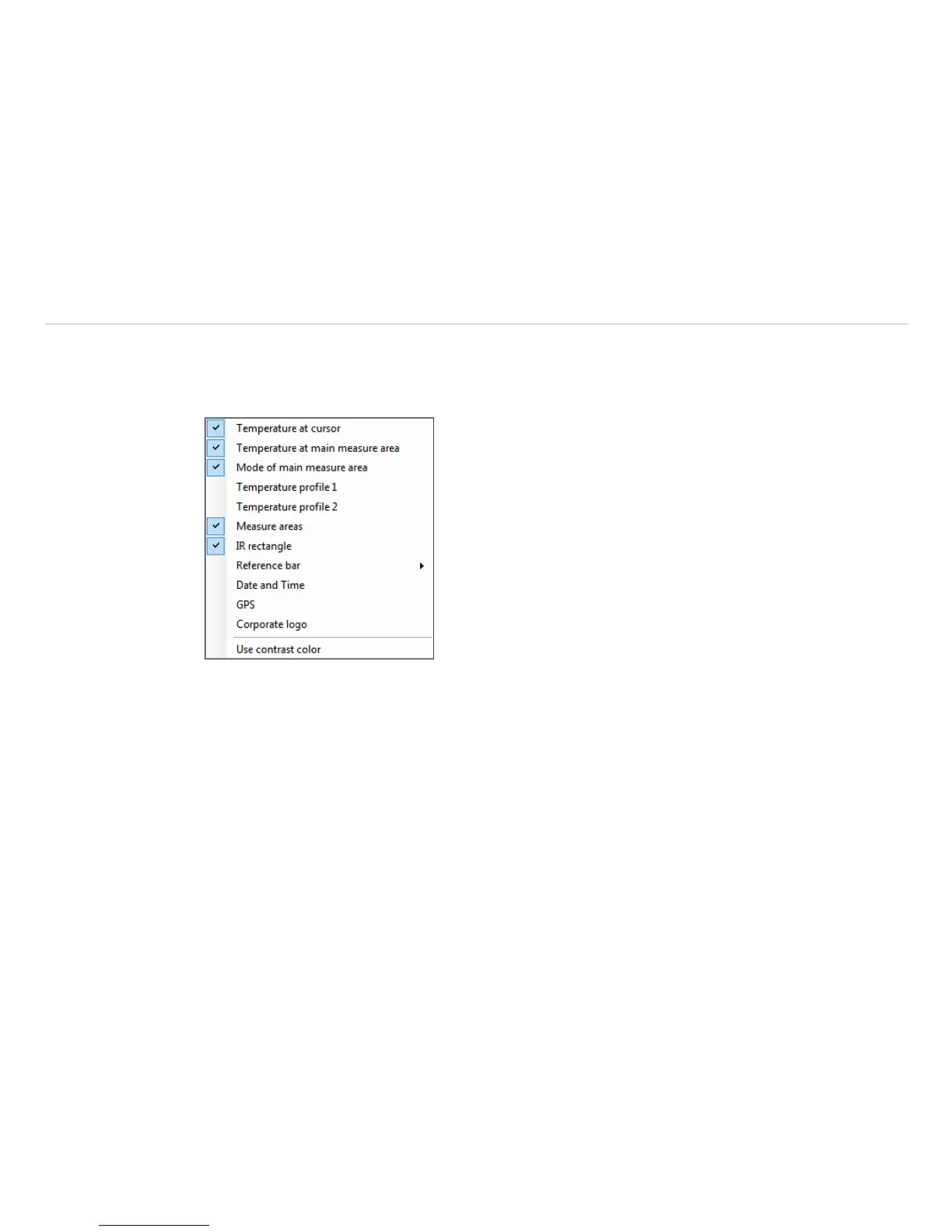
Using the menu View and Image Information you can decide, which information you would like to see
inside the infrared image window.
Via Reference bar you can set the position of the temperature scale within the infrared image window.
Fig. 23 View information within Image
The menu item Use contrast color can be used for highlighting particular information within the IR im-
age.


 To Next Page