4.3.4 Emissivity, Transmissivity, Ambient Temperature
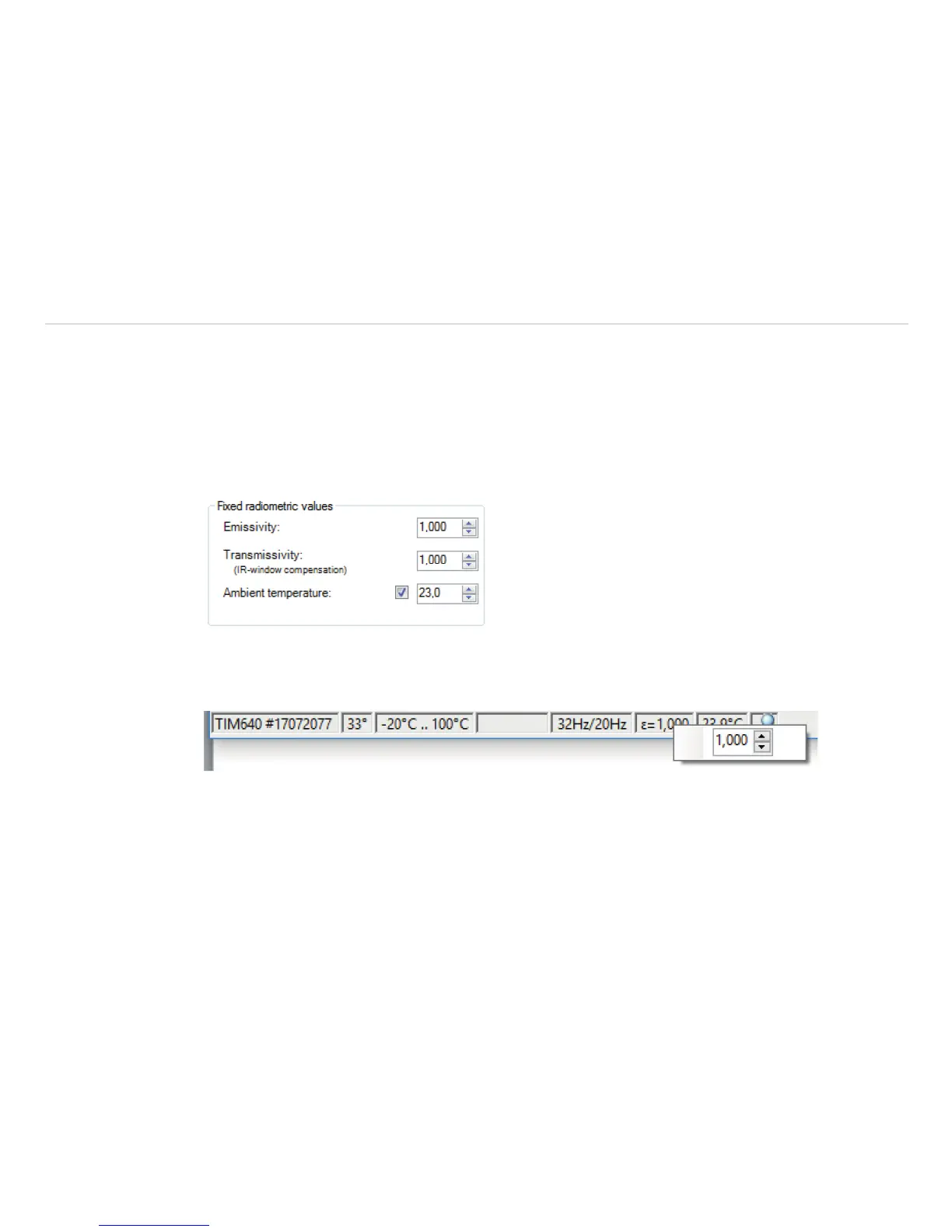
Using the menu Tools, Configuration and Device the Emissivity and the Transmissivity (IR-
window compensation) can be set.
The transmissivity is referring to the loss of radiation if an object’s surface is measured by looking through a
suitable window.
Knowing the Ambient temperature is inevitable for a correct temperature measurement. The ambient
temperature value is delivered by the camera’s internal sensor by default. Alternatively, the value can be set
as a fixed value.
Fig. 35 View Emissivity, Transmission, Ambient Temperature
Alternatively, the emissivity can also be changed via the status bar in the TIM Connect software window. To
do this, make a right-click on emissivity.
i
In case that the emissivity and / or the ambient temperature values are controlled through the Process
Interface (PIF) the here defined values will be ignored, see Chap. 4.5. The display of actual values will
be shown in the status bar.



 To Next Page