6.8 Alarms
In the Tools, Configuration and Alarms menu you can define an alarm and pre-alarm
for each configured measure area as well as for the predefined values, see Chap. 4.2.4. Pre-
alarms can be useful as an advance warning.
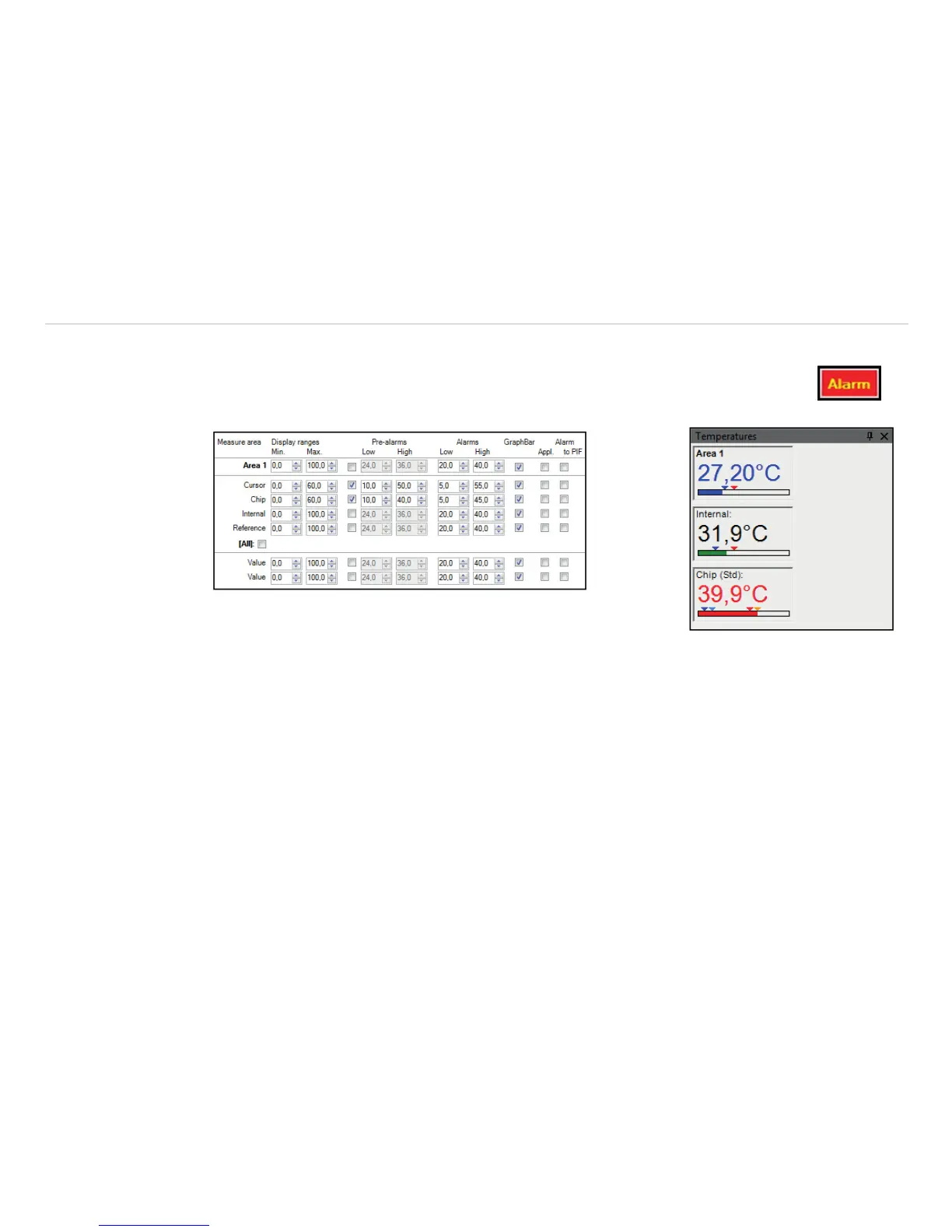
Fig. 88 Table Alarms Fig. 89 View Temperatures
The alarm values can be displayed as figures in the digital display or in a graphical way as a bar. For the lat-
ter you need to activate the option GraphBar. Regarding the bar you can define via Display ranges the
Min. and Max. value (temperature borders).
With Alarms the Low and High thresholds can be set which finally defines the displayed color.
If the high alarm value is reached or exceeded the color of bar changes to red, for pre-alarm orange. If the
measured temperature reaches or goes below the lower alarm value the color of bar changes to blue, for pre-
alarm light blue. Temperatures in between the defined thresholds are displayed green.
i
The background color of the window for the digital display of the main measuring field also changes
when the alarm value is below or exceeded, in light blue or blue (low alarm) or orange or red (high
alarm).



 To Next Page