5.6.5 Saving Image Data as Radiometric Snapshot or Text File
Snapshots are single, radiometric images based on a video sequence, this means they are
contain all temperature as well as measure area information. Thus the images can always be
analyzed in detail later on.
Snapshots can be captured via the menu File and Snapshot or via the Icon on the toolbar.
Fig. 60 View Snapshots
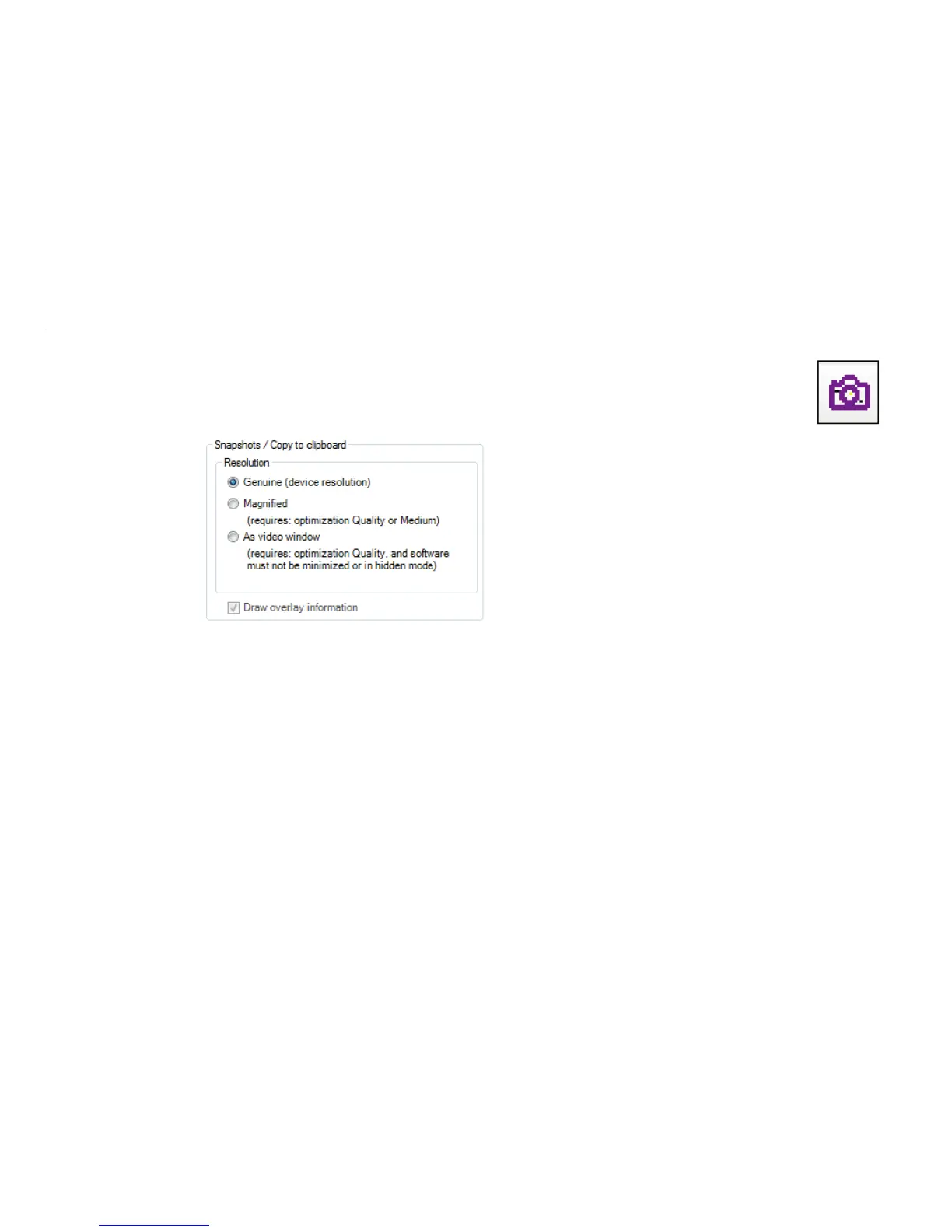
Using the settings in the menu Tools, Configuration and Snapshots / Copy to clipboard you
can define how a snapshot is copied into the clipboard or stored on the computer. Either the snapshot will
be saved in the Genuine(device resolution) corresponding to the camera’s resolution, Magnified
(Magnification for TIM 160, TIM 2xx to four times the resolution, for TIM 4xx to double, and for TIM 640 and
TIM M-1, the original device resolution remains) or using As video window (as illustrated video window).
The option Draw overlay information will display all information, such as measuring area or tempera-
ture display and is stored on the image. If the checkmark is not set, only the pure thermal image is stored
without values and information.
i
The option Genuine (device resolution) needs to be chosen if you want to save and display
(snapshot history) the identical snapshot. Otherwise, the camera image taken before the snapshot will
be displayed in the history.
If the option Open a file dialog is tagged you will always be asked about the location, the file name and
the file type before saving a snapshot.



 To Next Page