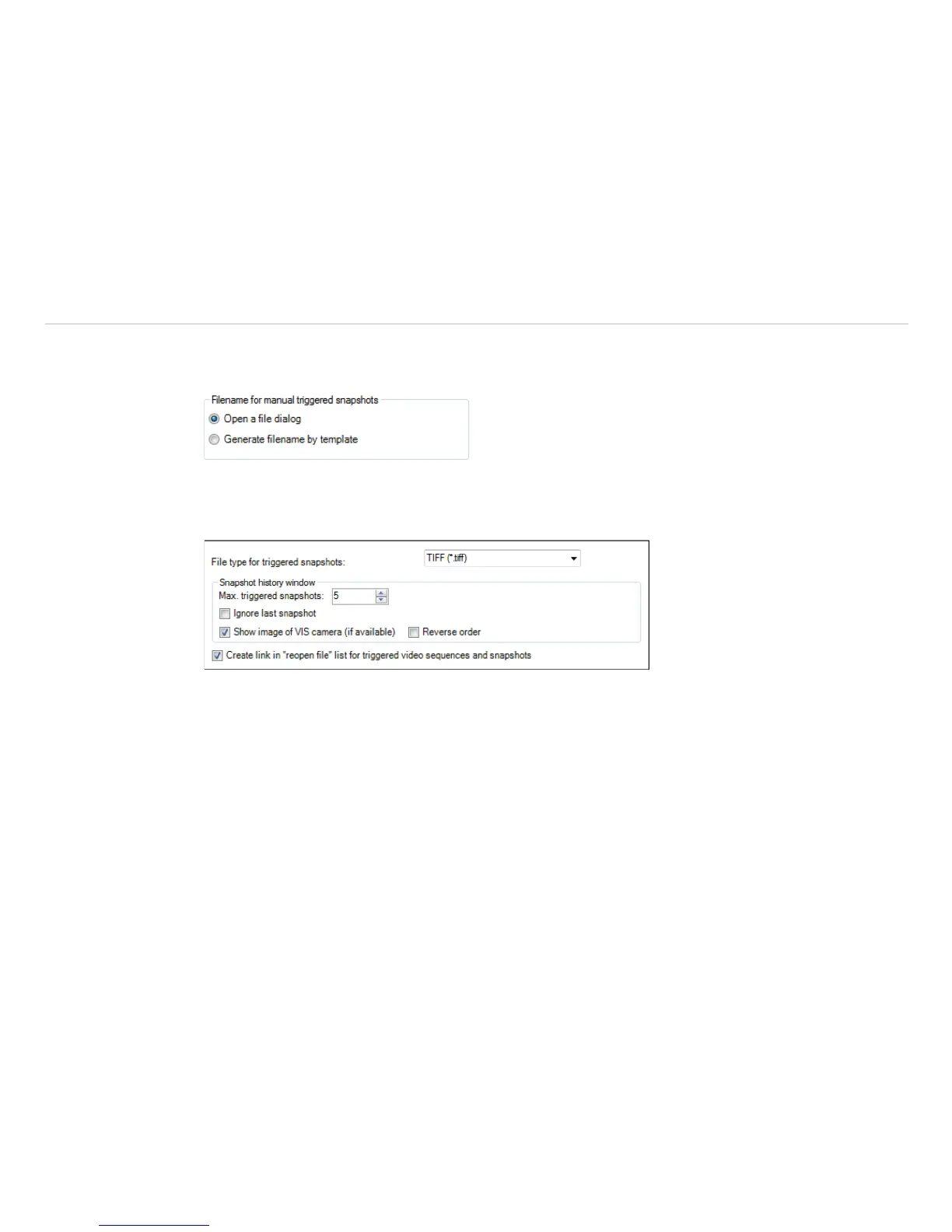
Having chosen the option Generate filename by template the snapshots location and name will be
generated based on the settings in the menu Tools, Configuration and Trig. Recording / Snap-
shots, see Chap. 5.6.7
Fig. 61 View Filename for manual triggered snapshots
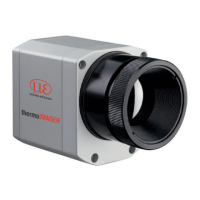
In the Tools, Configuration and Trig. Recording / Snapshots menu you define the File type for
triggered snapshots.
Fig. 62 View File type for triggered snapshots
The option Max. triggered snapshots sets the number of displayed snapshots in the separate window
Snapshot history, see Chap. 4.2.1. If Ignore last snapshot (if available) is activated only the latest
snapshot will be displayed in the snapshot history window if a new snapshot is captured.
Show image of VIS camera (if available) implies that the visible image if available will be saved
too.
Reverse order implies that the sequence of the pictures will be shown in the snapshot history in reverse
order.
Create link in “reopen file” list for triggered video sequences and snapshots
implies that the snapshots or triggered videos are listed under File and Reopen.


 To Next Page