6.7 Relative Extreme Values
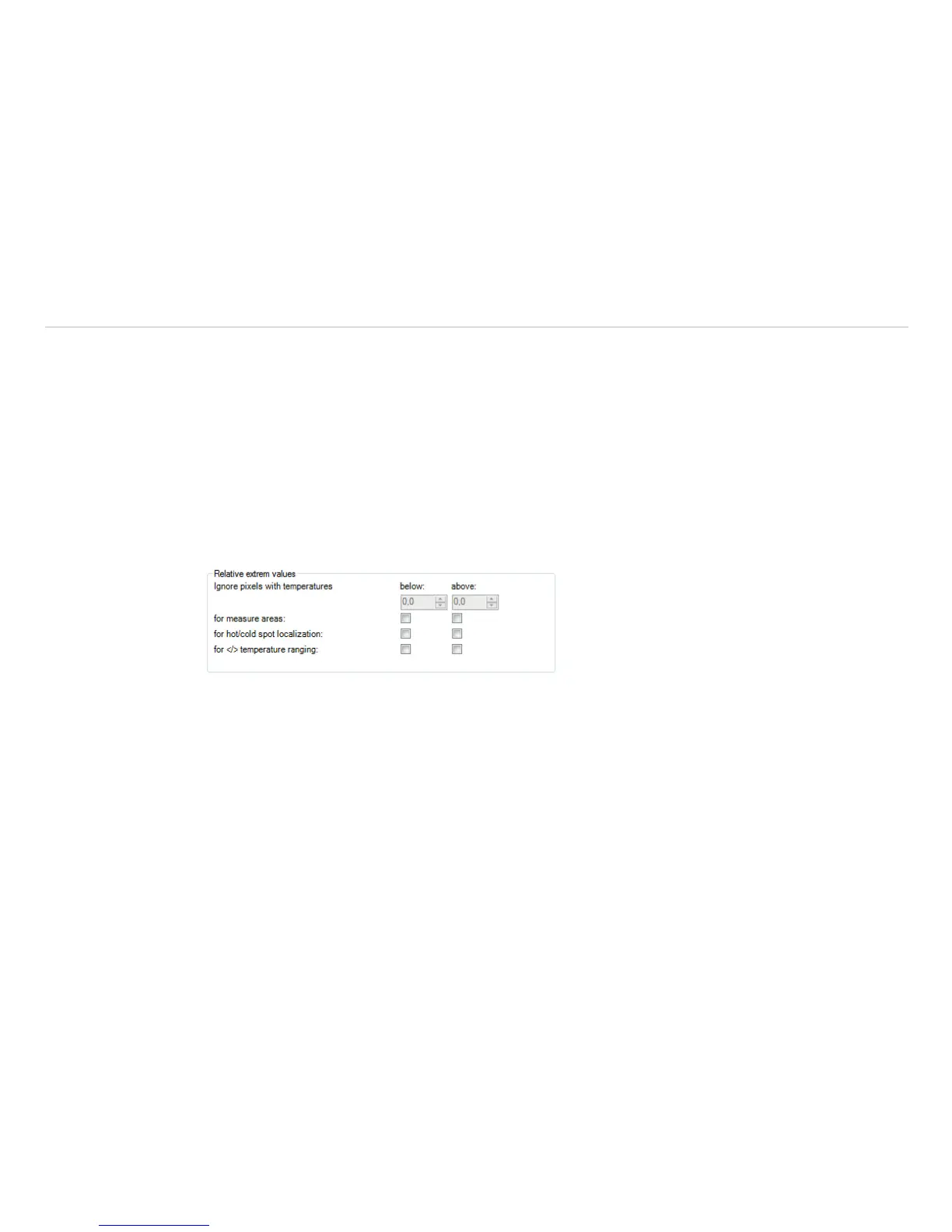
Within the Tools, Configuration and Extended measuring menu it is possible to exclude pixel within the
thermal image from data analysis.
Using Ignore pixels with temperatures a temperature can be set as lowest (below) or highest
(above) value.
In case of analyzing an image using measure areas (for measure areas) the calculation of e.g. the mean
value is not taking values below or above the set limits into account.
For hot/cold spots localization determines that all pixels with the defined values are excluded from
search.
For </> temperature ranging means that all pixels with the respective temperature do not influence
e.g. the automatic scaling of temperature-time-diagram.
Fig. 87 Relative Extreme values


 To Next Page