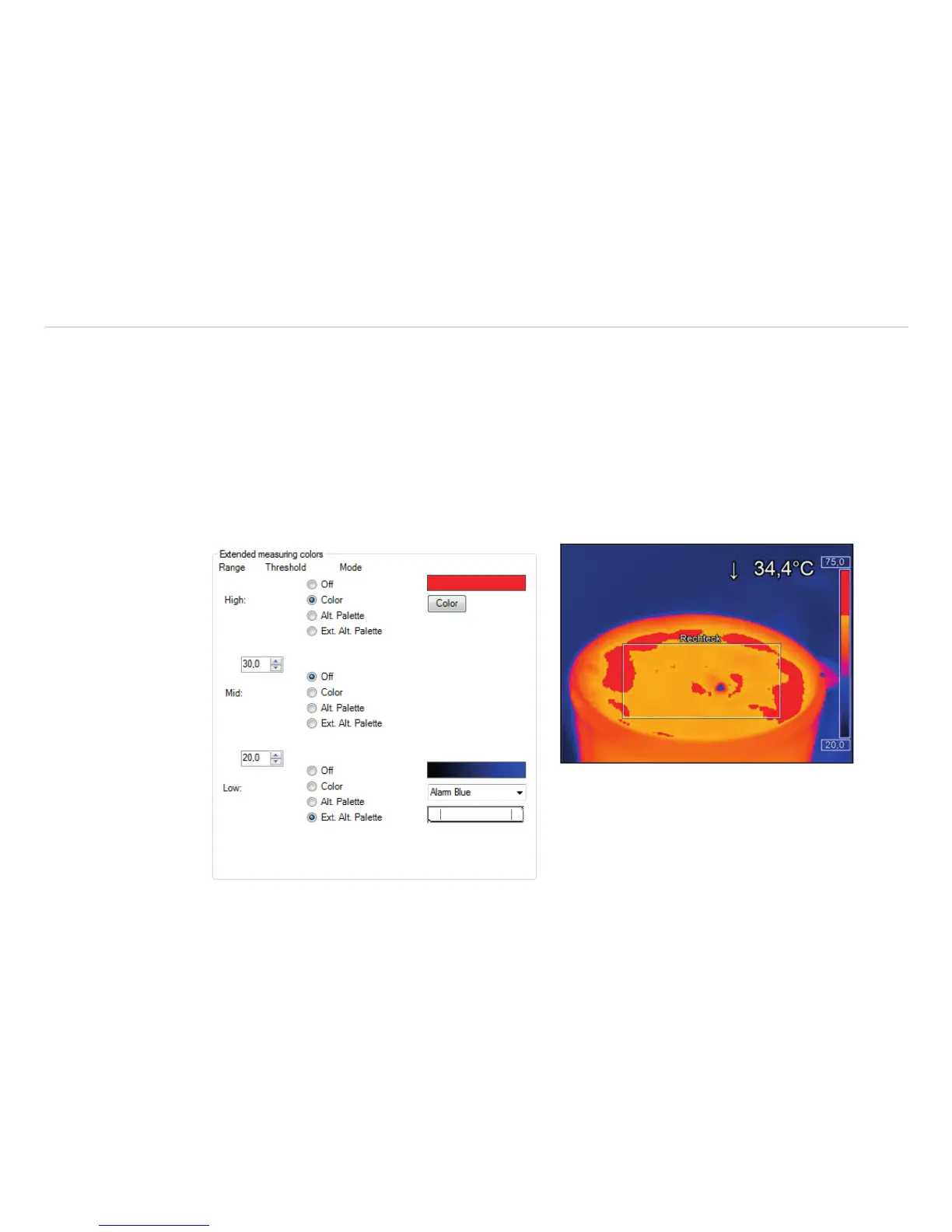
6.5 Extended Measuring Colors
The Tools, Configuration, Measuring colors and Extended Measuring colors menus offer you
the possibility to change the pixel color within the image if the temperature Range reaches predefined low
and/or high temperature values. Doing this you can visualize temperature gradients.
Furthermore, the display of isotherms (colored display of temperature group) is possible.
Via the Threshold definition you can set two temperature values. The individual display of pixel located over
(High), between (Mid) or below (Low) the thresholds can be defined by specific isotherm (Color) or by an
alternative color palette (Alt. Palette).
Using Alt. palette the colors correspond to the temperature borders in the reference bar option. You will
see the range of the palette which was defined by the thresholds. With Ext. Alt. Palette you can indi-
vidually define the start and end point of the extended alternative color palette within the overall reference bar.
Fig. 84 View Extended measuring colors



 To Next Page