6.1.3 Excluding Hot and Cold Spot Areas
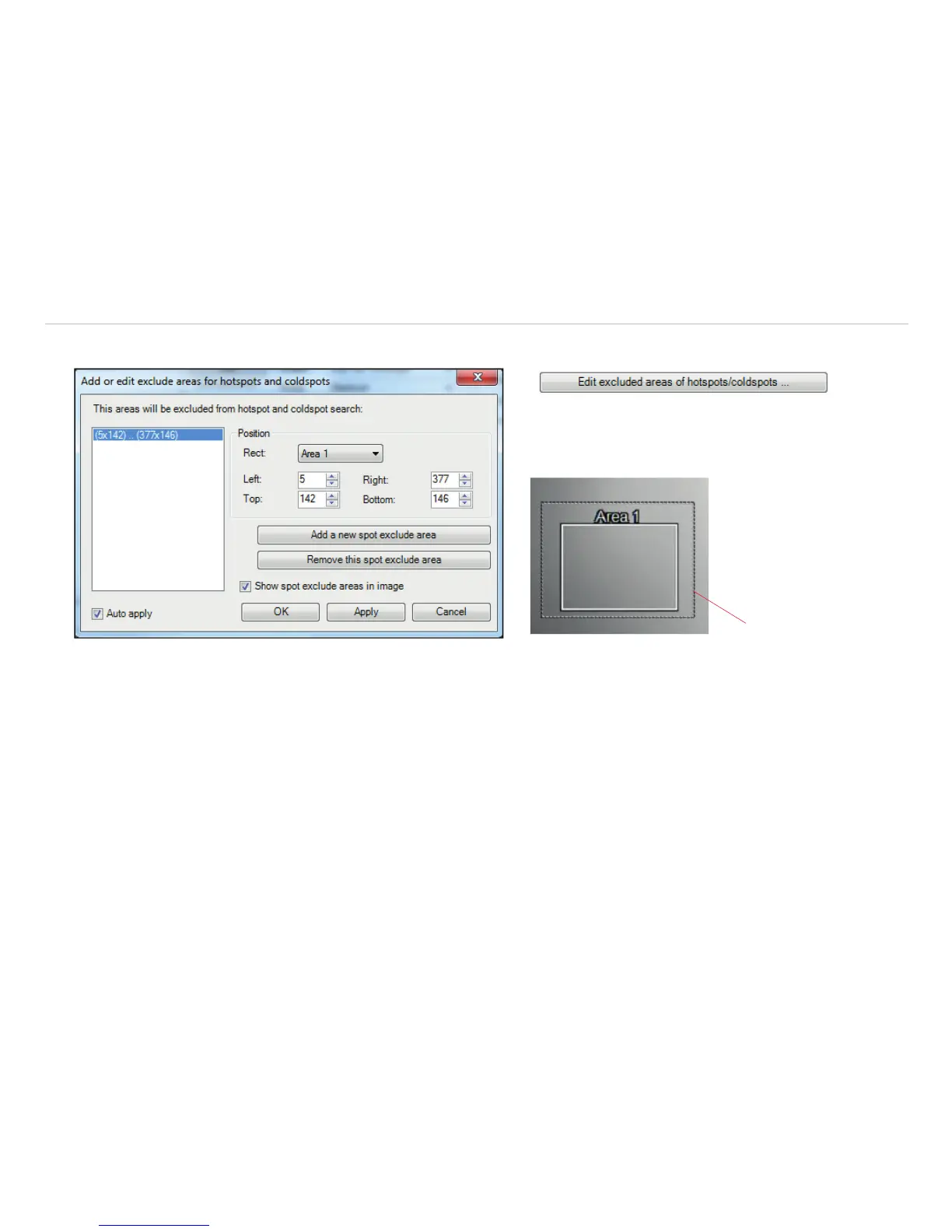
Dashed line
Fig. 72 View Add or edit exclude areas for hotspots and coldspots
Using the menu Tools, Configuration, Measure areas and Edit excluded areas of hotspots/coldspots you can
exclude existing or potential hot or cold spots from data analysis. Within the user defined areas of the image the spots will not be
taken into consideration. A new area can be edited via the button Add a new spot exclude area or deleted via the button
Remove this spot exclude area. The excluded area can be selected from already existing user defined areas in the drop
down list or can be defined using coordinates.
If you select the option Show spot exclude areas in image the areas will be shown in the main window. They are indicated
by a dashed line.



 To Next Page