10. Safety-related functions and interfaces
MiR600 User Guide (en) 08/2021 - v.1.0 ©Copyright 2021: Mobile Industrial Robots A/S. 103
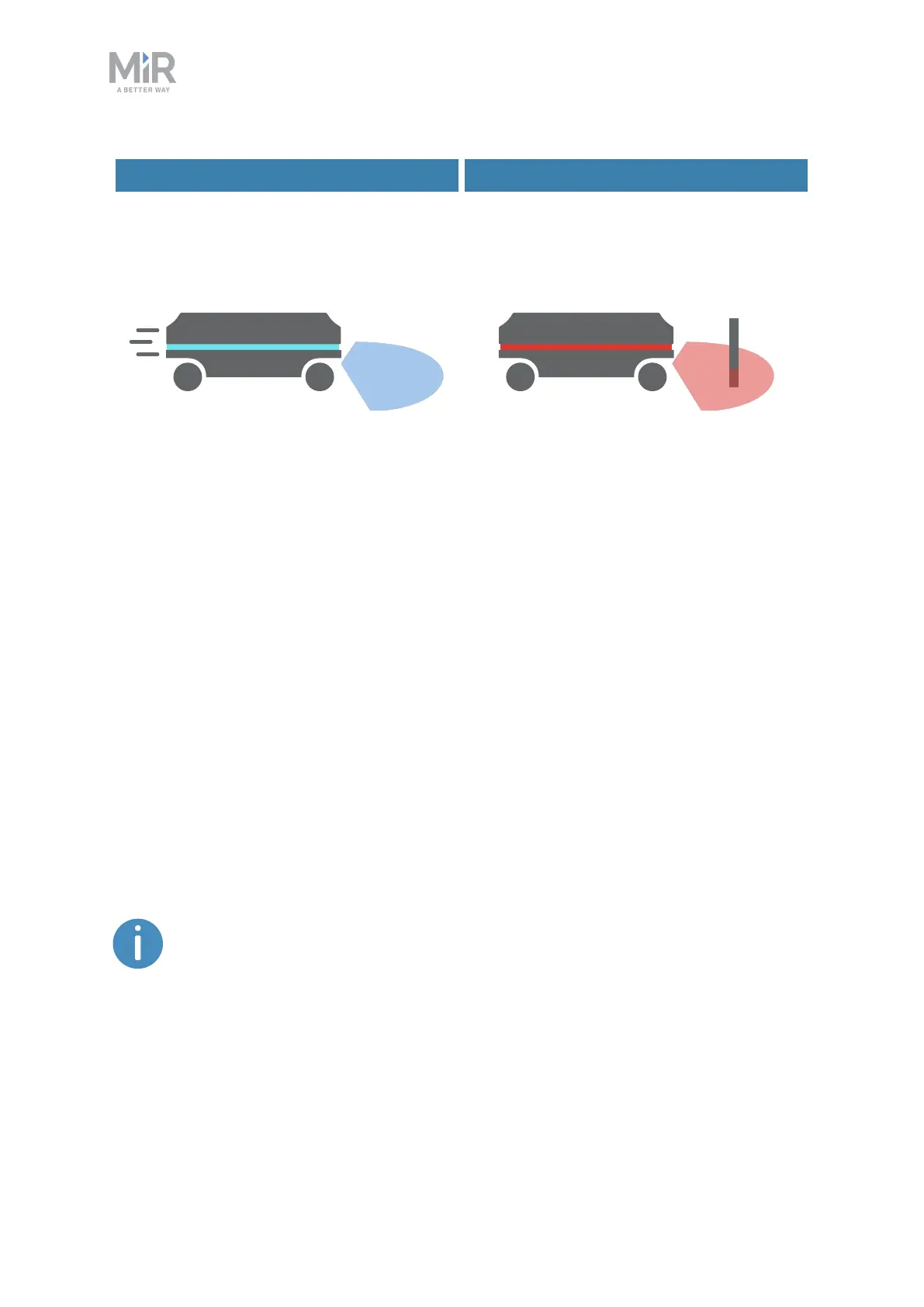
Drives when the area is clear Stops when an obstacle is detected
Figure 10.4. Personnel detection ensures that the robot drives when its path is clear and stops if an obstacle is
detected within its Protective field.
The safety laser scanners are programmed with two sets of Protective fields.One field set is
used when the robot is driving forward and the other when it is driving backward. The
Protective field sets are part of the robot’s Personnel detection safety function. Each
Protective field in the sets is an individually configured contour around the robot. The robot
activates the correct field based on the speed. If a person or object is detected within the
active Protective field, the robot enters Protective stop until the Protective field is cleared of
obstacles for at least two seconds.
The tables in the following sections show the sizes of the Protective fields at given speeds.
The faster the robot moves, the larger the scanners' field is. The speed of the robot is
determined based on the encoder data.
The Protective fields on the left and right sides of MiR600 are 350mm when
the robot is driving, and the field on the side opposite of the driving direction
is always 25mm.
The Protective fields on all sides of the robot are all 250mm when the robot is
at standstill (between 0–0.05 m/s).



 To Next Page