11. Commissioning
MiR600 User Guide (en) 08/2021 - v.1.0 ©Copyright 2021: Mobile Industrial Robots A/S. 144
To enable automatic undocking from markers, go to System >Settings >Docking and
enable the parameter Undock from markers .
You can also modify the size of the undocking area under System >Settings >Docking by
using the parameters Docked at marker reverse distance and Docked at marker side
threshold—see Table 11.1.
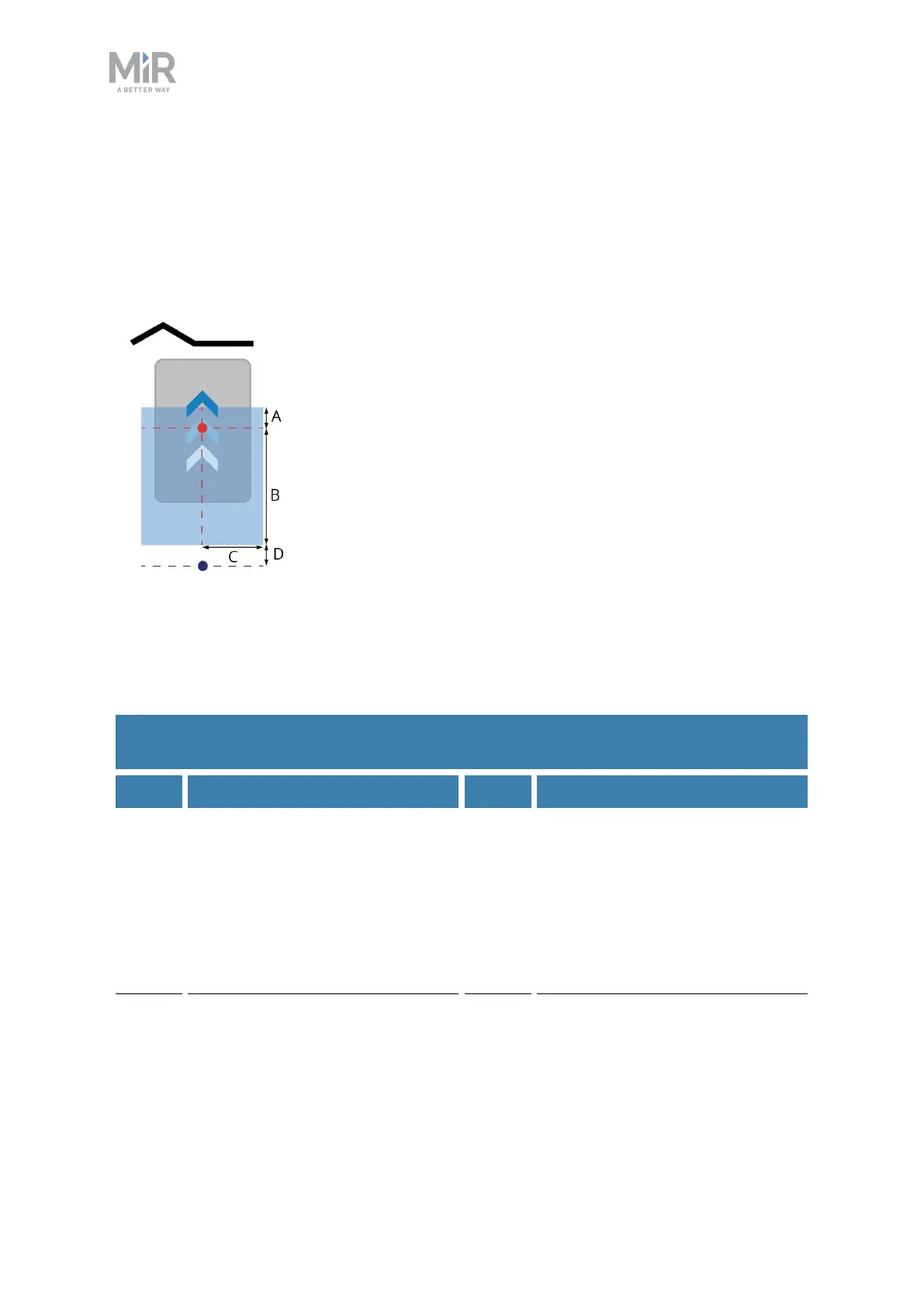
Figure 11.9. The undocking area initiates an undocking sequence for any robots with their center in the zone
before beginning an action (except Relative move actions). The red dot represents the center of the robot
when it is docked to the marker, the blue dot represents how far back the robot intends to move to undock
from the marker, and the blue area represents the undocking area.
Pos. Description Pos. Description
A Always 10 cm. This is the
distance in front of the robot's
final position when docked to the
marker. This ensures that even if
the robot is pushed forward a
bit, it will still undock when
leaving the marker.
B The distance entered under
Docked at marker reverse
distance. This is the distance
from the center of the robot
when it is docked to the edge of
the undocking area furthest from
the marker.
C The distance entered under
Docked at marker side
threshold. This is the distance to
either side of the center line
D Always 10 cm.To make sure the
robot's center has exited the
undocking area, the robot aims
to move back an additional 10
Table 11.1.
Identification of the dimensions in Figure 11.9



 To Next Page