11. Commissioning
MiR600 User Guide (en) 08/2021 - v.1.0 ©Copyright 2021: Mobile Industrial Robots A/S. 147
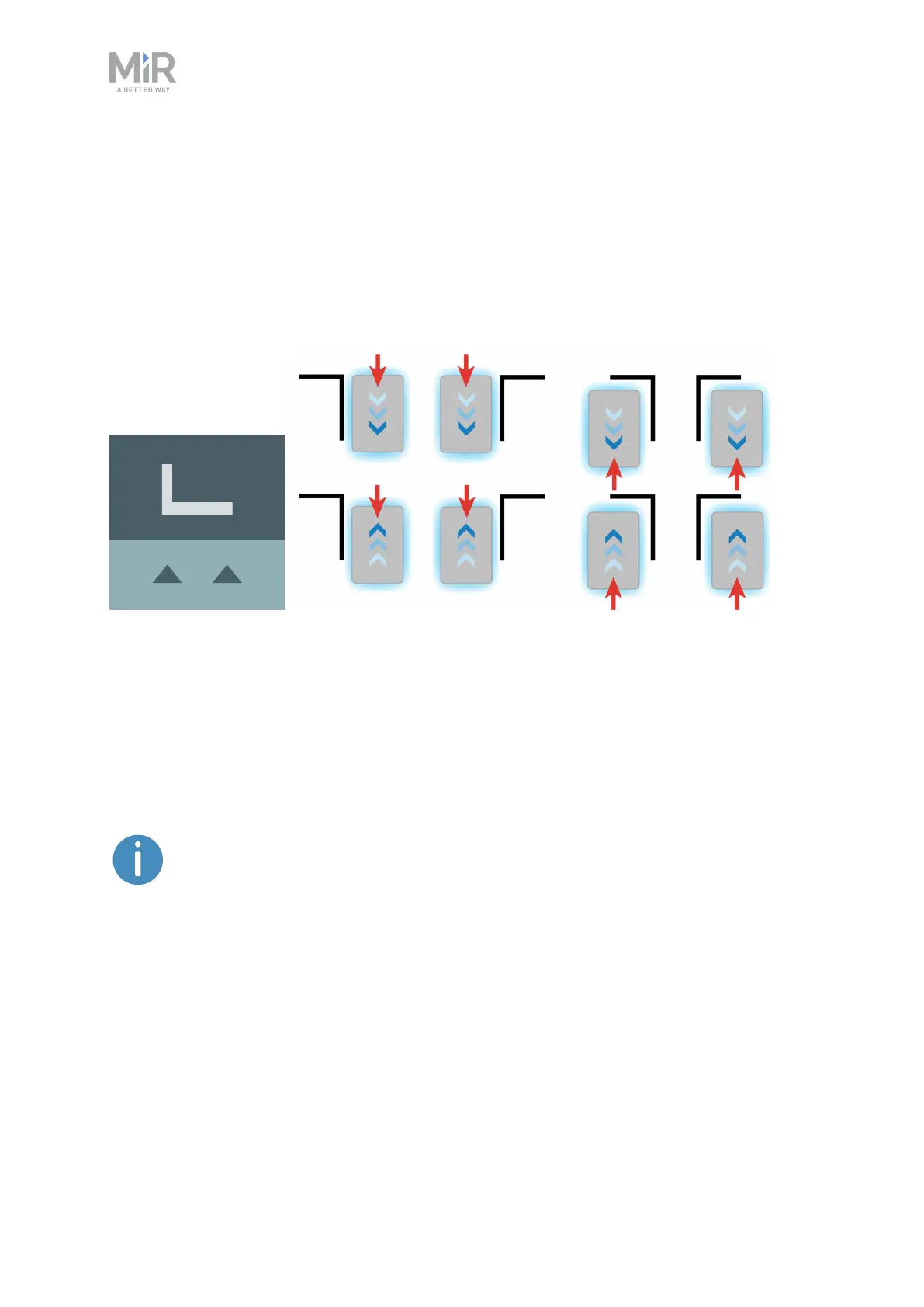
An L-marker makes it possible for the robot to dock in several different ways and
orientations. Robots can both dock to the inside and outside of an L-marker, and the marker
can be on any side of the robot. The marker is shaped liked an L with a defined angle of 90˚
and the dimensions 400 mm × 600 mm.
The robot must dock so the longer side of the L-marker is parallel with the right and left
sides of the robot. If the robot is docking outside of the marker, it must approach from the
side with the 90˚corner.
Figure 11.13. The icon used for L-markers in the interface and an illustration of how robots can dock to the
marker.
A Bar-marker can be used for forward or reverse docking between two bars or plates,
similar to pallet racks or shelves. Bar-markers must be between 400 mm and 2000 mm long,
and the distance between the bars must be between 750 mm and 1500 mm. The robot can
dock and undock from either end of the marker.
The distance between the bars must be larger than the footprint in the
software and physical dimensions of your robot.



 To Next Page