12. Usage
MiR600 User Guide (en) 08/2021 - v.1.0 ©Copyright 2021: Mobile Industrial Robots A/S. 179
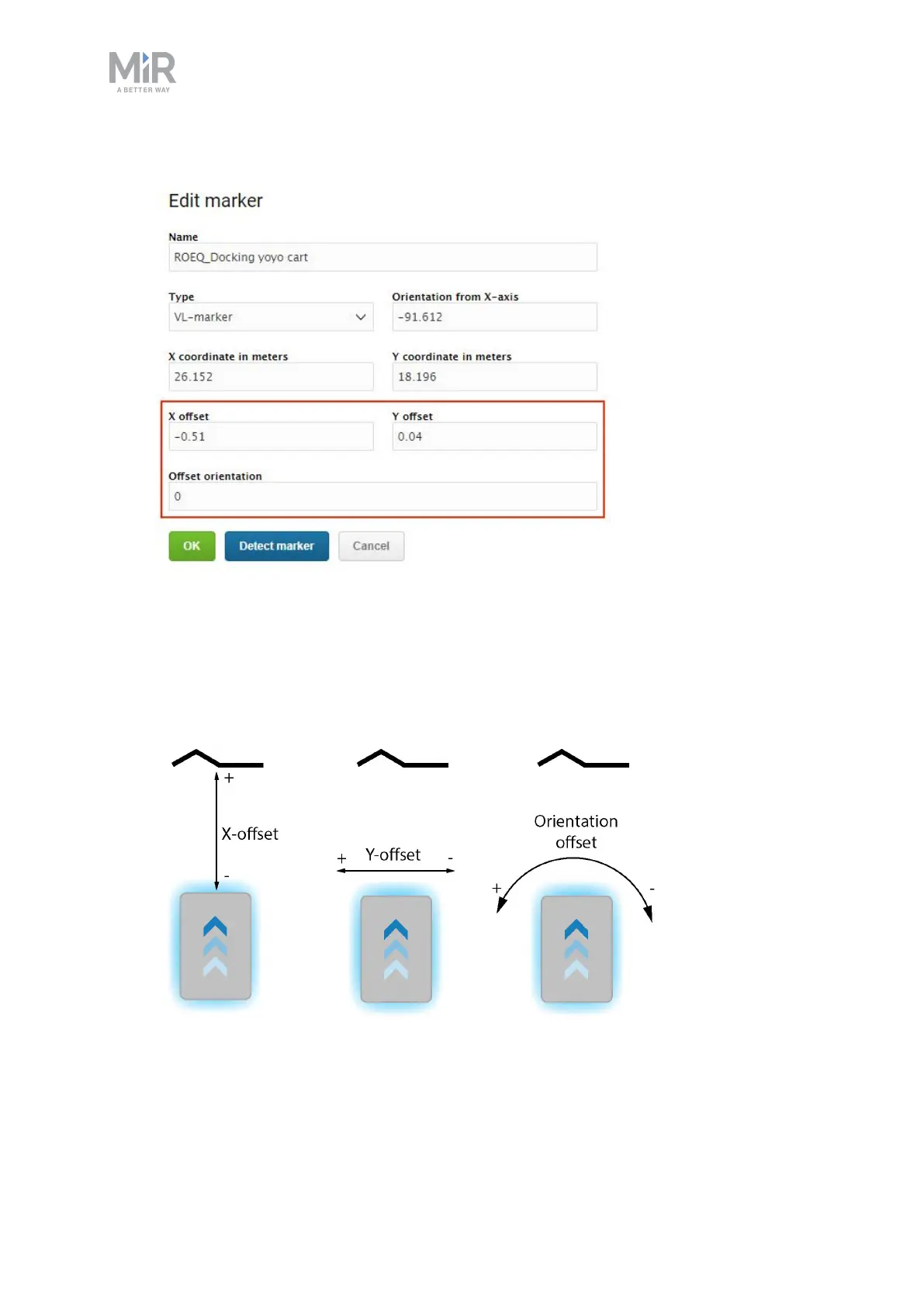
• To change where the robot stops relative to the marker, you can adjust the offsets.
• The X-offset moves the robot closer to or further from the marker in meters.
• The Y-offset moves the robot further to the left or right of the marker in meters.
• The orientation offset changes the final orientation of the robot in degrees.



 To Next Page