4. Unboxing
MiR250 Hook Integrator Manual (en) 12/2023 - v.3.0 ©Copyright 2021–2023: Mobile Industrial Robots A/S. 56
CAUTION
Harmful electromagnetic interference might be the result of having two radio
modules transmitting at the same time. The robot is certified to have only one radio
module active at any given time.
l
Do not attach an access point or additional radio modules to the robot while it is
connected to a wireless network.
To connect to the robot interface, follow these steps:
1 Remove the rear cover—see "Accessing the internal parts" on page149.
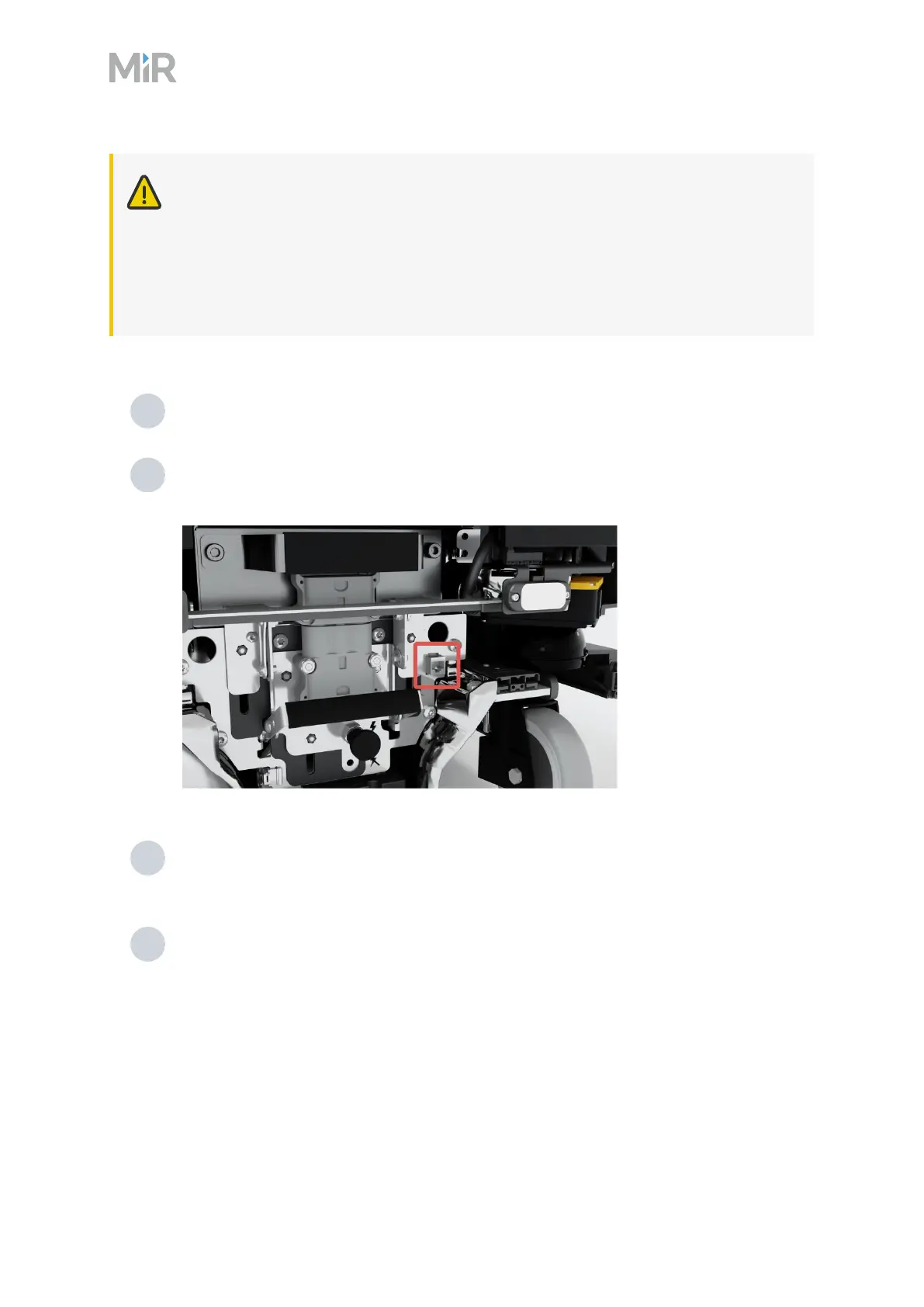
2 Locate the RJ45 Ethernet port in the rear compartment to the right of the battery fast-
swap assembly.
3 Connect your device directly to the robot using an Ethernet cable, or connect an access
point to the Ethernet port for a wireless connection.
4 If you are using an access point, connect your device to the access point. The
MiRAccessPoint Wi-Fi has the following format: MiR_3042XXXXX. Use the password
shipped with the access point to connect.



 To Next Page