Operating the unit
32 Operating instructions
4.4.2 Setting the cooking time
Once a cooking mode has been selected from the
Manual
cooking
menu, the cooking time is set to "Continuous operation"
as standard.
Setting continuous operation
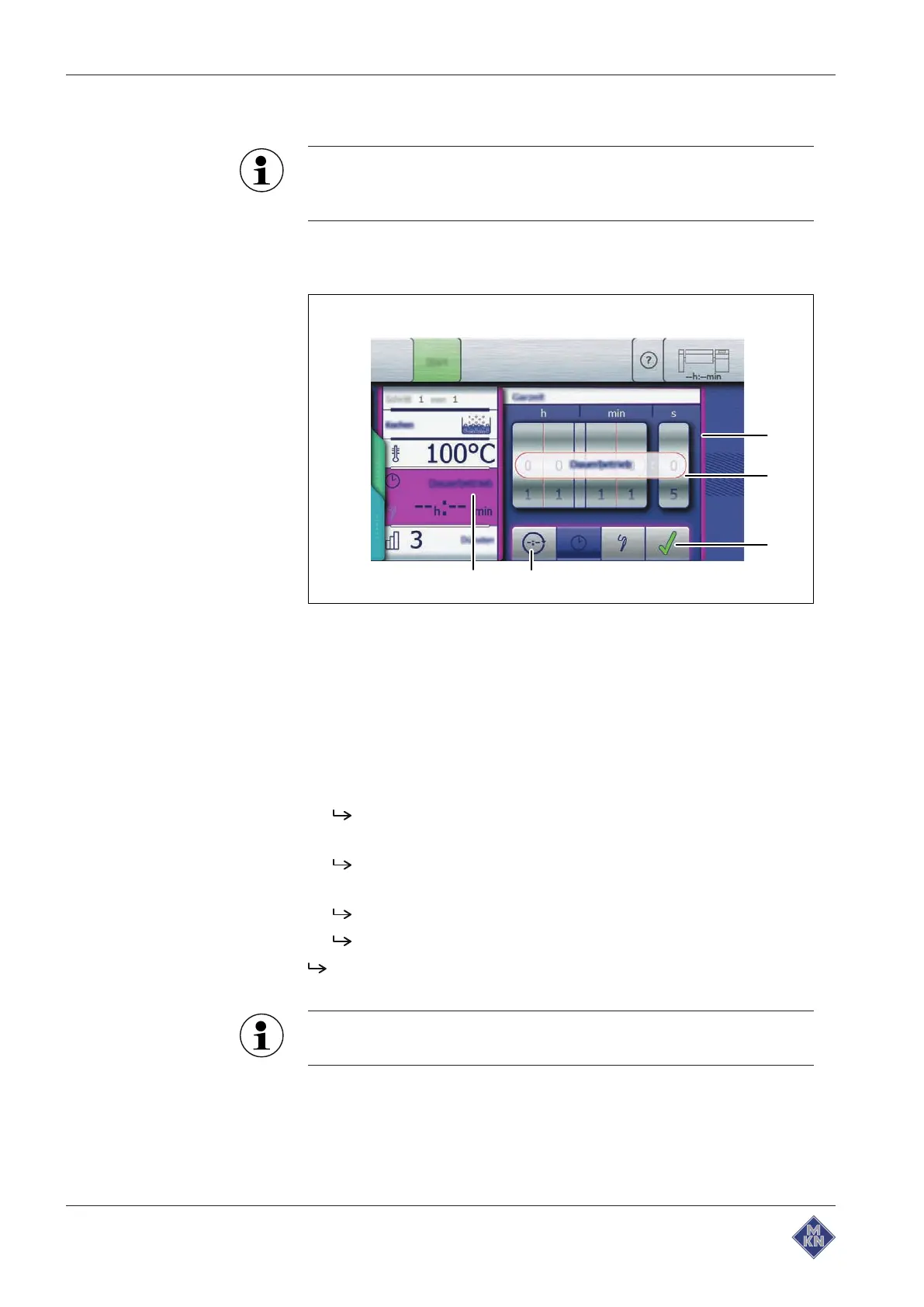
Image: Setting continuous operation, cooking mode
a
Setting
window d
Continuous operation
button
b Rollers e
Cooking time
field
c
Confirm
button
Requirement Cooking program selected
Cooking mode
window displayed
1. Tap the
Cooking time
field.
The
Setting
window is displayed.
2. Tap the
Continuous operation
button.
"Continuous operation" is displayed over the rollers.
3. Tap the
Confirm
button.
The
Setting
window closes.
The
Cooking mode
window displays the set cooking time.
The cooking time is set to continuous operation and will end after
24 hours.
Continuous operation is limited to 24 hours. To set a longer
cooking time, create a cooking program with multiple steps.
4426201-20ABBE-A



 To Next Page