Operating the unit
42 Operating instructions
4.5.4 Opening and closing the water inlet
ATTENTION
Risk of physical damage through overflowing water
• Monitor the water inlet and do not leave the unit unattended.
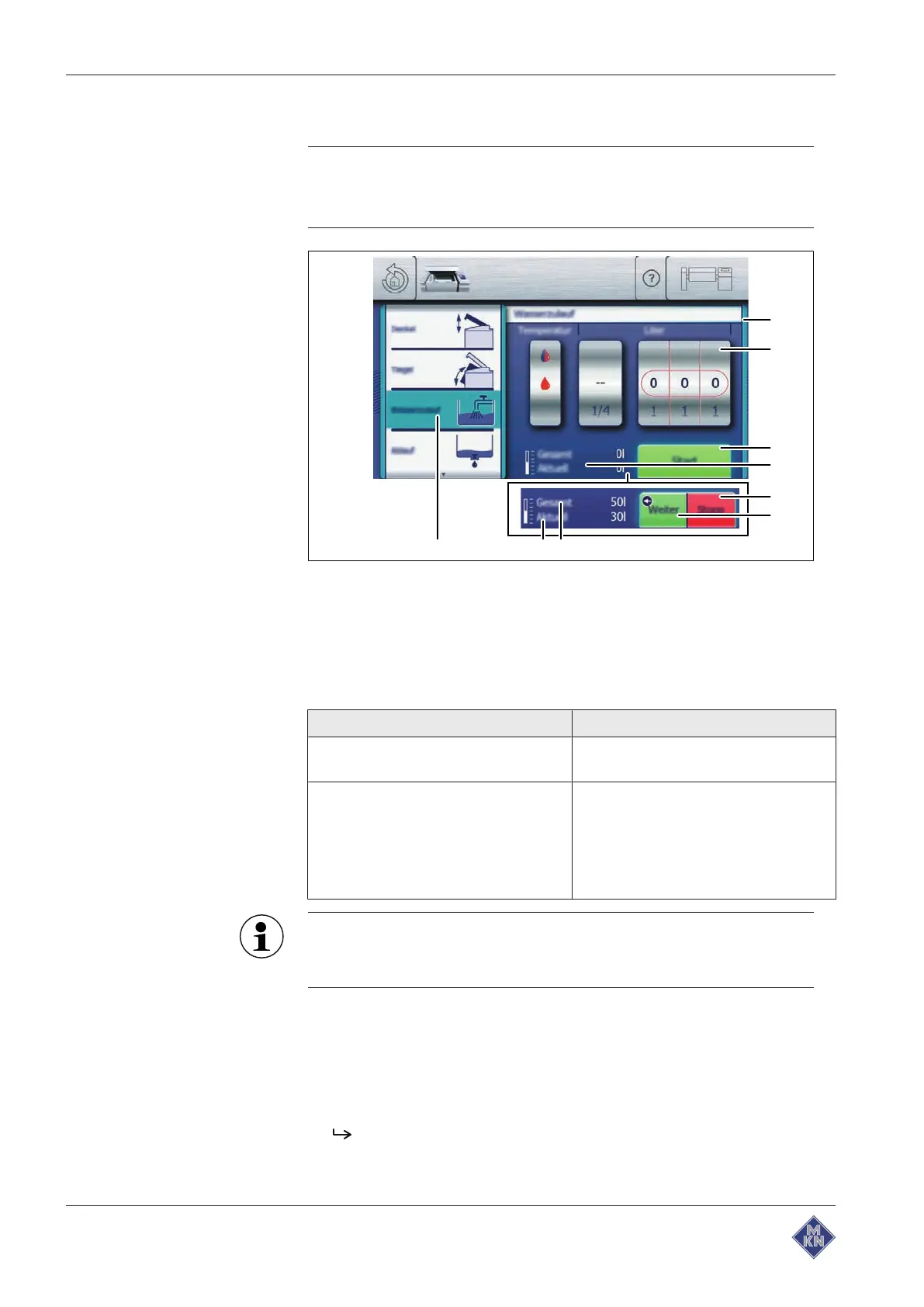
Image: Opening and closing the water inlet
a
Actuate
window f "Continue" button
b Rollers g "Total" water meter
c "Start" button h "Current" water meter
d
Water quantity
display i "Water inlet" field
e "Stop" button
Water quantity
display Function
"Current" water meter • Shows the inlet quantity for the cur-
rent process
"Total" water meter • Shows the total quantity for all pro-
cesses
• Reset to zero when
– the pan is tilted to the end posi-
tion
– the drain is open
If not used for more than a day, the water inlet or hand shower
must be flushed. Flush the hot water and cold water lines with at
least 5 litres of water each.
Requirement Pan in the operating position
Lid fully open
Equipment function
menu displayed
1. Tap the "Water inlet" field.
The
Setting
window is displayed.
2. Swipe to set the water temperature.
4426201-20ABBE-A



 To Next Page