Operating the unit
85Operating instructions
4.7.2 Saving the cooking program
A cooking program can be saved if it has not been started. The
green
tab is deactivated once a cooking program has been started.
All saved cooking programs are stored in the cookbook and can be
accessed via the
Automatic cooking
menu.
An existing cooking program with the same name will be overwritten.
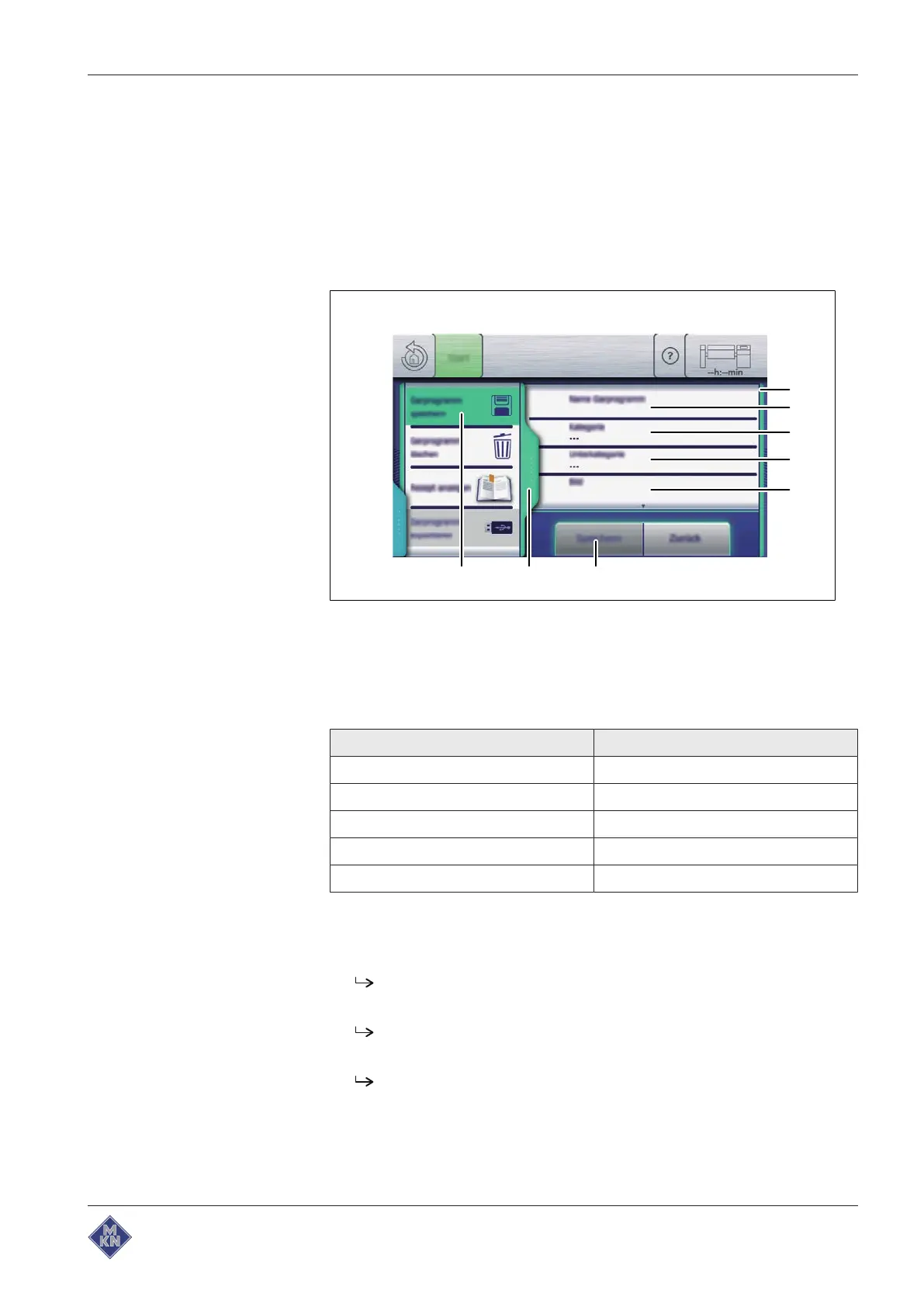
Image: Saving the cooking program
a
Save
window e "Image" field
b "Cooking program name" field f "Save" button
c "Category" field g
Tab
window
d "Subcategory" field h "Save cooking program" field
Storage setting Use
Cooking program name Required
Category Required
Subcategory Optional
Image Optional
Recipe Optional
Requirement Cooking program open
1. Tap the
green
tab.
The
Tab
window is displayed.
2. Tap the "Save cooking program" field.
The
Save
window is displayed.
3. Tap the "Cooking program name" field.
The
Keypad
menu is displayed.
4. Enter the name of the cooking program as text.
4426201-20ABBE-A



 To Next Page