Chapter Five: Ethernet Interface
Setup and Configuration
Step 2: Setup Network for Communication
through Ethernet
48
Option 2.2:
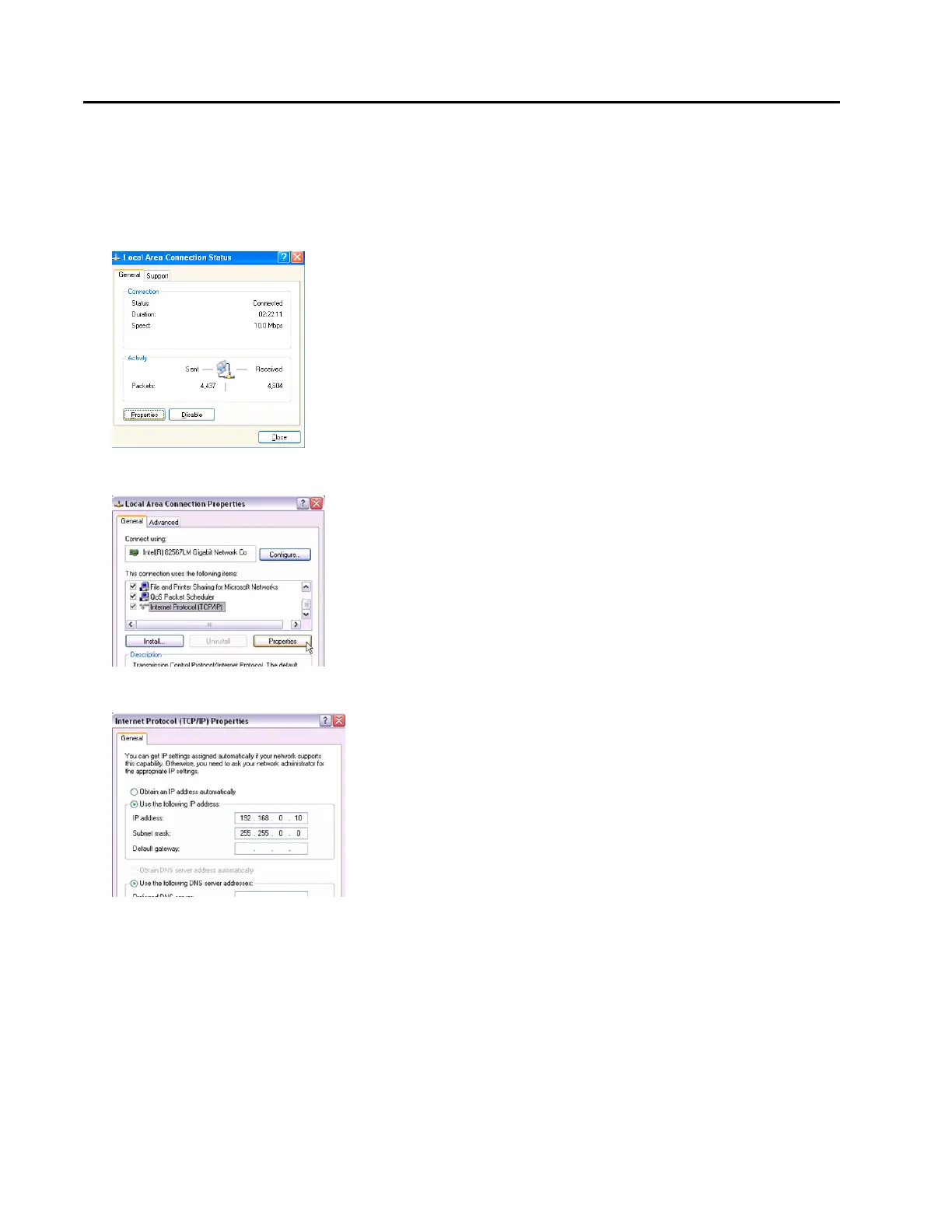
From your computer’s “Start” menu, select “Settings” Network and Dialup Connections Local Area
Connections
3. Select Properties.
4. Select Internet Protocol (TCP/IP), then select Properties.
5. Select Use the following IP address.
6. Enter the IP address 192.168.0.10. Now click in the Subnet mask field and the Subnet mask
255.255.255.0 should appear. Change the 3
rd
255 to “0” as shown in the figure above. So the final subnet
mask will be (255.255.0.0). Also make sure that the “Use the following DNS server Addresses” is also
selected. Leave this blank.



 To Next Page