Step 2: Setup Network for Communication
through Ethernet
Chapter Five: Ethernet Interface
Setup and Configuration
47
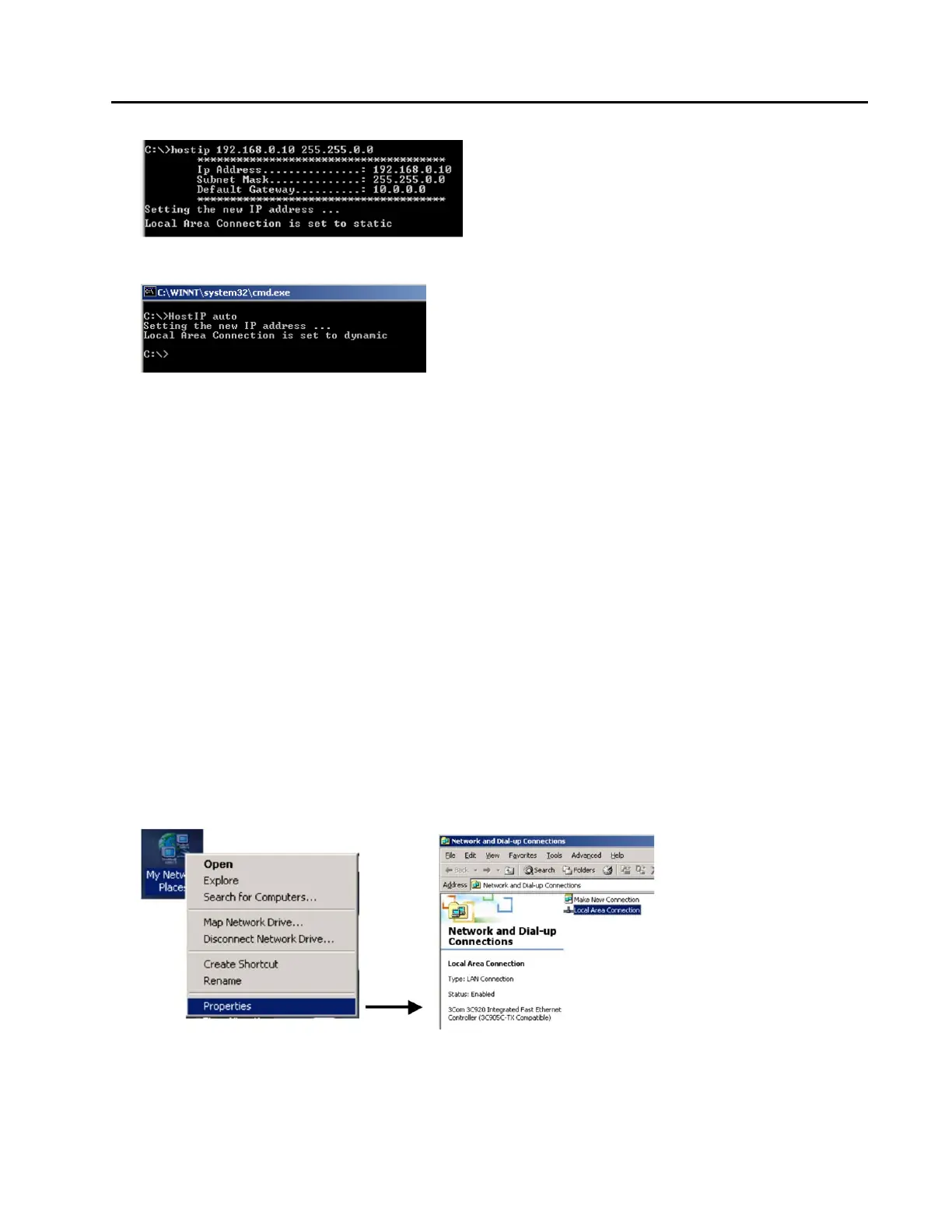
To restore to a dynamic IP address, run the HostIP script with an argument of “auto” as shown below:
These commands may also be entered directly in the “Run…” window. Instead of typing “command”
simply type “c:/HostIP x y z” (without “ ”) or “c:/HostIP auto” (without “ ”).
7. After running the HostIP command, launch Internet Explorer, enter “http://xx.xx.xx.xx” in the address
field, where xx.xx.xx.xx stands for the IP address of the MFC you wish to connect to, and click “Go.”
Internet Explorer will open and display the device Monitor screen which displays the device’s gas
settings, model code, valve type and the Digital I/O connection status (if applicable). The Serial Number
can always be found in the bottom left-hand corner of the browser window.
For more information on the web-based program, go to Chapter 6 on page 54.
Option 2: Manual Setup
If you have not setup automatic network script in Option 1, a manual setup is required to access the MFC
Ethernet interface.
1. Connect a crossover network cable to the MFC and your laptop computer.
A crossover cable is required when the MFC is connected directly to a computer. When the MFC is
connected to a network using a hub interface, a standard Ethernet cable can be used.
2. Open the Local Area Connection by doing one of the following options:
Option 2.1:
Select My Network Places (On Desktop typically). Right-Click on the icon, then select Properties.
In the “Network and Dial-Up Connections” window, Double-click on “Local Area Connection.” Not all
Local Area Connections have the same name, yours may have a different name.



 To Next Page