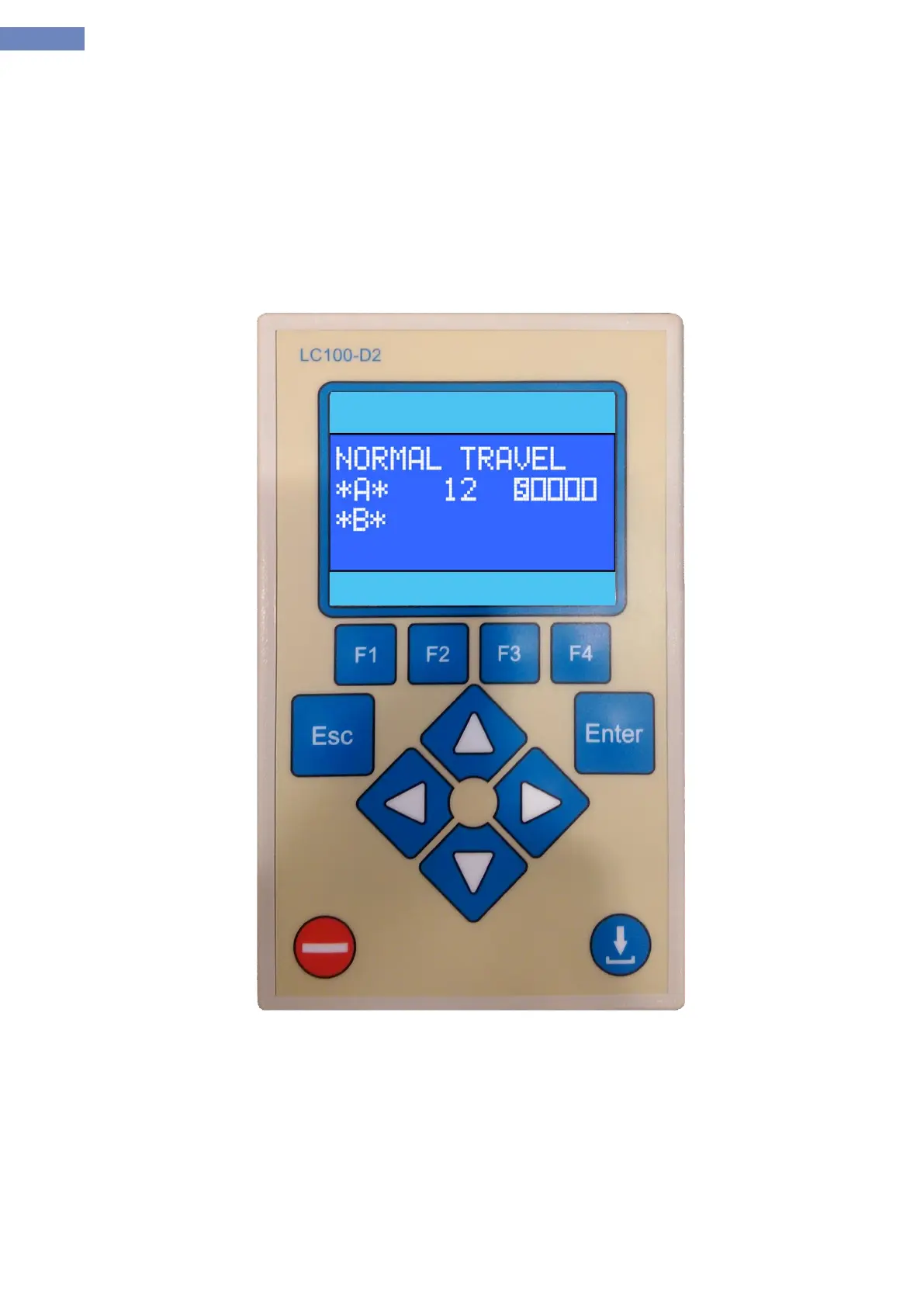
2.16 LC100-D2 control terminal
LC100-D2 control terminal consists of a LCD screen to display and push-button ENTER, ESC, left, right, up
and down navigation and push-button to reset the system and function buttons F1, F2, F3, F4, download.
Reset button is used for reseting some errors that can't be reset by recycling the power. By pressing the reset
button for 5s procesor is reseted like switching the power of and on.
Connecting the LC100-D2 terminal is performed by CAN connector. The terminal can be connected anywhere on
the CAN bus system.
Dimensions:145x90x25mm
Picture 13 - LC100-D2 control terminal


 To Next Page