3.1.4 Safety line and drive display
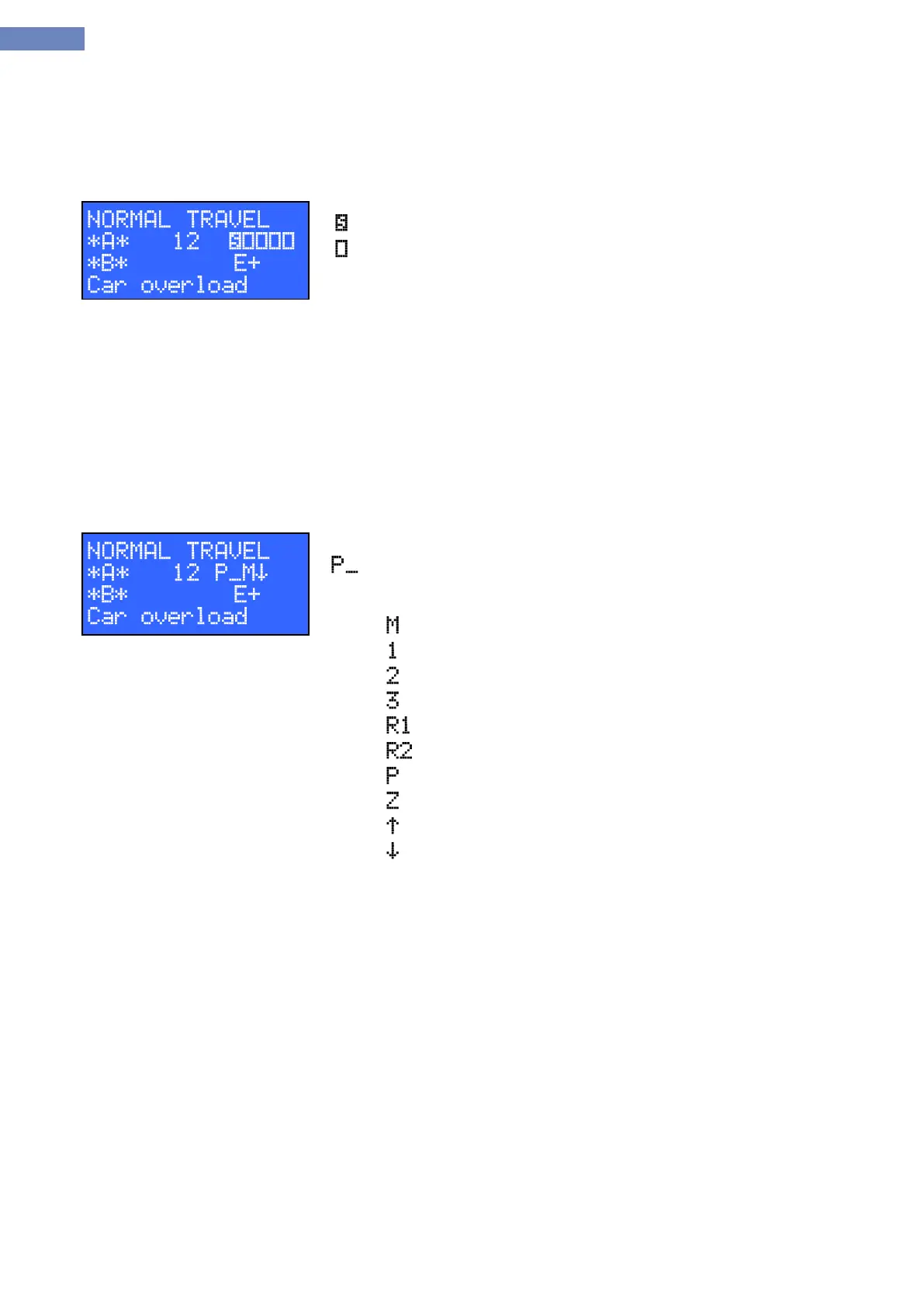
In standby (with no calls) last five characters of second line indicates the status of controlled points in safety
circuit:
- Indicates acive state
- Indicates inactive state
First field indicates the presence of safety circuitvoltage at the terminal
XS8:3 on theLC100-S board (presence of STOP in safety circuit)
Second field indicates the presence of safety circuit voltage at the
terminal XS9:2 ( presence of landing door contact)
Third field indicates the presence of safety circuit voltage at the terminal
XS10:2 ( car door A contact)
Fourth field indicates the presence of safety circuit voltage at the
terminal XS10:4 ( car door B contact)
Fifth field indicates the presence of sefety circuit voltage at the terminal
XS11:2 ( door lock contact)
After the drive command, safety circuit status turns into drive status:
- Specifies the drive, and next two characters indicates the driving speed
and direction.
– Leveling speed
– Nominal speed 1 speed
– Second working speed
– Third working speed
– Inspection speed 1
– Inspection speed 2
– Releveling speed
– Stopping (no speed command)
– Direction up
– Direction down


 To Next Page