NPort W2150/2250 Plus Series User’s Manual Web Console: Network Settings
6-8
Network Type
Default
Infrastructure Mode
Options
Infrastructure Mode, Ad-hoc Mode
Description
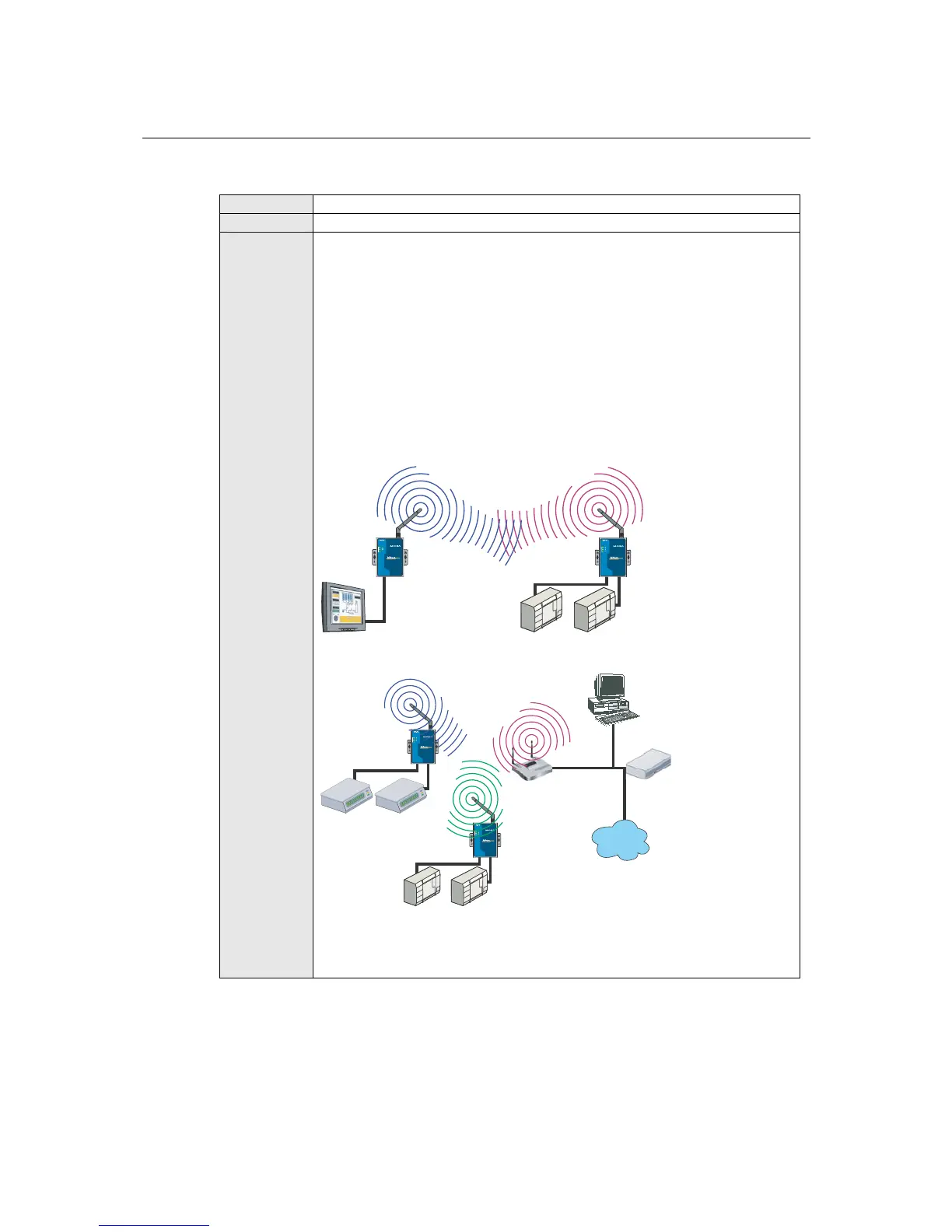
This field specifies whether the NPort will operate in Ad-hoc or Infrastructure
Mode. For all wireless networking devices, there are two possible modes for
communication with another wireless device. Devices that are configured for
Ad-hoc Mode automatically detect and communicate directly with each other
and do not require a wireless access point (AP) or gateway. Wireless devices
that are configured for Infrastructure Mode do not communicate directly with
each other, but through a wireless access point (AP).
Devices must be configured for the same mode in order to communicate with
each other. Devices in Ad-Hoc Mode will only recognize other devices in Ad-
Hoc Mode, and likewise for devices in Infrastructure Mode.
Example of Ad-Hoc Mode
WLAN
RS-232HMI
RS-232
Flow meters
Drives
Antenna
Port 1
RS-232/422/485
Port 2
RS-232/422-485
Wireless Serial Device
Server
W2250
Reset
Ethernet
12-48 VDC
Ready
WLAN
Serial 1
Serial 2
Antenna
Port 1
RS-232/422/485
Port 2
RS-232/422-485
Wireless Serial Device Server
W2250
Reset
Ethernet
12-48 VDC
Ready
WLAN
Serial 1
Serial 2
Example of Infrastructure Mode
After setting the Network type, you will need to adjust the General and Security
settings for the profile. In Ad-hoc Mode, only one profile is available. In
Infrastructure Mode, three profiles can be defined.



 To Next Page
 Loading...






