Load a roll media into the printer 29
5. After loading the media...
[1]
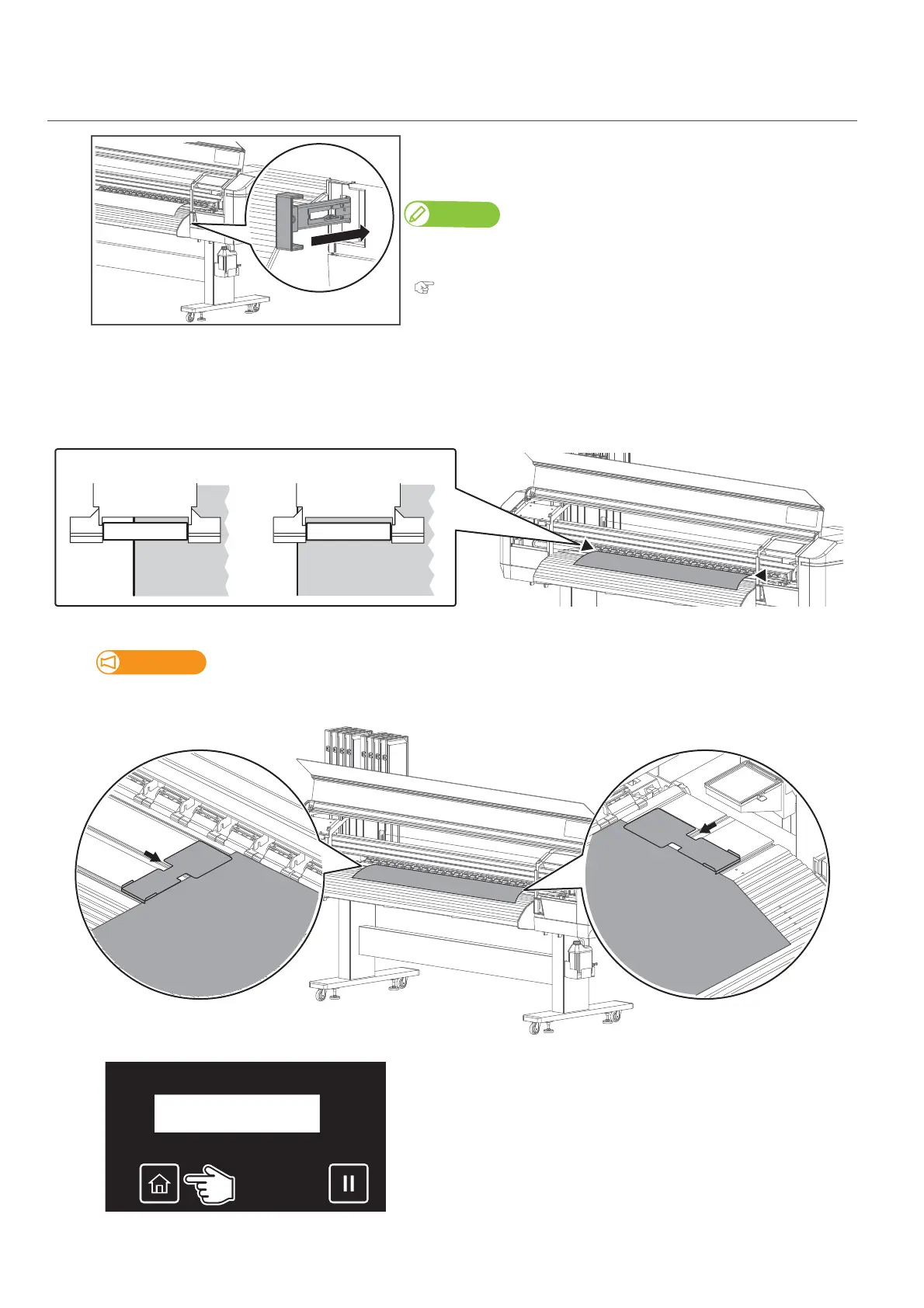
From the front side of the printer, push the media feed lever to hold
the media flat with pressure rollers.
Using this lever, the holddown pressure can be changed between High and
Normal. Normally push the lever until it clicks to apply normal pressure.
"Changing holddown pressure using media feed lever" P. 41
[2]
Check that the pressure rollers hold down the both edges of the media properly.
• If it holds as a "No Good" example, pull the media feed lever towards you as much as possible, then adjust the position of the left
or right side of the media holder until the both edges of the media are held down properly (see "Load the media into the printer"
P. 2 6 for more details).
[3]
Place the edge holders on both edges of the media.
In the default setting, the printer starts printing with 5 mm margin on the sides.
DO NOT hold down the edge of the media more than 5 mm with the edge holder.
[4]
Tap [Home].



 To Next Page