5.2 Switching between Remote State and Local State
5-13 ZM2371/ZM2372
5.2 Switching between Remote State and Local State
In relation to the remote control, ZM2371 / ZM2372 has the remote state and the local state.
In the local state, all panel operations are enabled.
In the remote state, the panel operations are disabled, except the operation to return to the
local.
Selecting the remote state
Normally, the operation from USB or GPIB sets the remote state. This is caused by the
GPIB driver’s function on the controller side. According to the communication standard, if
the REN message is set to “true” and the device is specified as a listener, that device
becomes remote state.
Selecting the local state
Press the
_
LOCAL
_
key on the front panel, and the remote state is switched to the local state
(except when local is locked out).
Or, send the GTL command from the controller or return the REN line to “false”, so that the
local state can be set. If the GPIB cable is disconnected, the REN line becomes “false” and
thus the local state is returned. Similarly, disconnecting the USB cable causes the device to
be returned to the local state.
Disabling local operations from the panel
Accidental local operations can be disabled by specifying the local lockout from the controller.
During the local lockout, the device cannot return to the local state even if the
_
LOCAL
_
key
is pressed.
Even during the local lockout, the local state can be returned from the controller.
RS-232
Send a command to the ZM2371 / ZM2372, and the ZM2371 / ZM2372 becomes remote state.
Press the
_
LOCAL
_
key to return the device to the local state.
The local lockout function cannot be used.
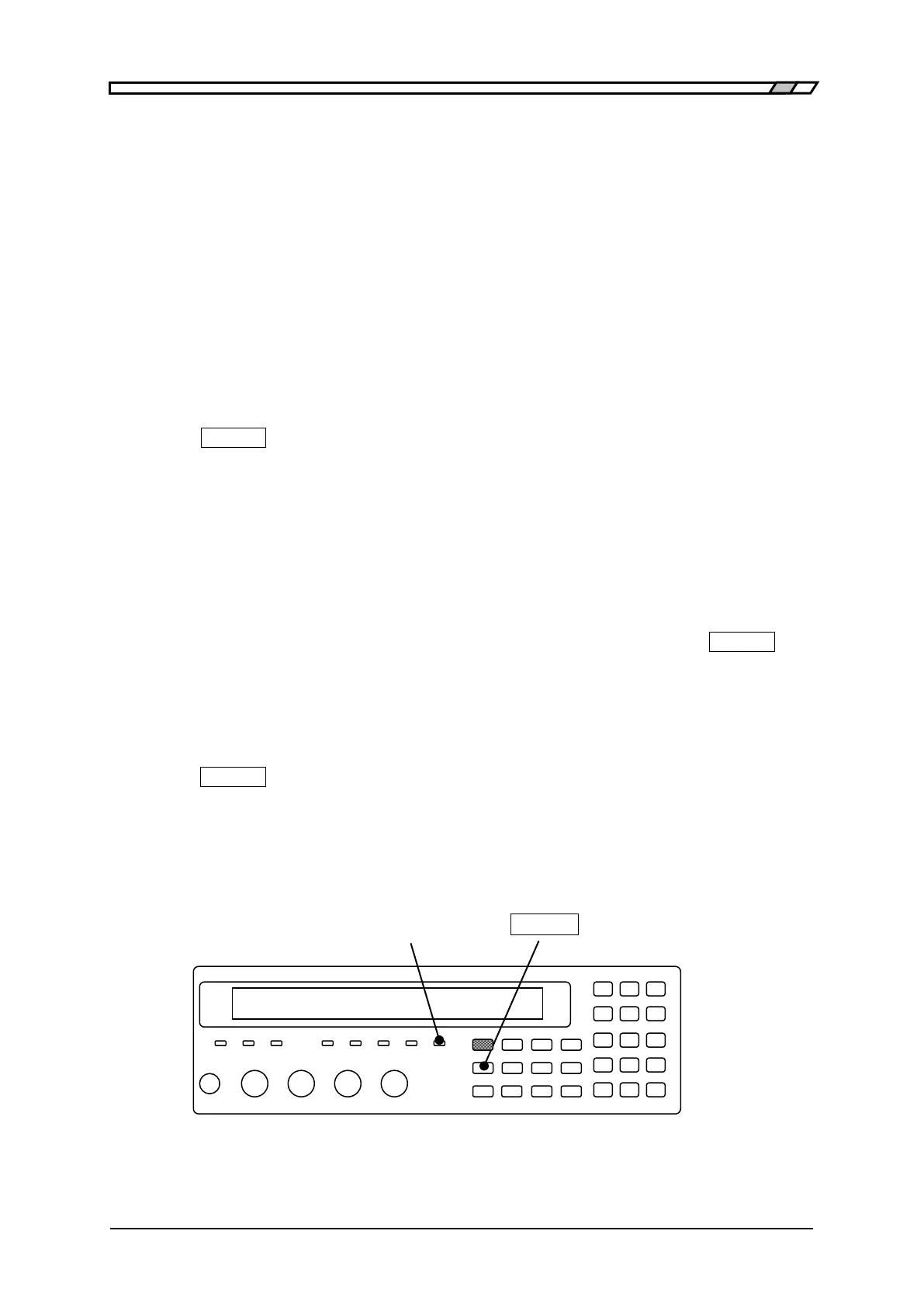
REMOTE lamp
In the remote state, the REMOTE lamp lights up.
REMOTE lamp
_
LOCAL
_



 To Next Page