3.5 Basic Operations
3-22 ZM2371/ZM2372
Selection of measurement parameters
Selection of primary parameter
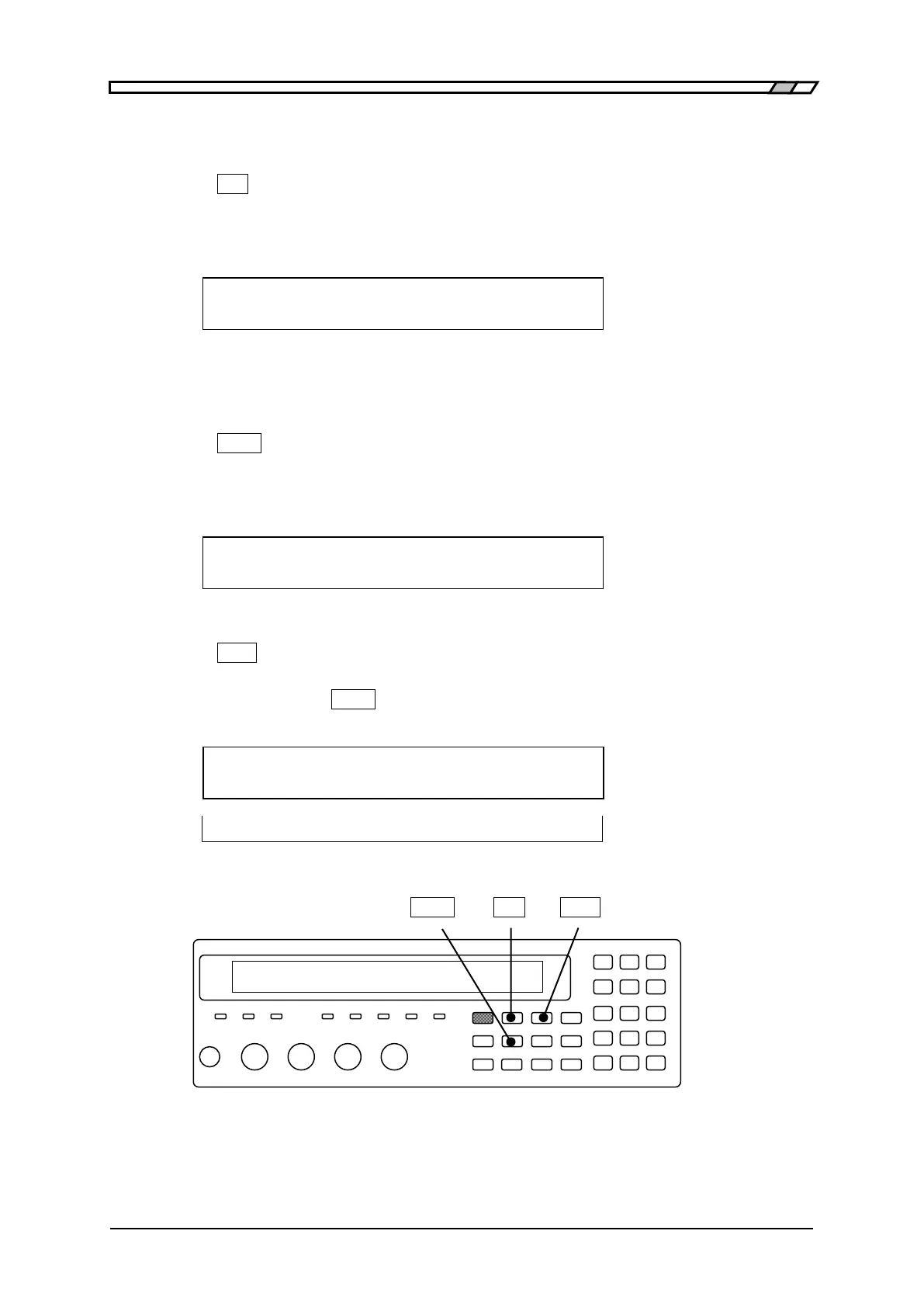
Press the
_
Pri
_
key to display the primary parameter selection menu (see below), and select
a primary parameter with a numeric key. Also, the measurement parameters (primary
and secondary) can be selected automatically.
For details “3.5.5.1 Selection of Primary Parameter”
Primary parameter : C Auto:OFF Current setting
0)Auto OFF 1)ON 2)L 3)C 4)R 5)Z 6)Y 7)G Options
If either L, C, or R is selected, the equivalent circuit selection menu is displayed.
Selection of primary parameter equivalent circuit
For the L, C, and R, specify the equivalent circuit additionally.
Press the
_
CKT
_
key to display the equivalent circuit selection menu (see below), and
select Parallel (suffix p) or Series (suffix s) with a numeric key. Automatic selection is also
possible.
For details “3.5.5.2 Setting the Equivalent Circuit”
Equivalent CKT : Series Auto:OFF Current setting
0)Auto OFF 1)ON 2)Parallel 3)Series Options
Selection of secondary parameter
Press the
_
Sec
_
key to display the secondary parameter selection menu (see below), and
select a secondary parameter with a numeric key. The options can be switched to those on
the second page with the
_
EXP
_
| [NEXT] key.
For details “3.5.5.3 Setting the Secondary Parameter”
Secondary parameter : D Current setting
0)Q 1)D 2) 3)X 4)B 5)Rs >NEXT Options (First page)
6)Rp 7)G 8)Lp 9)Rdc <PREV Options (Second page)
_
CKT
_
_
Pri
_
_
Sec
_



 To Next Page