3.5 Basic Operations
3-24 ZM2371/ZM2372
Trigger source
Press the
_
SHIFT
_
+ [TRIG MODE] keys to display the trigger setting menu (see below),
and set the trigger source with a numeric key.
TRIG SRC:Ext Delay=100.000s SRC Sync=ON Current setting
0)Int 1)Man 2)Ext 3)Bus 4)Delay 5)S.Sync Options
Int Internal. Automatic repetitive measurement (default)
Man Manual. Press
_
TRIG
_
key on the front panel to trigger the
measurement.
Ext External. The trigger signal of handler interface is used to trigger the
measurement.
Bus Remote control
Measurement range
The default setting is automatic selection.
Press the
_
AUTO/HOLD
_
key, so that Automatic selection (Auto) and Manual selection
(Hold) can be switched.
Press the
_
SHIFT
_
+ [RANGE] keys to display the measurement range setting menu (see
below), and press a numeric key (
_
0
_
key or
_
1
_
key) to change the measurement range
manually. The range is held (manual selection).
RANGE : Manual 1k Rd : 25- Current setting
0)DOWN 1)UP 100m to 1M 2)Rd-min Options
When a measurement range value is large, it is approximate the lower limit of
measurement range, or when a value is small, it is approximate the upper limit of
measurement range.
For details “Table 3-2 Measurement rang list’’
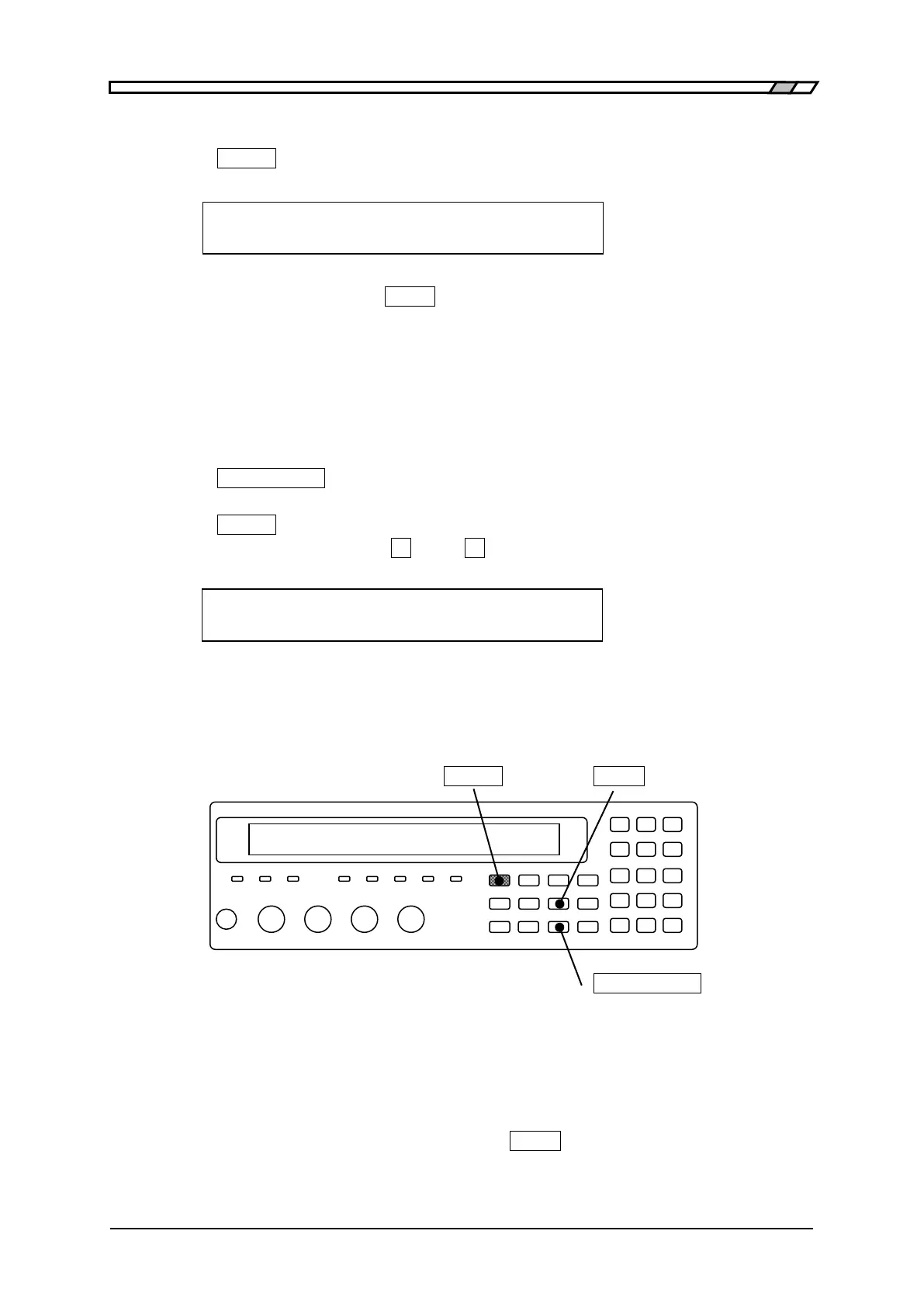
_
SHIFT
_
_
TRIG
_
| [TRIG MODE]
_
AUTO/HOLD
_
| [RANGE]
Connection of DUT and measurement
Connection of DUT
Referring to “3.4 Connection of DUT”, connect the LCR meter to the DUT.
Manual trigger
Set the trigger source to “Manual”, and press the
_
TRIG
_
key, so that the trigger signal is
applied and the measurement is executed once.



 To Next Page