3.5 Basic Operations
3-55 ZM2371/ZM2372
Finally, measure the standard.
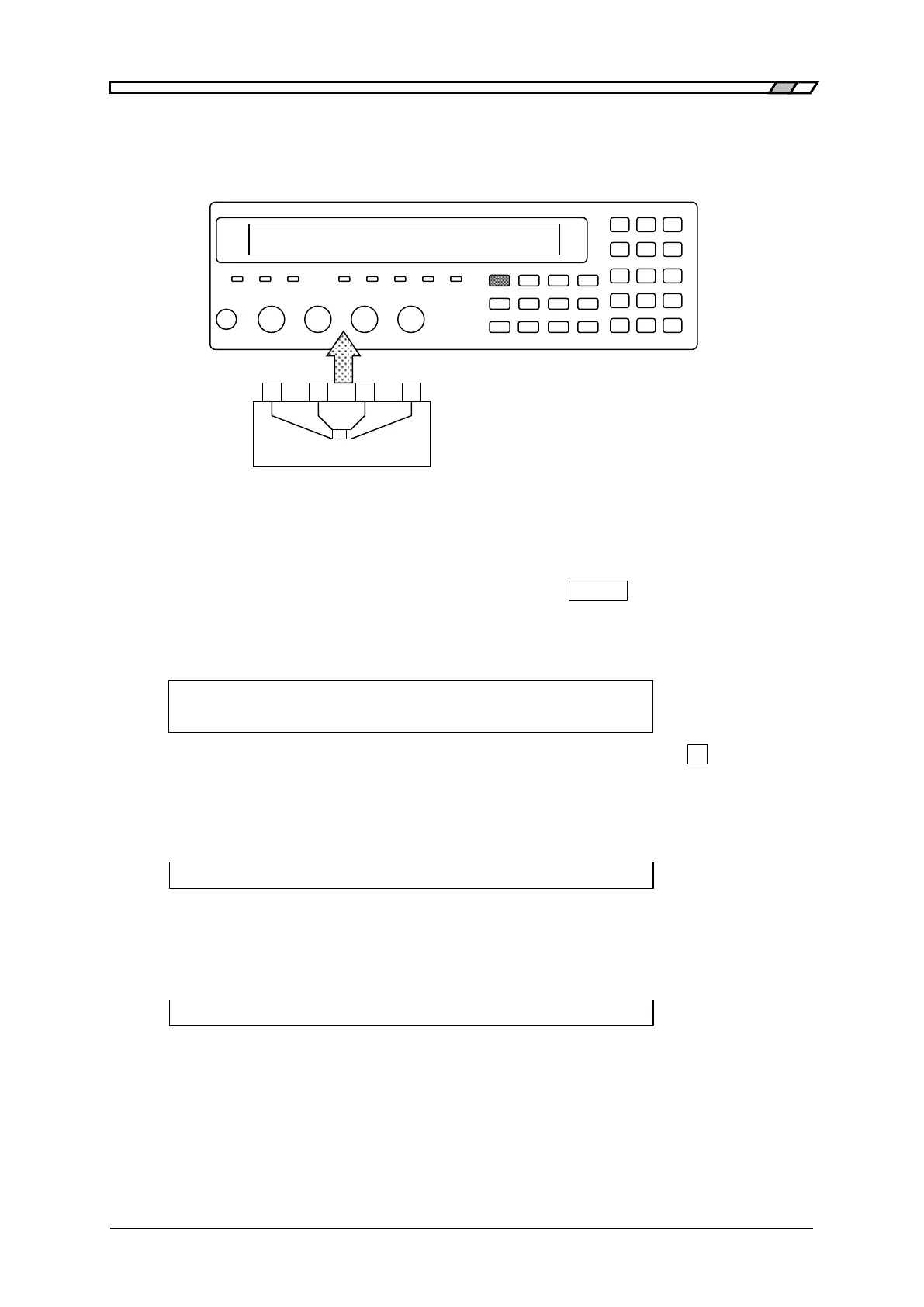
Install the standard for LOAD correction.
Calibrate in advance the standard for LOAD
correction as a 4-terminal structure. If the test
fixture of 2-terminal connection is used, an
error may be increased due to the influence of
contact resistance.
Figure 3–9 Installation of standard for LOAD correction
To measure LOAD correction value, select Measure with the LOAD correction menu. When
the LOAD correction menu is not displayed, first, press the
_
SHIFT
_
+ [LOAD] keys to
display the LOAD correction menu.
During the measurement of standard for LOAD correction, the following message is
displayed.
LOAD Standard Measurement +/-20%
Running 9)ABORT
The measurement of LOAD correction value can be aborted by pressing the
_
9
_
key.
Upon successful completion of LOAD correction value measurement, the LOAD correction is
enabled, and the following completion message is displayed for a moment, and then the
measurement screen comes back.
Completed Correction ON
When the standard for LOAD correction is measured and the measured value different more
than 20% from the set standard value is obtained, the following warning message is
displayed.
Warning:Out of range
Same warning message is also displayed when the measurement failed by any reason. Even
if the obtained LOAD correction value is out of range, the LOAD correction is executed
based on the obtained value. However, when the measurement failed, the last LOAD
correction value is held.
This warning will disappear automatically. It also can be reset by operating any key.



 To Next Page