NMC-WOLLARD 2021Truax Blvd., Eau Claire, WI 54703, Phone (715) 835-3151, Fax (715) 835-6625
M100 Tow Tractor Manual No. 46052
PAGE 11
CHAPTER 5 MAUFACTURER’S INFORMATION
4
NexSysLink
®
2" Stand-Alone CAN Display Operation Manual SAE J1939
© 2011 Beede Electrical Instrument Co., Inc.
• Start-up Routine
Upon Instrument start-up, the three alert LEDs will ash then the Beede logo followed by the SAE logo
appear for approximately three seconds�
• Default CAN Parameter Screen
After completion of the start-up routine, the Engine Hours CAN parameter appears� If power was
removed from the instrument with a dierent parameter displayed, Engine Hours will appear when
power is reapplied to the instrument�
• Viewing CAN Parameters
All actively broadcast SAE J1939 CAN parameters implemented by the instrument are available for
viewing� See "Implementation of SAE J1939 Parameters" on page 34� Press the Up or Down switch to
nd and view the desired parameter� The displayed parameter will not time out and remains displayed
until a dierent parameter is selected for viewing or power is removed from the instrument�
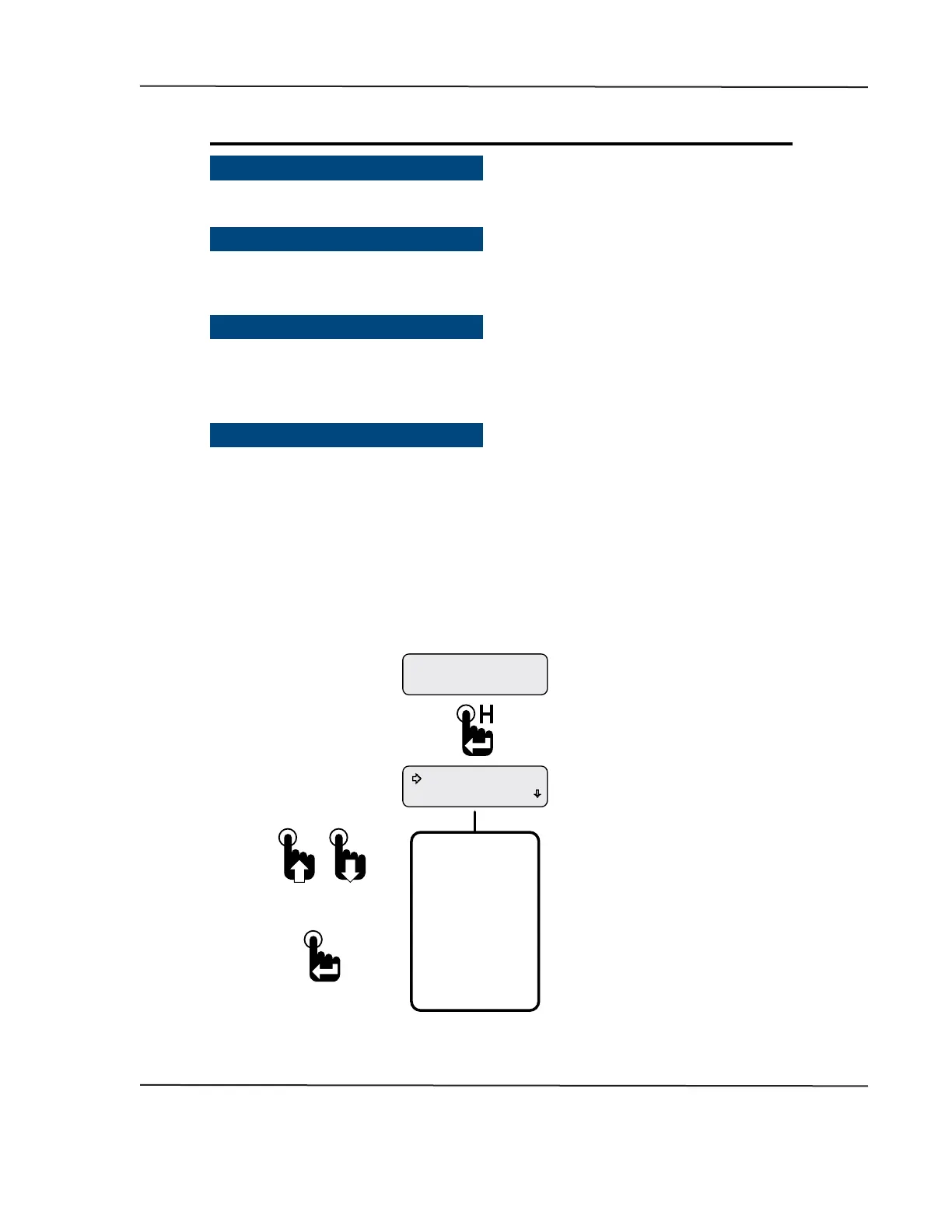
• Main Menu
The Main Menu contains functions to congure the LCD (Liquid Crystal Display), set alarms or view ECM
faults and warnings� Access the Main Menu by pressing and holding the Menu/Enter/Reset switch for
approximately three seconds while any CAN parameter screen is displayed�
Like all menus with multiple functions/options, only the rst two Main Menu functions/options appear
on the screen� Access the other functions/options by scrolling down the menu list using the Down
switch� Use the Up switch to scroll back up the Main Menu function/option list�
The Main Menu and all the functions within it except Maintenance Hours and Vehicle Trip functions will
display for approximately 30 seconds if no user activity is detected� The previously displayed parameter
reappears after 30 seconds of inactivity�
Figure 1-3: Accessing the Main Menu
Faults Active
Maintenance Hours
Engine Hours
1049.3
* Either Maintenance Hours or
Vehicle Trip appears as the rst
Main Menu function depending
upon the Main Menu-Setup-Trip Mode
conguration�
Main Menu-Setup-Trip-Hours
displays Maintenance Hours�
Main Menu-Setup-Trip-Distance
displays Vehicle Trip�
Complete Main Menu
Function List
*Maintenance Hours
Faults Active
Warnings Active
Faults Stored
Alarms
Mute Audio Alarm
Mute-Temporary
Setup
Information
Exit
To select a Main Menu
function adjacent to the
selection arrow cursor
To scroll up and down
the Main Menu list
First Main Menu Screen
Parameter Display Screen�
Engine Hours shown as an
example only�
CAN DISPLAY MANUAL
NOVEMBER 02, 2015



 To Next Page