NMC-WOLLARD 2021Truax Blvd., Eau Claire, WI 54703, Phone (715) 835-3151, Fax (715) 835-6625
M100 Tow Tractor Manual No. 46052
PAGE 22
CHAPTER 5 MANUFACTURER’S INFORMATION
15
NexSysLink
®
2" Stand-Alone CAN Display Operation Manual SAE J1939
© 2011 Beede Electrical Instrument Co., Inc.
• Alarm Configuration
When adding a new alarm parameter or editing an existing alarm parameter with the Edit Alarms
option, users must set the following:
1� The CAN parameter to use�
2� The trigger threshold direction (Higher or Lower than alarm trigger value)�
3� The alarm trigger value�
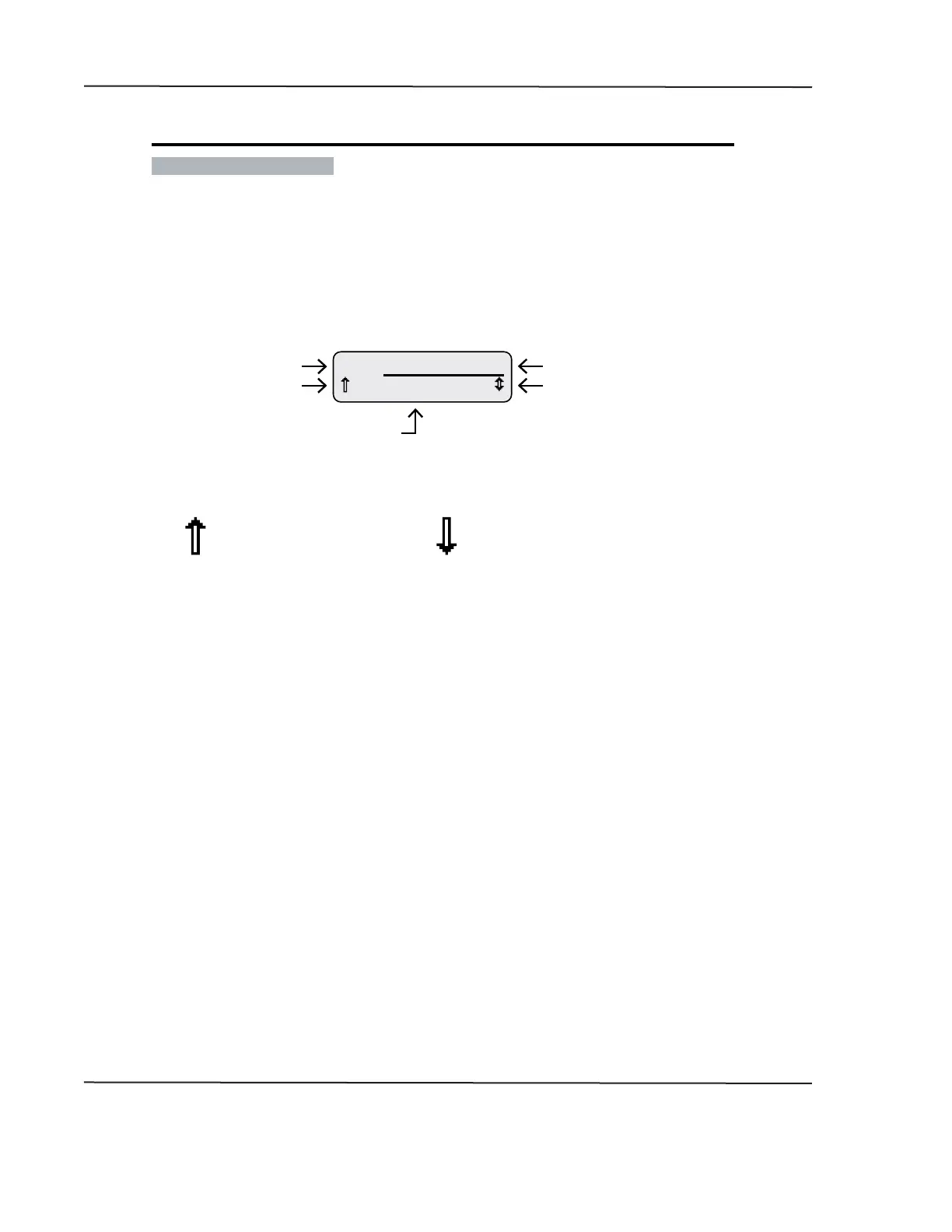
Figure 1-14: Add & Edit Alarm CAN Parameter Screen Details
10.0 V
A1 Alternator Volts
Menu/Value Scroll Icon�
Indicates scroll to view other
parameters, change direction
or value�
CAN Parameter Name
Higher/Lower Indicator
Alarm Number
Alarm Trigger Value
Higher than threshold indicator�
Alarm notication occurs
when measured parameter
is higher than trigger value�
Lower than threshold indicator�
Alarm notication occurs
when measured parameter
is lower than trigger value�
To select a CAN parameter, scroll through the parameter list with the Up and Down switches until the
desired parameter appears� Press the Enter switch to add the parameter to the alarm list�
After selecting a parameter, the blinking bar cursor appears under the Higher/Lower than arrow icon�
Users must choose if the alarm notication will occur when the actual parameter value is either higher
or lower than the desired trigger value� Pressing either the Up or Down switch toggles the indicator
between the higher than arrow (pointing up) and lower than arrow (pointing down)� Press the Enter
switch to accept direction of the arrow icon�
Once higher or lower is chosen, the blinking bar cursor moves to the alarm notication trigger value�
The units of this value change depending on the type of parameter chosen� Use the Up or Down
switches to change the value then press the Enter switch to accept the displayed value�
After conguring all the alarm parameters, users can choose to save or discard the alarm conguration�
CAN DISPLAY MANUAL
NOVEMBER 02, 2015



 To Next Page