NMC-WOLLARD 2021Truax Blvd., Eau Claire, WI 54703, Phone (715) 835-3151, Fax (715) 835-6625
M100 Tow Tractor Manual No. 46052
PAGE 21
CHAPTER 5 MAUFACTURER’S INFORMATION
14
NexSysLink
®
2" Stand-Alone CAN Display Operation Manual SAE J1939
© 2011 Beede Electrical Instrument Co., Inc.
• Viewing Alarms
View Alarms allows users to scroll through all CAN parameters congured for alarm notication�
Users are shown the alarm number, parameter name, measured value for the parameter and the alarm
trigger conditions for the parameter�
Figure 1-12: Alarm Screen Details
5 10 psi
A1 Eng Oil Pressure
Menu Scroll Icon�
Indicates scroll to view other
alarms or Alarms Menu options�
Parameter Name
Measured Parameter Value�
5 psi shown�
Alarm Number
User set alarm trigger value�
10 psi shown�
Trigger threshold direction indicator�
Lower than indicator shown�
Figure 1-13: Viewing Alarms
Exit
Return
5 10 psi
A1 Eng Oil Pressure
Edit Alarms
View Alarms
View Alarms
Alarms-Enabled
Mute Audio Alarm
Alarms
If no activity is detected for 30 seconds while viewing alarms,
the previously displayed CAN parameter appears�
To manually stop viewing alarms, scroll down to place the
selection arrow cursor next to the Return option then press
the Enter switch to return to the Main Menu or select the Exit
option to view the last displayed CAN parameter�
The rst congured alarm is displayed�
The display shows the alarm number, CAN parameter name
(if implemented), current reading and alarm trigger settings
(Below 10 psi in this example)�
Scroll down to view any additional alarms�
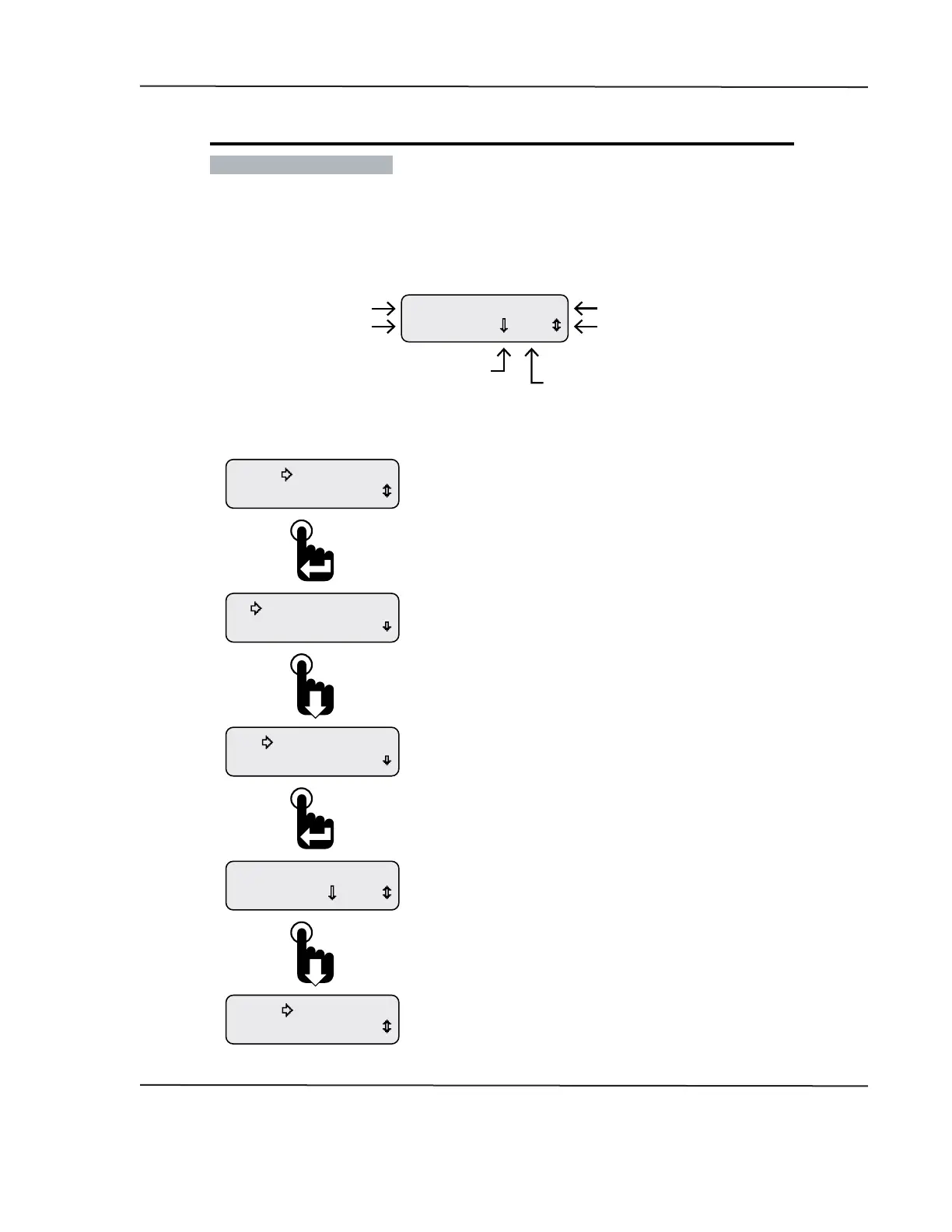
With the selection arrow cursor next to the View Alarms option,
press the Enter switch to view any current alarms�
Once in the Alarms menu, scroll down to place the selection
arrow cursor next to the View Alarms option�
From the Main Menu, scroll to place the selection
arrow cursor next to the Alarms option�
Press the Enter switch to open the Alarms menu�
CAN DISPLAY MANUAL
NOVEMBER 02, 2015



 To Next Page