NMC-WOLLARD 2021Truax Blvd., Eau Claire, WI 54703, Phone (715) 835-3151, Fax (715) 835-6625
M100 Tow Tractor Manual No. 46052
PAGE 38
CHAPTER 5 MANUFACTURER’S INFORMATION
31
NexSysLink
®
2" Stand-Alone CAN Display Operation Manual SAE J1939
© 2011 Beede Electrical Instrument Co., Inc.
• Trip Mode
The Trip mode setting determines whether distance or hours appear as the rst item upon entering the
Main Menu�
The decision to set the Trip Mode function to either hours or distance depends upon which of the two
parameters is viewed more frequently in the application�
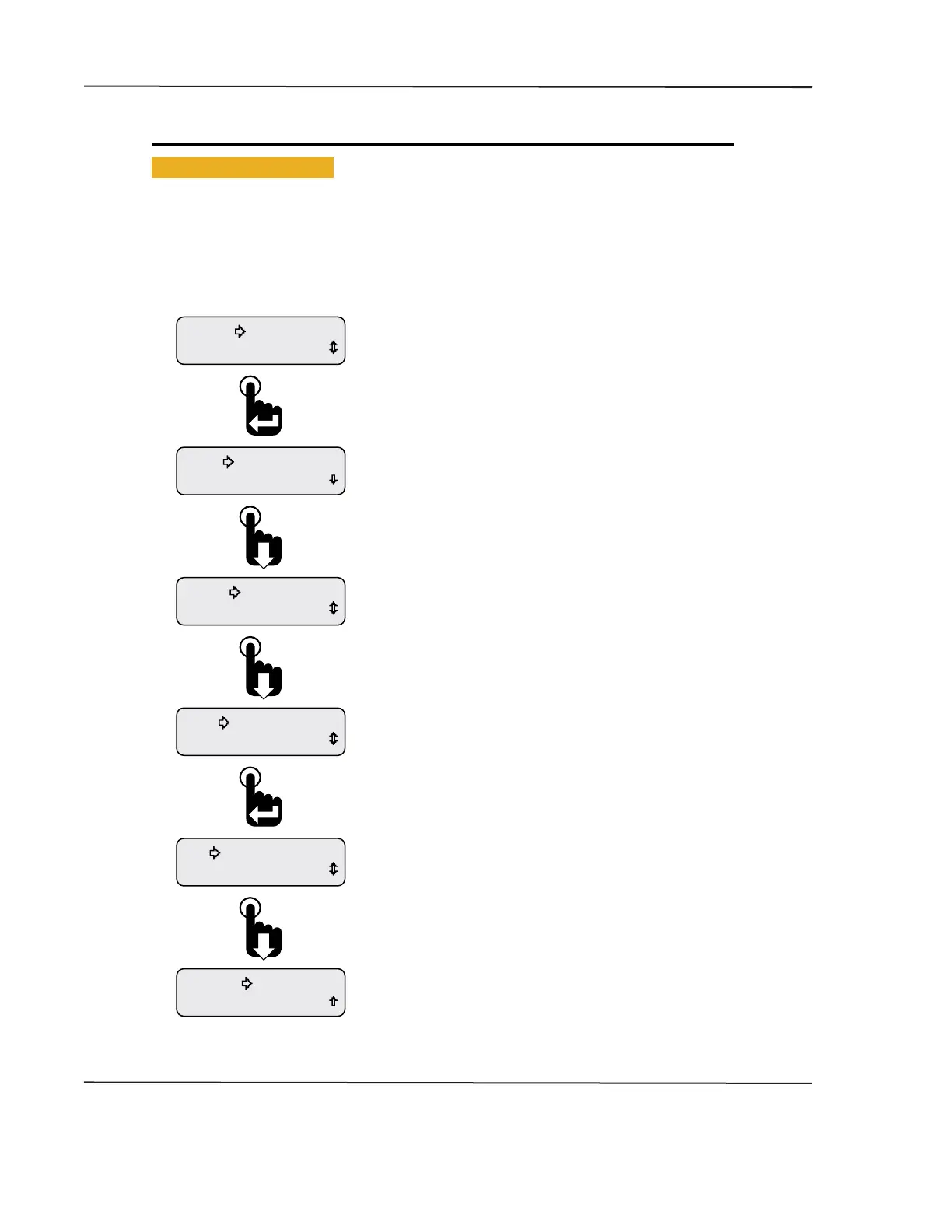
Figure 1-31: Setting Hours or Miles for Main Menu Display
Exit
Alarm Output
Trip-Distance
Alarm Output
Trip-Hours
Trip Mode
Display
Units
Backlight
Informaon
Setup
Scroll down to the Exit option and press the Enter switch or
wait 30 seconds for last displayed CAN parameter to appear�
Pressing the Enter switch toggled the Trip Mode setting to
the distance setting�
The setting is automatically saved once changed�
When the selection arrow cursor is placed next to the
Trip Mode option, the name changes to the current Trip Mode
setting, i�e�, Trip-Hours or Trip-Distance�
Pressing the Enter switch toggles between the two settings�
The setting is automatically saved once changed�
Screen shows Trip Mode function prior to placing the
selection arrow cursor next to the function�
Continue to press the Down switch to place the selection
arrow cursor next to the Trip Mode function�
The Setup Menu appears with the selection arrow cursor
next to the Backlight option�
Scroll down to place the selection arrow cursor next
to the Trip Mode option�
From the Main Menu, scroll to place the selection arrow cursor
next to the Setup option�
Press the Enter switch to view the Setup Menu functions�
CAN DISPLAY MANUAL
NOVEMBER 02, 2015



 To Next Page