www.nordsonefd.com info@nordsonefd.com 800-556-3484 Sales and service of Nordson EFD dispensing systems are available worldwide.
EV Series Automated Dispensing Systems
27
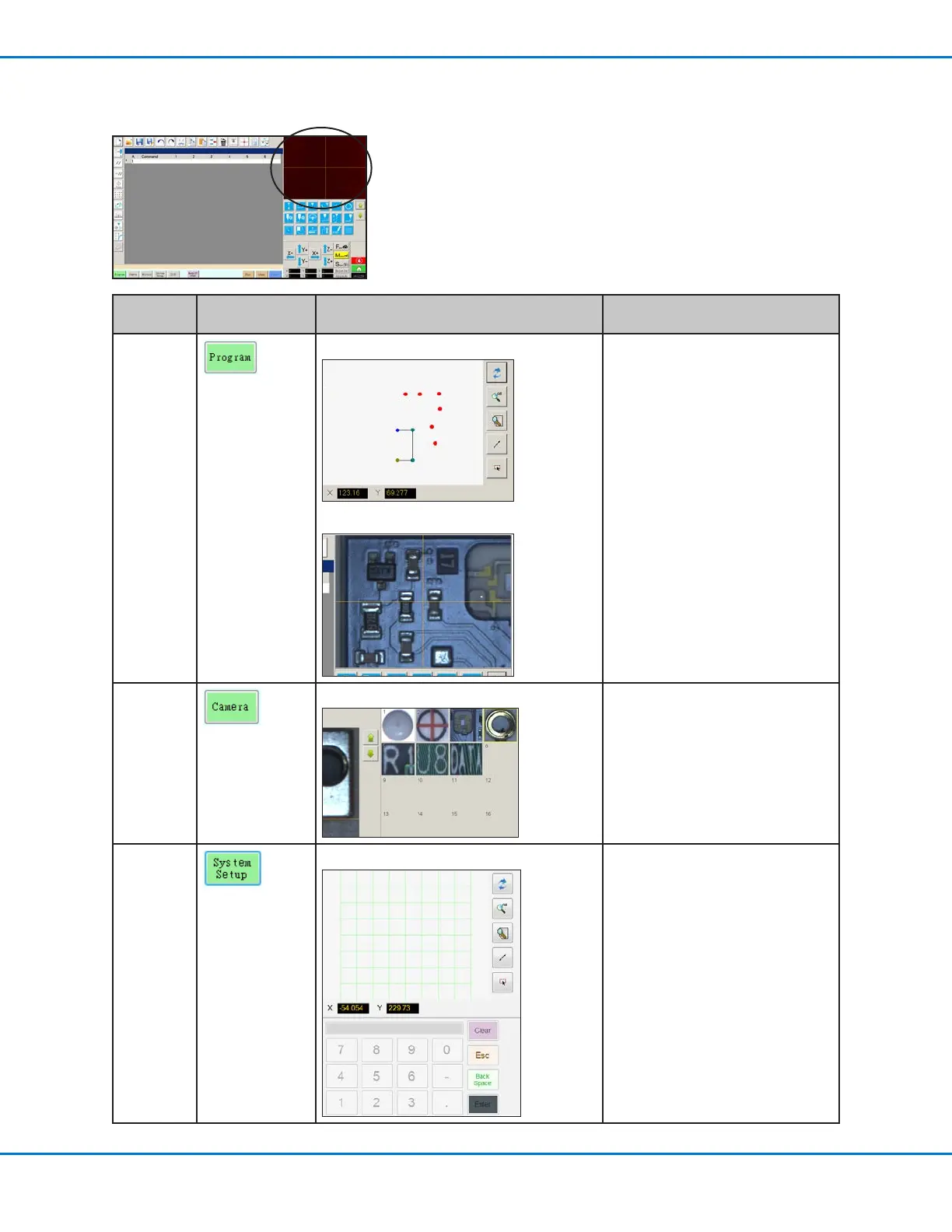
Secondary View Screen
The Secondary View screen changes depending on the selected tab.
Selected
Tab
Tab Color When
Selected
Secondary Screen Display Function
Program
When the Path icon is toggled ON:
When the Path icon is toggled OFF:
When the Path icon is toggled on,
shows a visual representation of the
programmed pattern and the Path
mode icons. Refer to “Horizontal
and Vertical Toolbar Icons” on page
28 an explanation of the icons.
When the Path icon is toggled OFF,
shows an actual view of the xture
plate or workpiece surface as seen
by the camera.
Camera
Mark Library: Stores up to 240 mark les.
System
Setup
Grid view and keypad: The keypad is used to enter
numeric values. Refer to “Keypad”
on page 33.



 To Next Page