www.nordsonefd.com info@nordsonefd.com 800-556-3484 Sales and service of Nordson EFD dispensing systems are available worldwide.
EV Series Automated Dispensing Systems
30
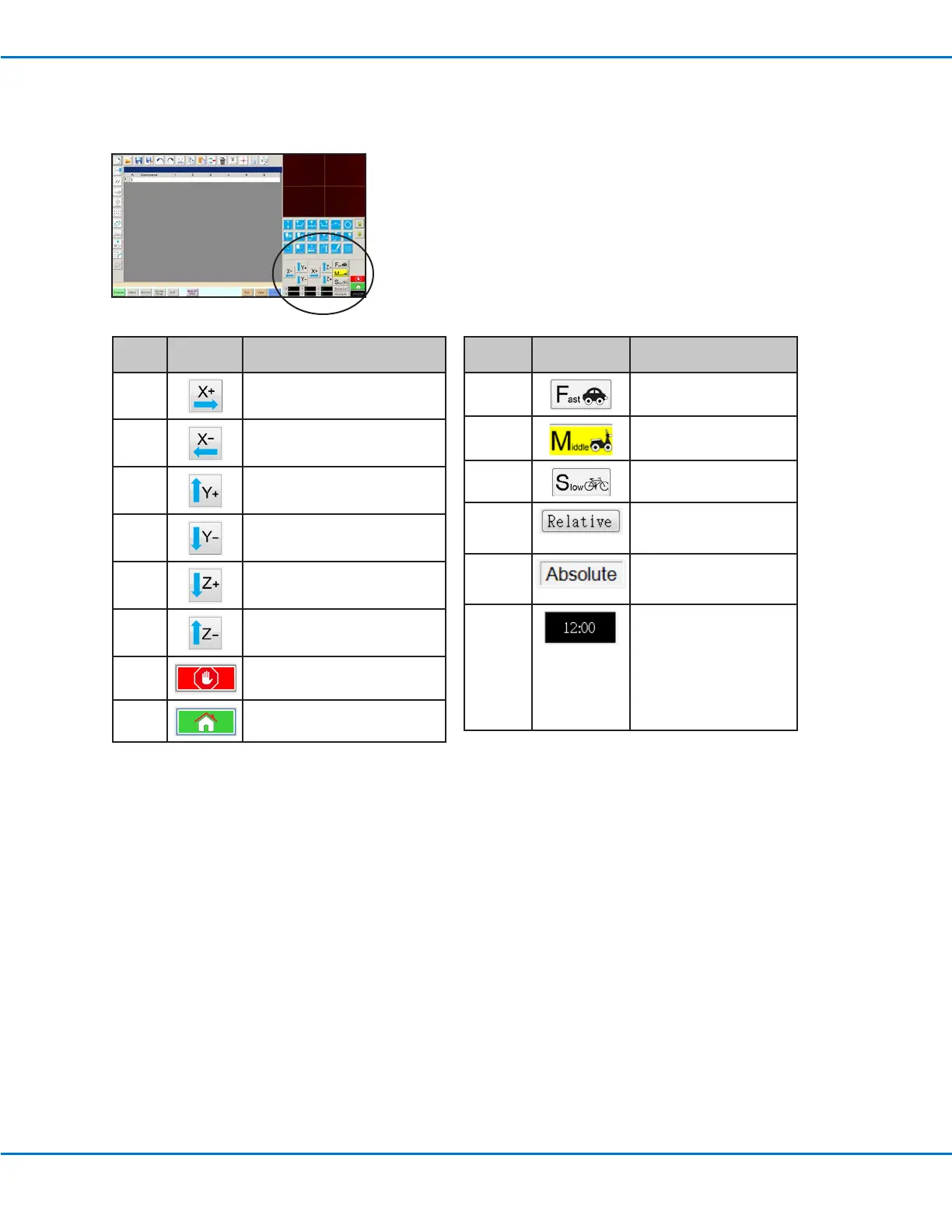
Navigation and Jogging Window
Use the icons on the navigation and jogging window to move the dispensing tip. This window also includes the
counter.
Icon
Name
Icon Function
X+
Jogs the X axis to the right
X-
Jogs the X axis to the left
Y+
Jogs the Y axis backward (moves
the xture plate forward)
Y-
Jogs the Y axis forward (moves
the xture plate backward)
Z+
Jogs the Zaxis down
Z- Jogs the Zaxis up
Stop Stops the robot
Home Sends the robot to the home
position (0,0,0)
Icon
Name
Icon Function
Fast
Fastest jogging speed
Middle Medium jogging speed
Slow Slowest jogging speed
Relative Sets the origin relative
to the coordinates of the
workpiece
Absolute
Displays the system
position relative to the
home position (0,0,0)
Counter
Shows the time for the
time zone selected in
the DispenseMotion
controller’s operating
system OR shows the
cycle time of the program
(click the box to toggle the
display)



 To Next Page