www.nordsonefd.com info@nordsonefd.com 800-556-3484 Sales and service of Nordson EFD dispensing systems are available worldwide.
EV Series Automated Dispensing Systems
28
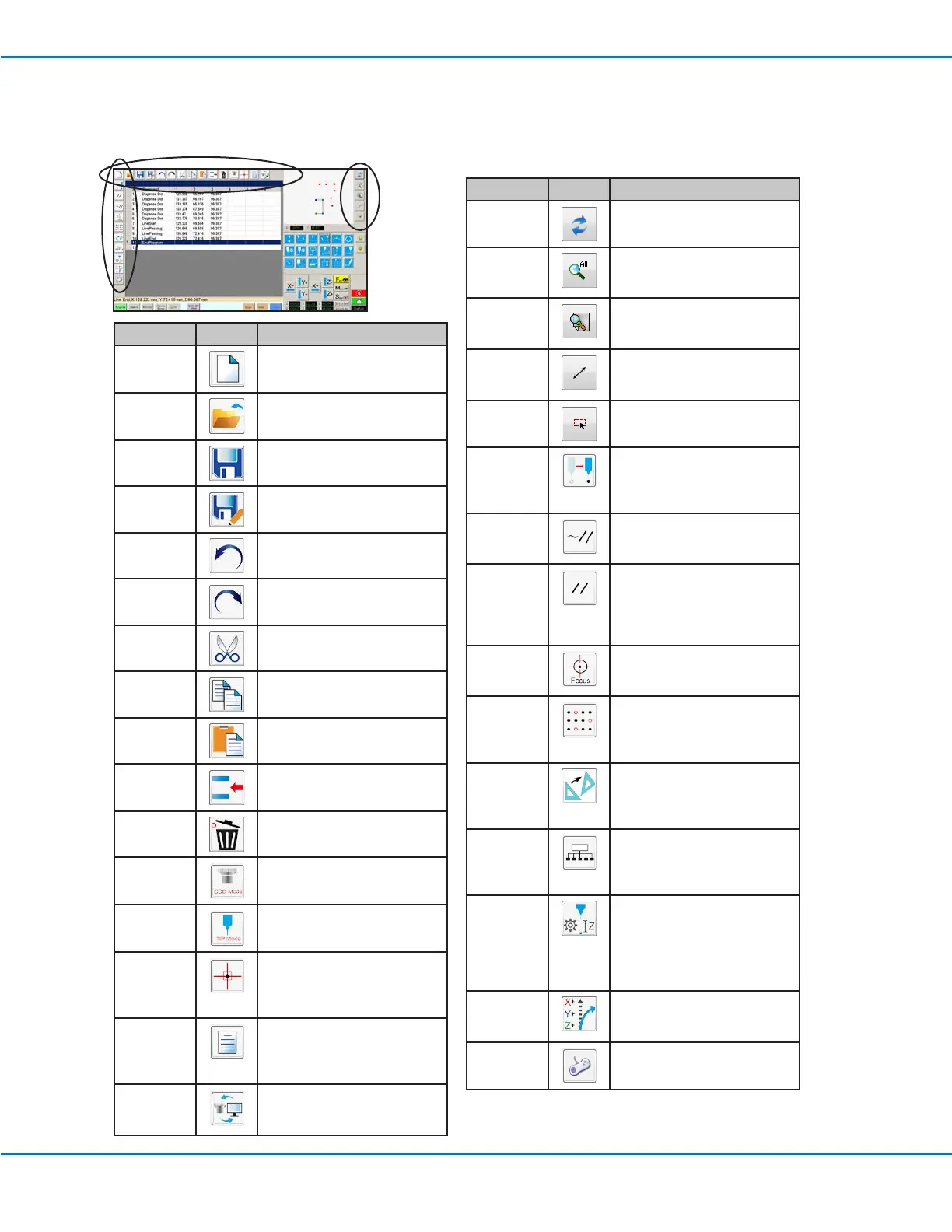
Horizontal and Vertical Toolbar Icons
Use the icons located on the horizontal and vertical toolbars to manage les, insert certain commands, and perform
other functions as described below.
Icon Name Icon Function
A New File
Creates a new le
Open a File Opens a le
Save Saves the open le
Save as
Saves the open le as a new
le name
Undo
Undoes the last command
Redo Restores the last Undo action
Cut
Cuts a selection
Copy
Copies a selection
Paste
Pastes a selection
Insert
Inserts a memory address
Delete Deletes the current memory
address
CCD Mode
Toggles the system between
camera mode and tip mode
Tip Mode
Toggles the system between
camera mode and Tip Mode
Match
Centers the camera on a mark
selected in the Mark Library
(camera must be near the mark
on the workpiece)
Example Provides sample programs
that contain examples of the
commands you can use to
create programs
Path
Switches the Secondary view
screen from the Camera view
to the Grid view (Path mode)
Icon Name Icon Function
Refresh
(Path mode only) Refreshes
the Secondary View screen
See all
(Path mode only) Shows all
the programed points on the
Secondary View screen
Magnify
(Path mode only) Magnies
an area of the Secondary View
screen
Reverse line
(Path mode only) Reverses the
direction of the programmed
points
Select entity
(Path mode only) Selects a
group of points
Move
Moves the tip or camera to
the XYZ location of a selected
address (if the address has a
location value)
Enable
Address
Re-enables an address that
was previously disabled using
Disable Address
Disable
Address
Disables a command in
the program (re-enable the
command by clicking Enable
Address while in the selected
address)
Focus
Automatically moves the Z
position to the focus position
based on the initial setup
Block Start
For a Step & Repeat command,
disables dispensing onto
workpieces at selected
locations in an array
Transform
Aligns the program points of
an uploaded DXF drawing
with their actual locations on a
workpiece
Extend Step
& Repeat
Expands all the commands in a
Step & Repeat command (can
only be undone using the Undo
icon)
Change Z
Value
Changes the Z value in a
command or in a list of
selected commands in a
program (mainly used to ne-
tune and adjust the dispensing
gap)
Point Offset
Changes or moves all program
points if the placement of a
workpiece was changed
Joystick Toggles the joystick control on
or off



 To Next Page