www.nordsonefd.com info@nordsonefd.com 800-556-3484 Sales and service of Nordson EFD dispensing systems are available worldwide.
EV Series Automated Dispensing Systems
46
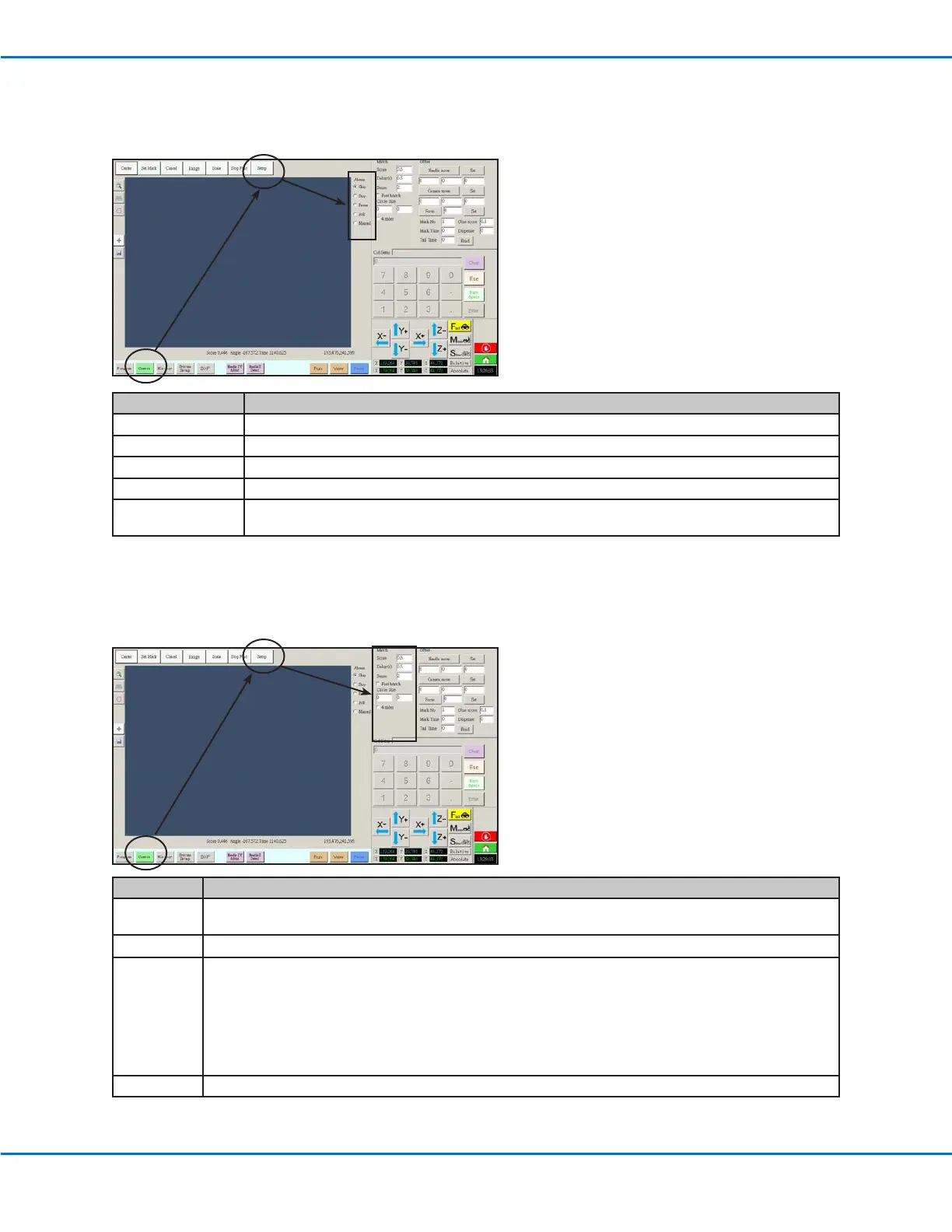
Setting How the System Finds Marks (Optional)
Use the elds under CAMERA > SETUP > MATCH to adjust how the system functions when it searches for marks.
Item Function
Score Species how accurately the camera nds a mark based on a value from 0.1 to 1. A higher value results in more
precise matching. A lower value results in less precise matching.
Delay(s
)
Sets how the long system delays (in seconds) searching for a mark when it reaches the mark area.
Sense Species how accurately the camera aligns with the pixels of a mark based on a value from 1 to 200. When the
Sense value is low, the camera is slower to align with the mark because it repeatedly checks the position of the
mark to achieve high accuracy. When the Sense value is higher, the camera aligns with the mark faster, but with
less accuracy. For example, a Sense value of 1 means the deviation cannot be more than one pixel. When the
Sense value is 200, the deviation can be up to 200 pixels.
NOTE: For a slower nd speed but better accuracy, enter lower Sense and Score values; for a faster nd speed
but less accuracy, enter higher Score and Sense values.
Fast Match If this box is checked, the camera searches for mark more quickly but with less accuracy.
Setting How the System Responds When a Mark is Absent (Optional)
Select a radio button under CAMERA > SETUP > ABSENT to adjust how the system responds when it is unable to
recognize a mark.
Radio Button Function
Skip The robot skips to the next program address.
Stop The robot stops.
Pause The robot pauses.
Ask The system asks if you want to: Find Again, Find Next, Stop Find, or use the Manual mode.
Manual The system asks you to jog the camera to the next mark and then select PAUSE to continue the
program. In this context, PAUSE means to skip the failure to recognize the mark and continue on.



 To Next Page