www.nordsonefd.com info@nordsonefd.com 800-556-3484 Sales and service of Nordson EFD dispensing systems are available worldwide.
EV Series Automated Dispensing Systems
39
Focusing and Calibrating the Camera
PREREQUISITES
The system is fully installed (including the dispensing valve) and includes uid.
The bottom of the tip is lower than the bottom of the camera.
The workpiece is present on the xture plate.
Focusing the Camera
# Click Step Reference Image
1
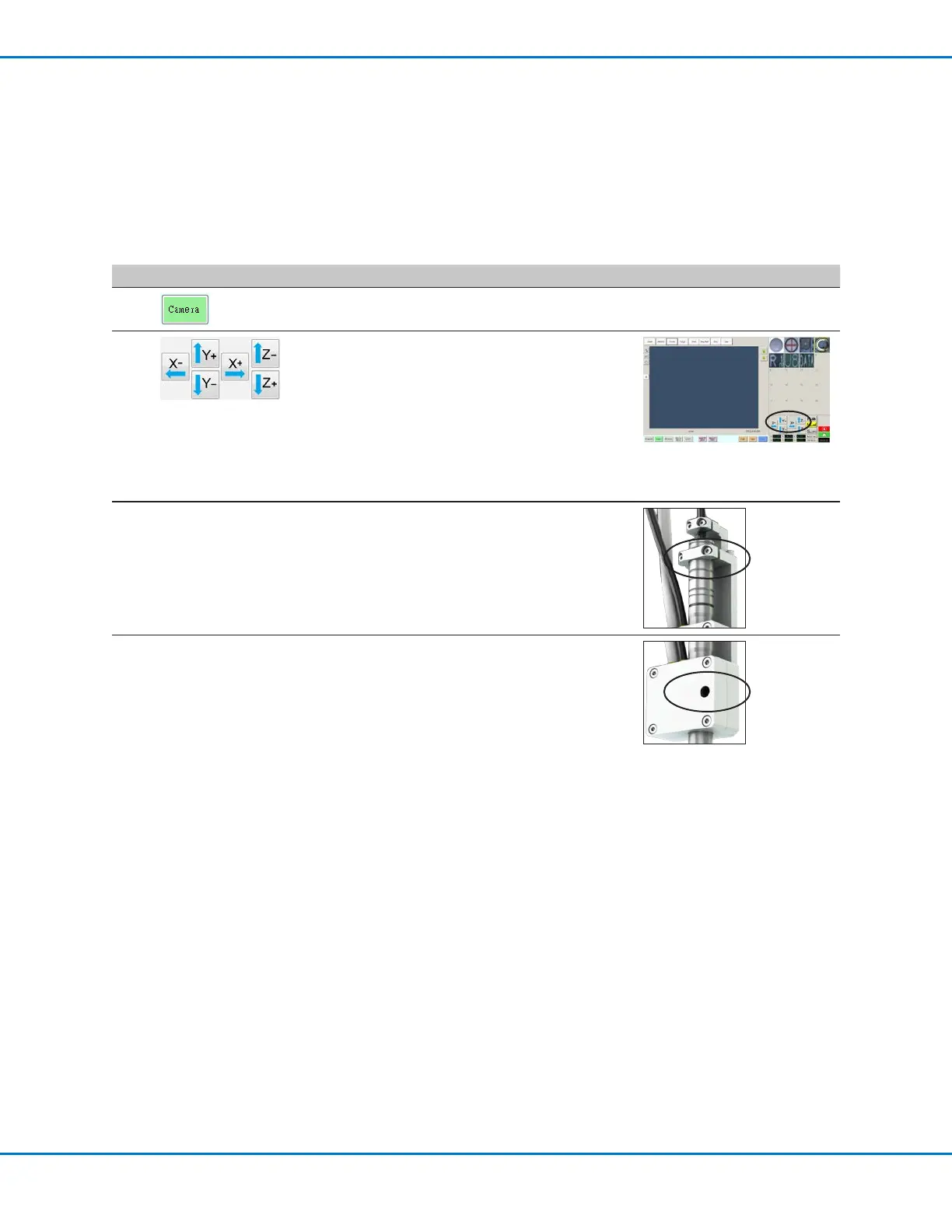
• Click the CAMERA tab.
2
• Jog camera and tip over the workpiece and
do the following:
- Make sure there is sufcient clearance
between the tip and the workpiece
(minimum of 5 mm).
- Adjust the camera on the bracket until the
viewing area of the camera (at the selected
height) shows the area you want to view
and create a dispensing program for.
3
• Without moving the robot, loosen the screws
that secure the focus dial bracket.
• Turn the focus dial on the camera until the
sharpest image is obtained.
• Tighten the focus dial bracket screws.
4
• Use a small Phillips screwdriver to adjust
the camera light such that the light setting
will make the workpiece surface visible
regardless of any changes in the ambient
light.
NOTE: The screw is located inside the
camera housing.



 To Next Page