www.nordsonefd.com info@nordsonefd.com 800-556-3484 Sales and service of Nordson EFD dispensing systems are available worldwide.
EV Series Automated Dispensing Systems
85
Setting DXF Import Preferences
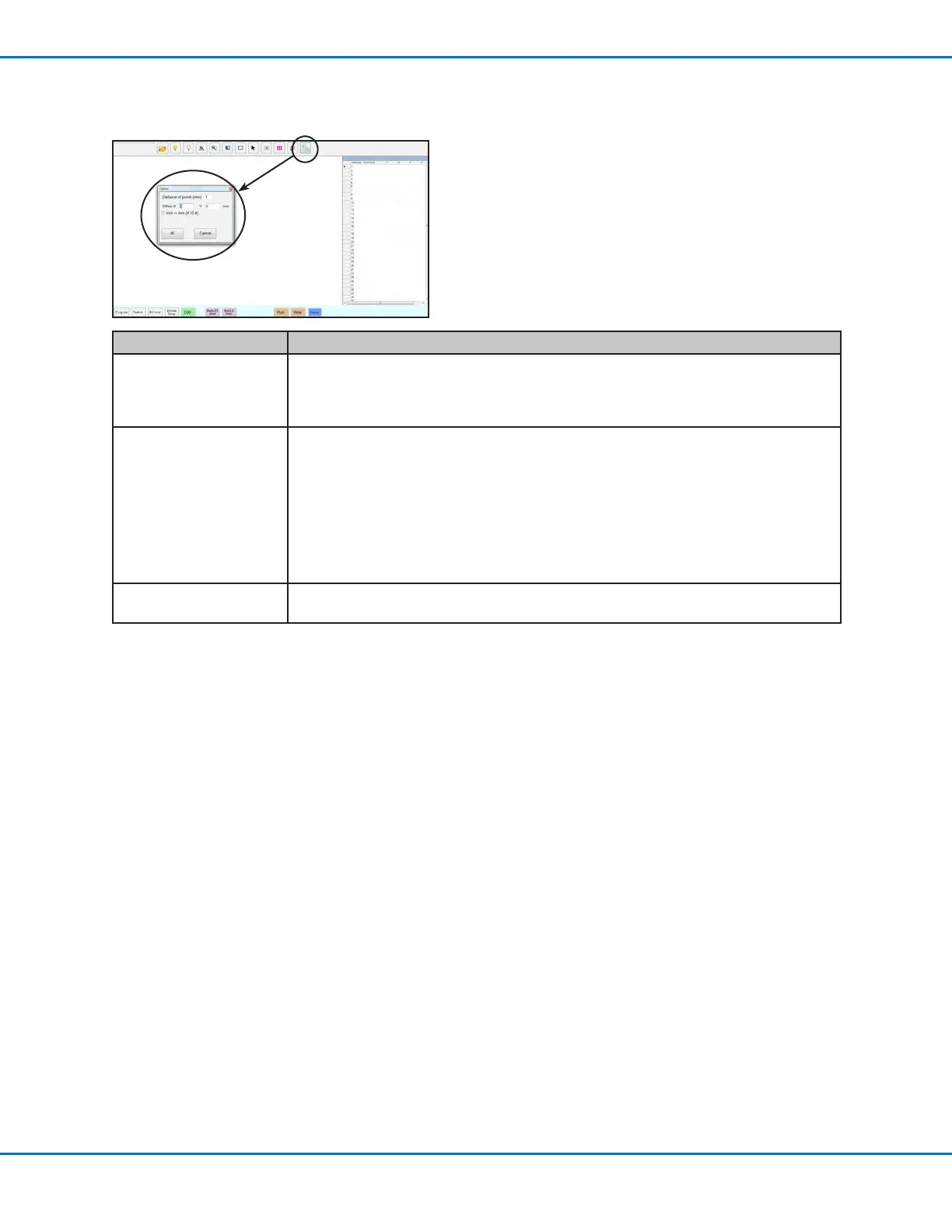
Click the OPTION icon on the DXF screen to set DXF import preferences.
Item Description
Distance of points (mm) Species the distance between any two points on a curve when the curve is converted
to coordinates. For example, when this value is set to 1 and a 10-mm long curve is
converted to commands, the result will be a series of Line Start, Line Passing, and
Line End commands that will produce a curve with a total of 11 points.
Offset X, Y After you create program commands using Point Dispense or Line Dispense, the
resulting XY values may be negative numbers. This causes the imported points
to display off the grid when viewed on the Secondary View screen. To resolve this
issue, enter X and/or Y values in the offset elds of the Option window such that the
imported XY values change to positive values. For example, if an imported XY value is
-150, -150, 0, then enter 200 for Offset X and 200 for offset Y, click OK, and then click
the Point Dispense or Line Dispense icon again to refresh the values. The new values
will be 50, 50, 0 and the points will be visible on the Secondary View screen grid when
you go to the Program screen.
Inch > mm (X 25.4) Toggles the display of units between metric and English. Check if you want to display
units in mm.



 To Next Page