www.nordsonefd.com info@nordsonefd.com 800-556-3484 Sales and service of Nordson EFD dispensing systems are available worldwide.
EV Series Automated Dispensing Systems
92
Appendix D, Multi-Needle Setup and Use
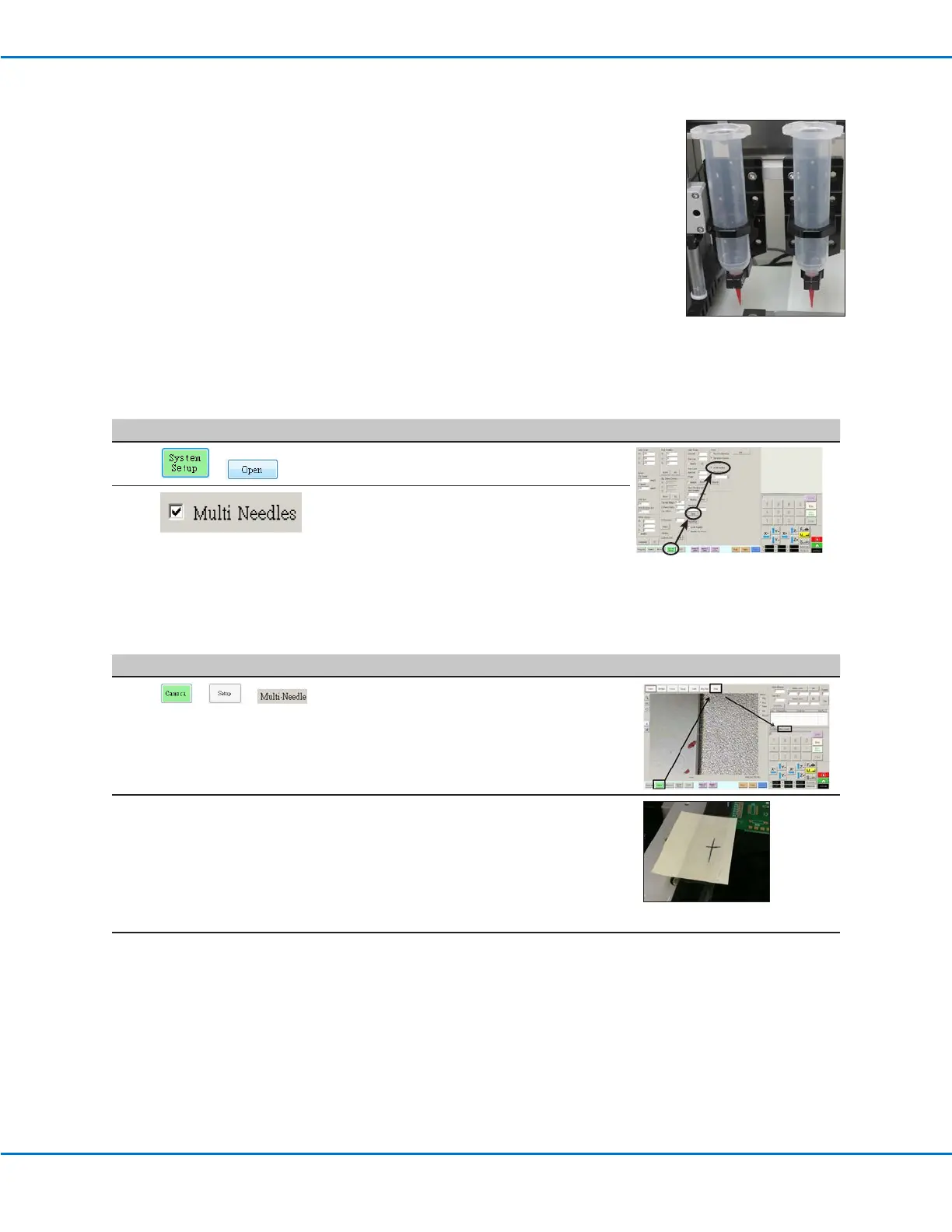
A multi-dispenser bracket can be installed on the Zaxis to accommodate up to ve
dispensers. When more than one dispenser is installed, the camera-to-tip offset must be
set for each dispenser. After the system is set up for multi-needle operation, you can insert
the Multi Needle dispense command to specify which dispenser executes the commands
that follow the Multi-Needle command.
NOTE: For contact dispensing applications with multiple dispensers, an additional toggle
assembly is required for the multi-dispenser bracket.
PREREQUISITES
The required additional dispensers are installed on the robot. Refer to the instructions
provided with the multi-dispenser bracket.
The system is properly set up. Refer to “Setting Up and Calibrating the System (Required)” on page 37.
A test workpiece is positioned on the xture plate or work surface.
To Enable Multi-Needles Dispensing
# Click Step Reference Image
1
>
• Click the SYSTEM SETUP tab, then click
OPEN.
2
• Check MULTI NEEDLES.
To Set the Camera-to-Tip Offsets for Multiple Dispensers
NOTE: This procedure explains the setup process for two dispensers. Repeat steps as needed to set up the system
for additional dispensers (up to ve dispensers can be installed).
# Click Step Reference Image
1
> >
• Click the CAMERA tab, click SETUP at the
top of the Camera screen, and then click the
MULTI-NEEDLE tab.
The Multi Needle elds appear.
2
• If your system does not include the tip
detector, create a crosshair target point close
to the workpiece.
Continued on next page



 To Next Page