www.nordsonefd.com info@nordsonefd.com 800-556-3484 Sales and service of Nordson EFD dispensing systems are available worldwide.
EV Series Automated Dispensing Systems
56
How to Disable Dispensing for Specific Workpieces in an Array
You can use the Block Start icon to disable or enable dispensing for specic workpieces in an array.
NOTE: Use the Step & Repeat commands to create a program that dispenses the same pattern on multiple
workpieces in an array. Refer to “How to Dispense on Multiple Workpieces in an Array” on page 55.
PREREQUISITES
The system is properly set up. Refer to “Setting Up and Calibrating the System (Required)” on page 37.
The system is in the CCD Mode.
Multiple workpieces are properly positioned on the xture plate.
The correct Step & Repeat program for the array on the xture plate is open.
# Click Step
1
• Make sure the Program screen is open.
2
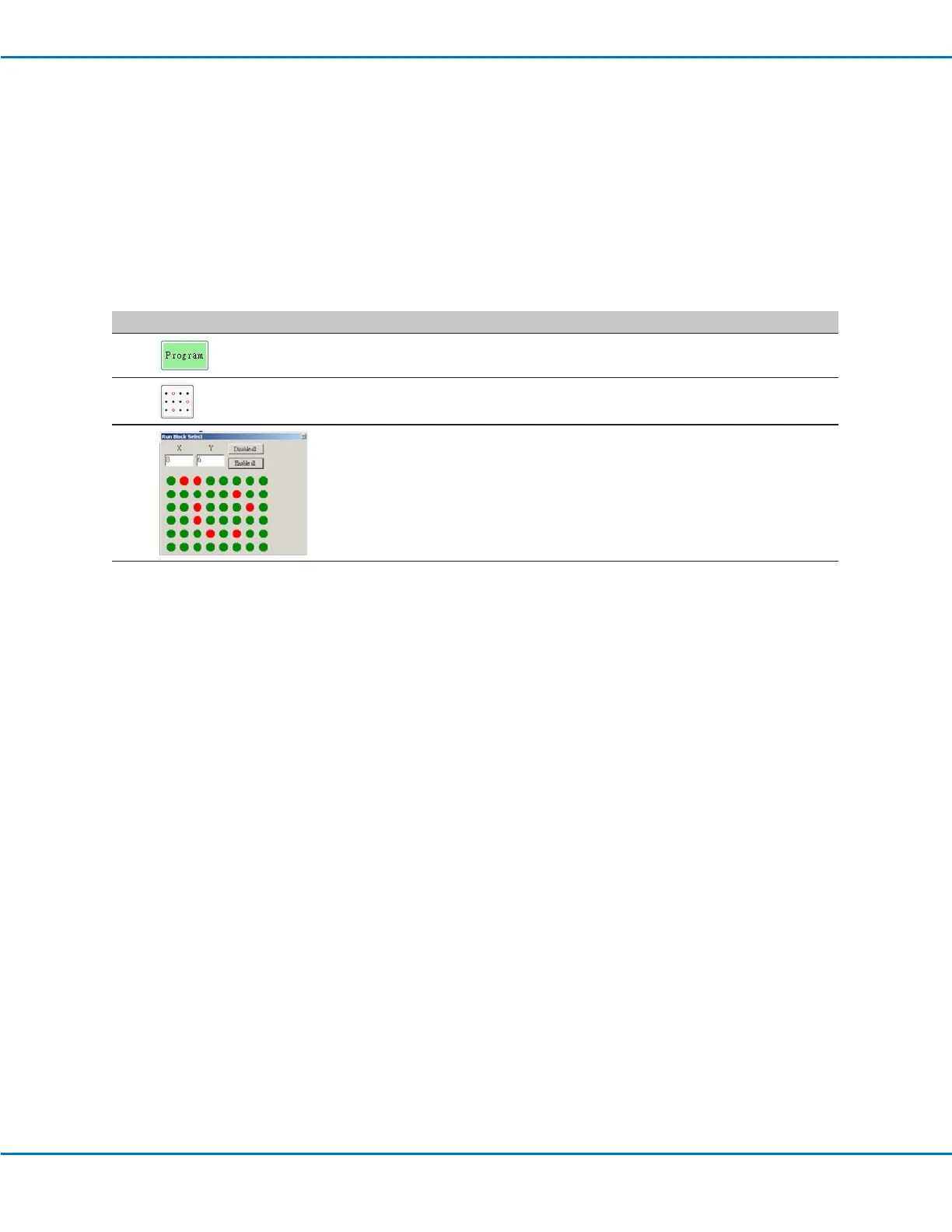
• Click the BLOCK START icon.
The Run Block Select window appears.
3
• To disable dispensing for specic workpieces, click the workpiece locations
in the window. Selections turn red when disabled.
- Green: Enabled
- Red: Disabled
• Leave the Run Block Select window open during dispensing.
4
• When dispensing is complete, close the Run Block Select window. The
system clears all disabled selections.



 To Next Page