www.nordsonefd.com info@nordsonefd.com 800-556-3484 Sales and service of Nordson EFD dispensing systems are available worldwide.
EV Series Automated Dispensing Systems
33
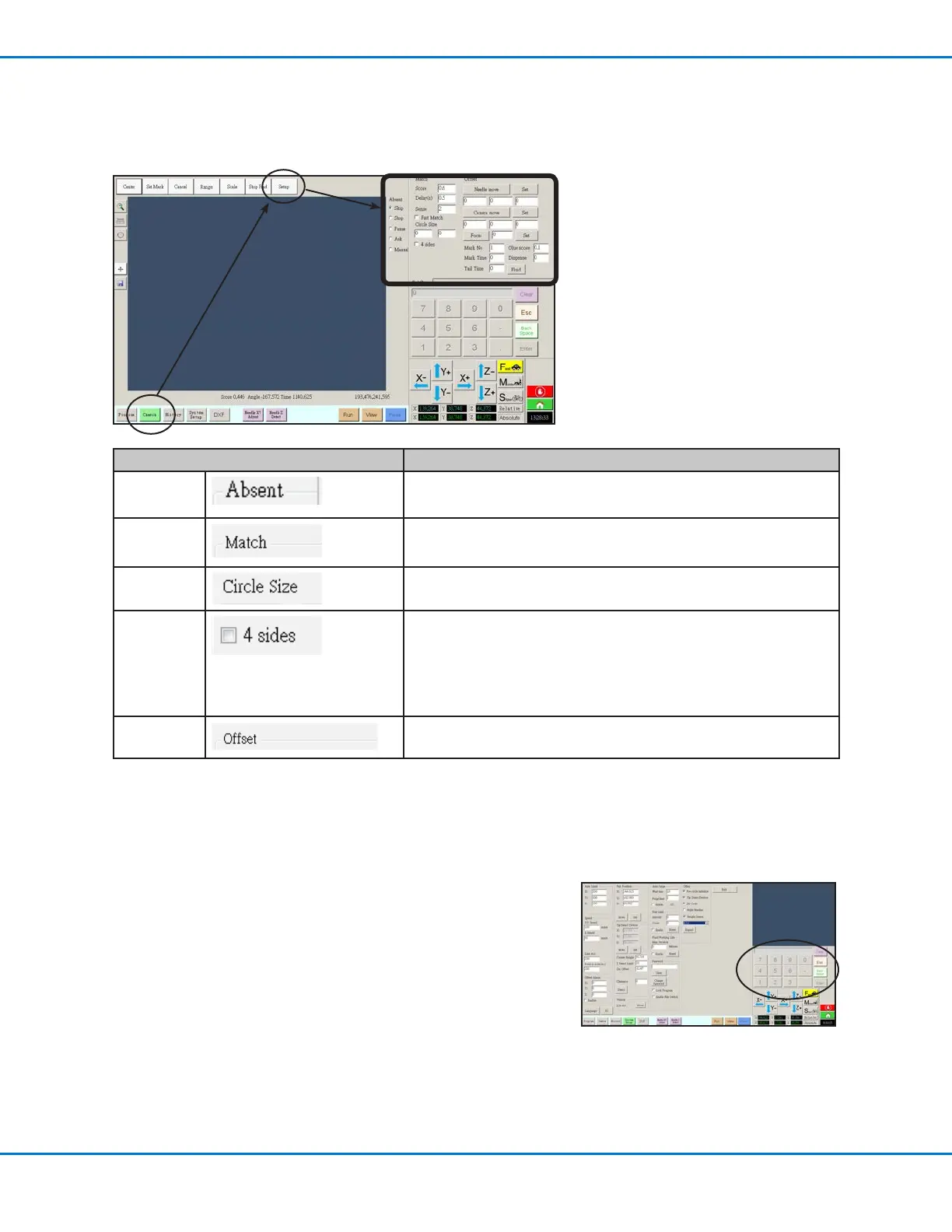
Camera Setup Screen
Click the CAMERA SETUP tab to see the Camera setup elds. The actual view of what the camera sees appears in
the Primary View screen and the camera setup elds appear in the Secondary View screen.
Camera Screen Setup Window Section Function
Absent
Sets how the system responds when it cannot nd a mark. Refer to
“Setting How the System Finds Marks (Optional)” on page 46.
Match
Affects how the camera searches for marks. Refer to “Setting How
the System Finds Marks (Optional)” on page 46.
Circle Size
Sets the size of the yellow and green circles on the Camera screen.
A higher value results in a larger circle.
4 sides
Sets the area within which the camera searches for a mark. If 4
sides is NOT checked, the camera looks only within the specied
range (set under Range). If 4 sides is checked, the camera
overrides the range settings and performs a full-screen search for
the mark. This increases the chances of nding the mark, but is
slower.
Offset
Used for system setup and calibration. Refer to “Setting the
Camera-to-Tip Offset” on page 41.
Keypad
A numeric keypad appears when data entry elds are present. Use the
keypad for mouse-click entry of numbers as an alternative to using the
numbers on the keyboard. Regardless of how numbers are entered, you
must click Enter on the keypad for the system to accept the input.



 To Next Page