www.nordsonefd.com info@nordsonefd.com 800-556-3484 Sales and service of Nordson EFD dispensing systems are available worldwide.
EV Series Automated Dispensing Systems
45
Setting Up Inputs / Outputs
If you connected inputs / outputs, follow this procedure to test input / output connections.
NOTE: All automated dispensing systems provide 8 standard inputs and 8 standard outputs. A kit to expand to
16inputs and 16 outputs is available. Refer to “Accessories” on page 61.
PREREQUISITES
The system is properly installed and set up. Refer to “Installation” on page 16 and “Setup” on page 34.
Input / output wiring is properly connected. Refer to “I/O Port” on page 65 for wiring diagrams.
# Click Step
1
>
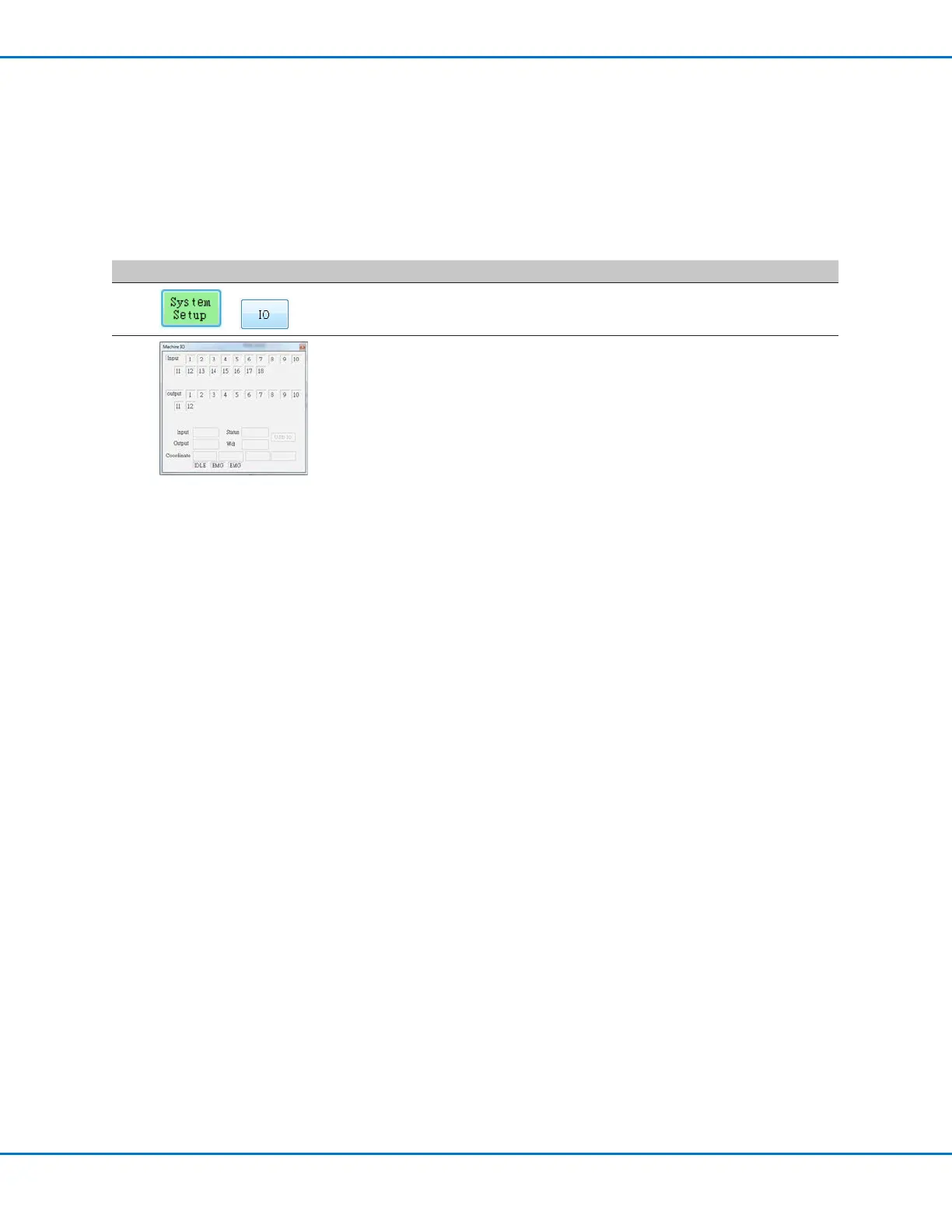
• Click SYSTEM SETUP > IO.
2
• Click the outputs you want turn ON or OFF, then click the X to close the
window.
NOTES:
• Inputs ash red when they are turned ON.
• Use only inputs / outputs 1 through 8. The remaining I/Os are reserved for the
system.
Configuring Input / Outputs for a Special Purpose
The IO Pin Function feature provides a set of user-congurable conditions that affect the operation of the robot.
Refer to “Appendix F, I/O Pin Function Setup” on page 101.



 To Next Page