www.nordsonefd.com info@nordsonefd.com 800-556-3484 Sales and service of Nordson EFD dispensing systems are available worldwide.
EV Series Automated Dispensing Systems
55
How to Dispense on Multiple Workpieces in an Array
Use the Step & Repeat commands to dispense the same pattern on multiple workpieces in an array.
NOTE: You can use the Block Start icon to disable dispensing for workpieces not present. Refer to “How to Disable
Dispensing for Specic Workpieces in an Array” on page 56.
PREREQUISITES
The system is properly set up. Refer to “Setting Up and Calibrating the System (Required)” on page 37.
If the tip was changed, run Needle Z Detect (systems with a tip detector) or Needle XY Adjust (no tip detector).
The system is in the CCD Mode.
Multiple workpieces are properly positioned on the xture plate.
# Click Step
1
>
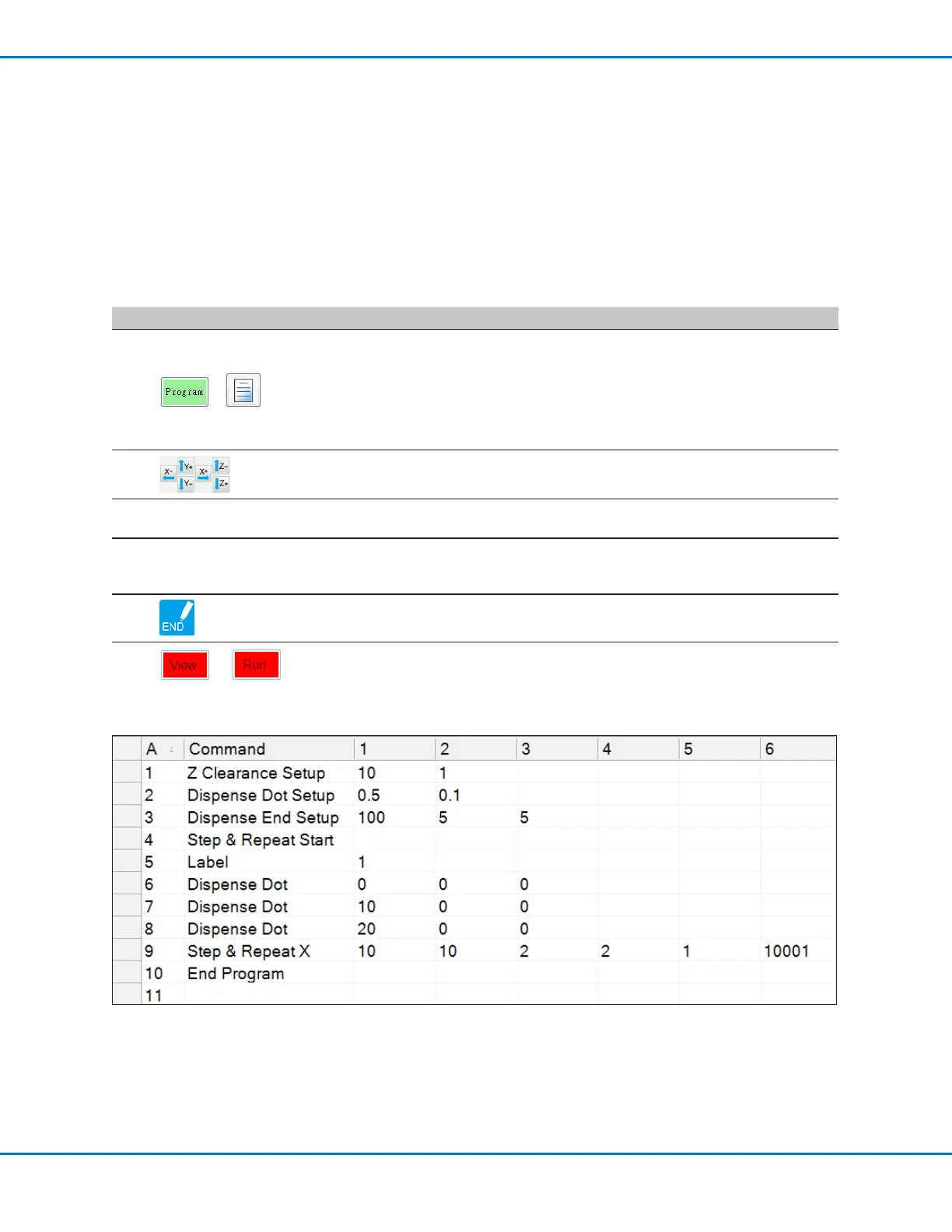
• Click the PROGRAM tab, then click the Example icon and select FIND MARK
+ STEP REPEAT. Click YES when prompted for conrmation.
A sample Step & Repeat X program appears.
NOTE: You can also use Step & Repeat Y to dispense onto multiple pieces in
an array. Refer to “Appendix A, Command Function Reference” on page 67
for detailed information on both Step & Repeat commands.
2
• Jog the dispensing tip to the rst workpiece in the array and create a mark.
Refer to “How to Create a Mark” on page 53 as needed.
3
• Double-click the FIND MARK command and enter the number of the mark
created in step 2.
4
• Double-click the remaining commands and enter the parameters that will
work for your array. Refer to “Appendix A, Command Function Reference” on
page 67 for detailed information on commands.
5
• Click END PROGRAM to end the program.
6
or
• Test the program and make adjustments until the program runs correctly.



 To Next Page