www.nordsonefd.com info@nordsonefd.com 800-556-3484 Sales and service of Nordson EFD dispensing systems are available worldwide.
EV Series Automated Dispensing Systems
51
How to Create Patterns
The vision-guided automated dispensing software give you the ability to create patterns many ways. This part of the
manual provides example programming for some of the most common command sequences. Use these examples
as a guideline for making other patterns. Refer to “Appendix A, Command Function Reference” on page 67
for detailed information on all commands. Refer to “How to Use the Example Icon” on page 52 for some pre-
programmed example programs already created in the DispenseMotion software.
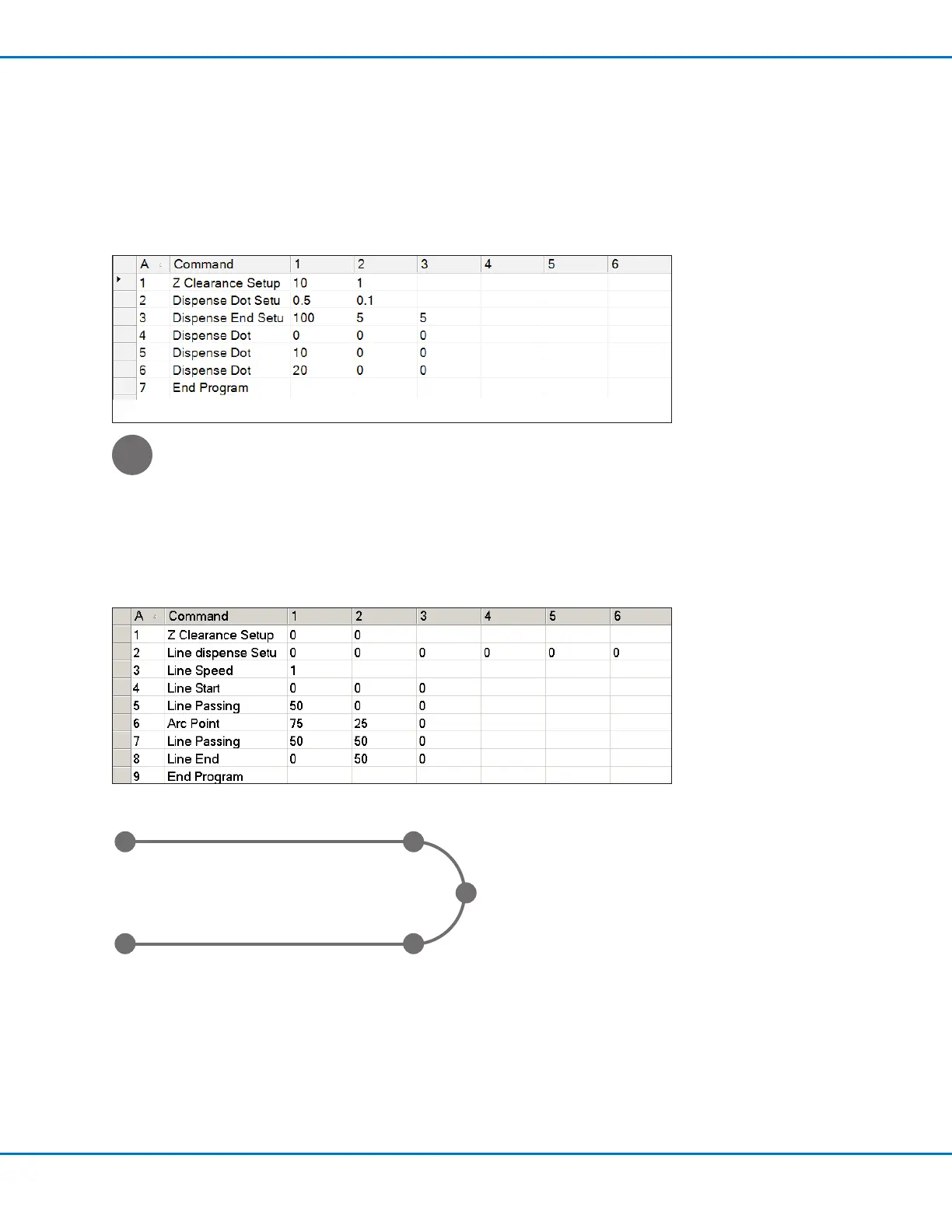
Dispense Dot Sample Program
Lines and Arcs Sample Program
Line Start
point
Line End
point
Arc Point
Line Passing
point
Line Passing
point



 To Next Page