www.nordsonefd.com info@nordsonefd.com 800-556-3484 Sales and service of Nordson EFD dispensing systems are available worldwide.
EV Series Automated Dispensing Systems
29
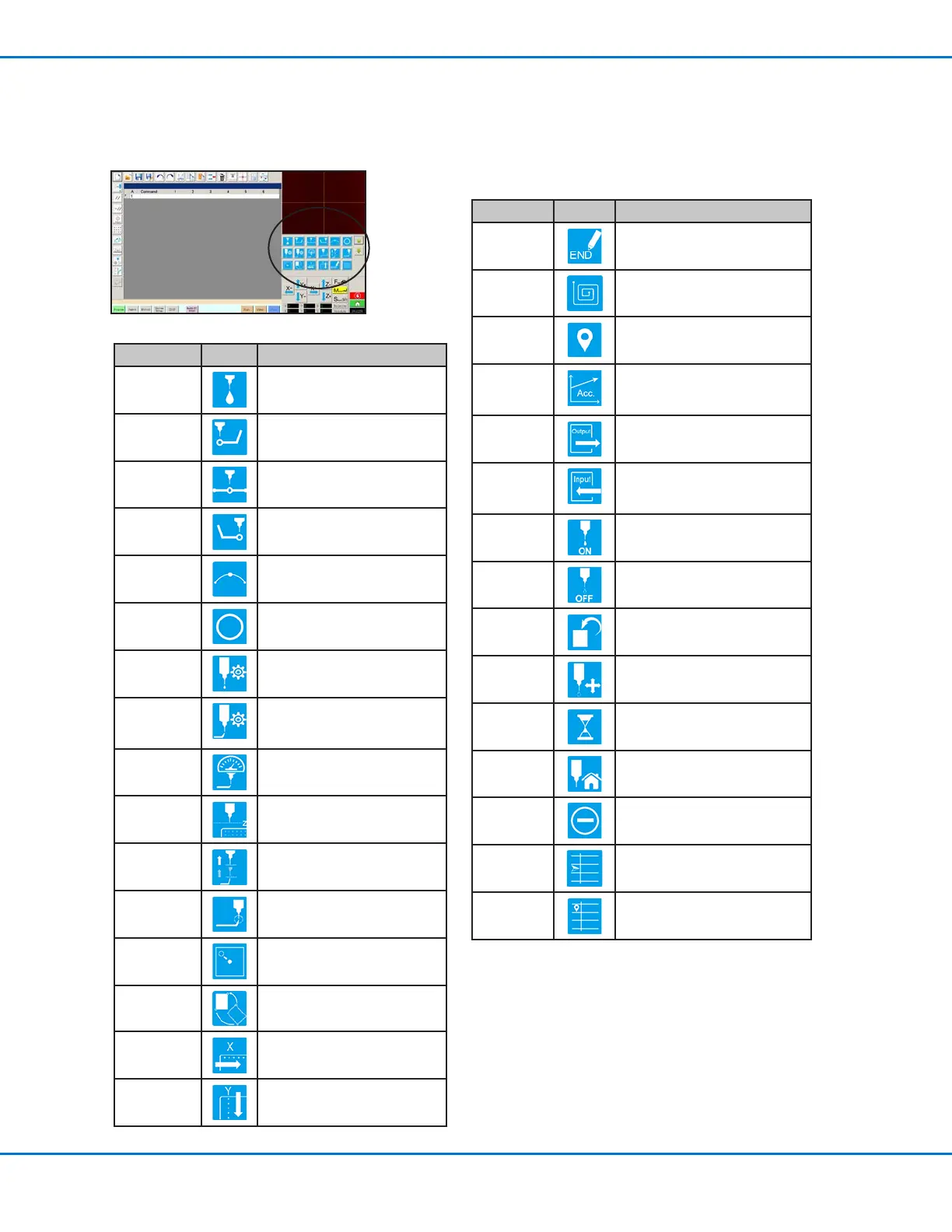
Setup and Dispense Command Icons
Click the dispense and setup command icons to enter the associated command at a numbered address in a
program. Use the green arrows to move up and down through the icons Refer to “Appendix A, Command Function
Reference” on page 67 for detailed information on all commands.
Icon Name Icon Function
End
Program
Ends a program
Fill Area Fills an area according to the Fill
Area parameter settings
Label
Registers a label for a specic
location in a program
Acceleration
Changes how the robot
accelerates from point to point
or along a continuous path
Output Sends a selected output signal
from the robot
Input
Tells the robot to check for an
input signal from a selected
input channel
Dispenser
On
Enables dispensing
Dispenser
Off
Disables dispensing
Initialize Resets stored correction data
Dummy
Point
Registers the current location as
a Dummy Point
Wait Point
Registers the current location as
a Wait Point
Park
Position
Sends the robot to the park
position
Stop Point
Registers the current location as
a Stop Point
Goto
Address
Skips to the specied address
number in a program
Goto Label
Skips to the specied Label in a
program
Icon Name Icon Function
Dispense Dot
Registers the current location
as a Dispense Dot point
Line Start
Registers the current location
Line Start point
Line Passing
Registers the current location
as a Line Passing point
Line End
Registers the current location
as a Line End point
Arc Point
Registers the current location
as an Arc Point
Circle
Registers the current location
as a Circle
Dispense Dot
Setup
Sets Dispense Dot parameters
Line
Dispense
Setup
Sets line dispensing
parameters
Line Speed
Sets a line speed (overrides the
default speed settings)
Z Clearance
Setup
Sets the Z clearance (overrides
the default Z clearance setting)
Dispense
End Setup
Sets how fast and how high the
tip raises after dispensing
Backtrack
Setup
Sets how the tip backtracks
after dispensing
Find Mark
Registers a Find Mark
Fiducial Mark Registers a Fiducial Mark (two
required)
Step &
Repeat X
Sets up Step & Repeat X
parameters
Step &
Repeat Y
Sets up Step & Repeat Y
parameters



 To Next Page