www.nordsonefd.com info@nordsonefd.com 800-556-3484 Sales and service of Nordson EFD dispensing systems are available worldwide.
EV Series Automated Dispensing Systems
93
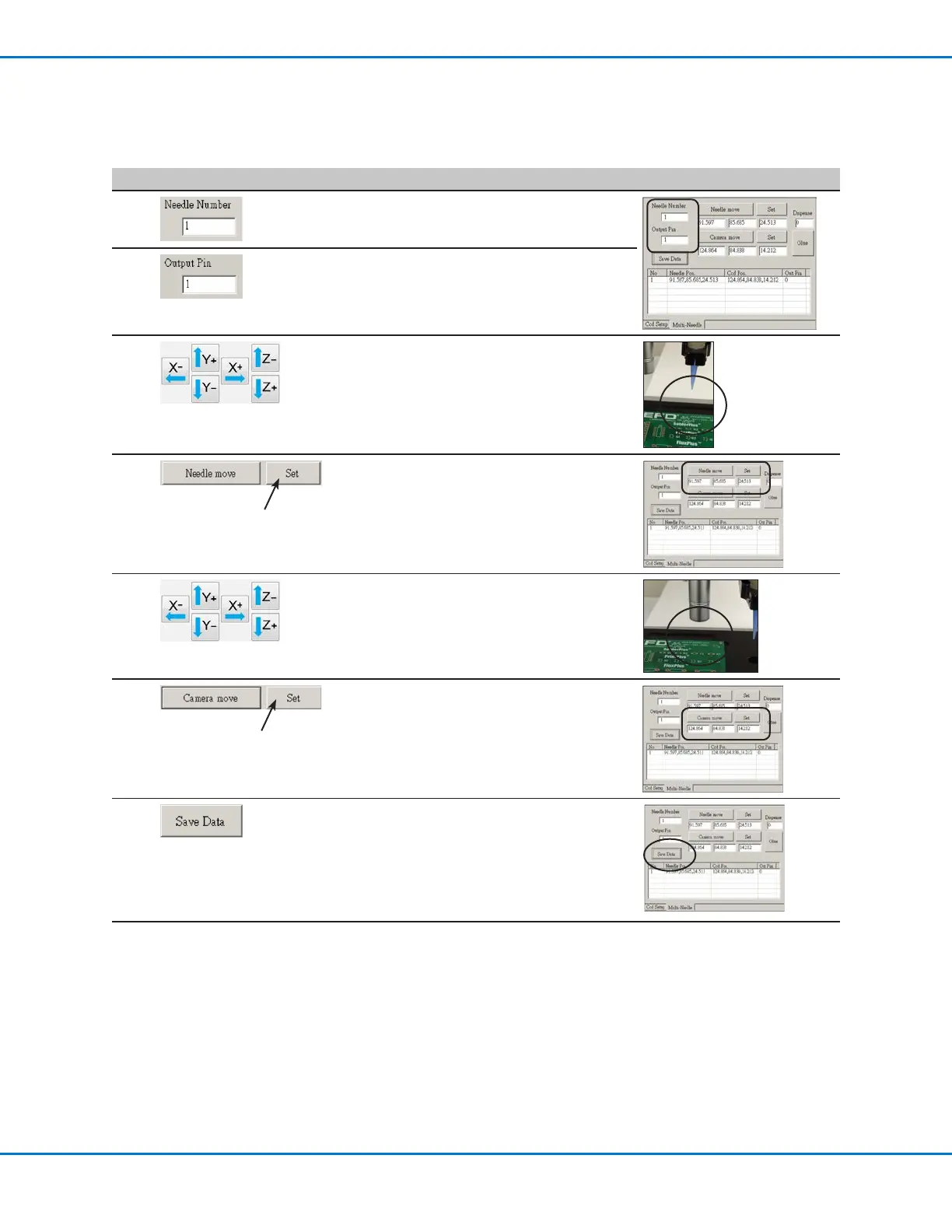
# Click Step Reference Image
3
• Click inside the NEEDLE NUMBER eld and
enter the dispenser number (in this example,
Needle Number 1 for Dispenser 1).
4
• Click inside the OUTPUT PIN eld and
enter the I/O Port pin that the dispenser
is connected to (in this example, 1 for
Dispenser1).
5
• Use the jog keys to position the tip over the
crosshair target (on either the tip detector or
the one you created).
• Jog the tip down until it as close to the
crosshair target as possible without touching
the target.
6
• Click SET next to Needle Move.
This sets the XYZ coordinates for the
dispense calibration point. The system enters
the dispensing tip coordinates in the elds
under Needle Move and Set.
7
• Jog the camera until the camera crosshairs
are centered over the crosshair target,
then
jog the Zaxis until the image of the crosshair
target is clear.
8
• Click SET next to Camera Move.
This sets the camera position. The system
enters the camera coordinates in the elds
under Camera Move and Set.
9
• Click SAVE DATA.
The system populates the Needle 1 data
elds.
Continued on next page
Appendix D, Multi-Needle Setup and Use (continued)
To Set the Camera-to-Tip Offsets for Multiple Dispensers (continued)



 To Next Page