www.nordsonefd.com info@nordsonefd.com 800-556-3484 Sales and service of Nordson EFD dispensing systems are available worldwide.
EV Series Automated Dispensing Systems
83
Appendix A, Command Function Reference
(continued)
Stop Point
Click Function
Registers a Stop Point at the current XYZ location. When this command occurs, the dispensing tip moves to the
registered location and waits until the START button is pressed.
Wait Point
Click Function
Registers a Wait Point at the current XYZ location. When this command occurs, the dispensing tip moves to the
registered location and waits for the specied Wait Time (in seconds).
Z Clearance Setup
Click Function
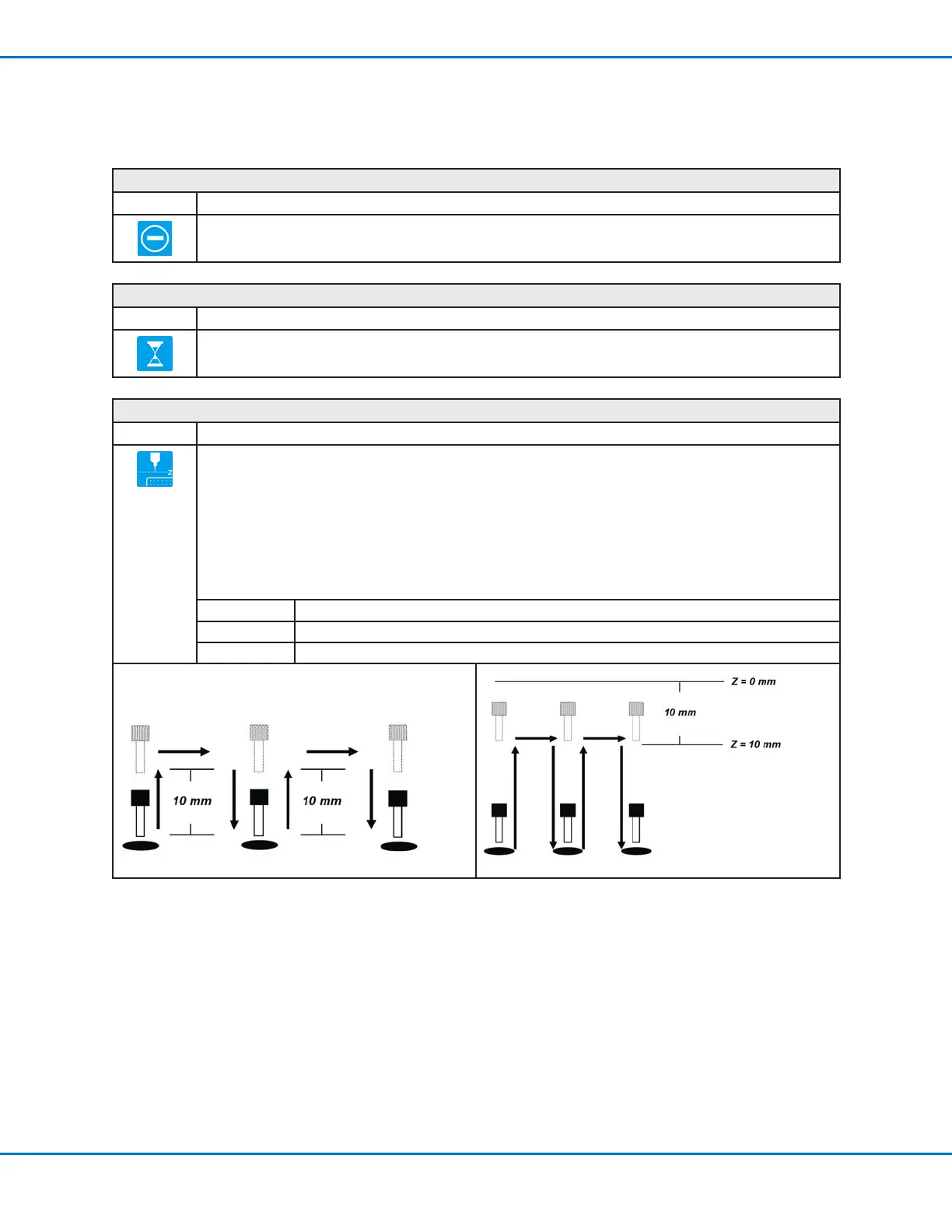
Species the height to which the dispensing tip raises after each dispense command. The purpose of Z
Clearance is to raise the tip high enough so that it clears all obstacles as it moves from one point to another.
If there are no obstacles between any of the points, a small Z Clearance value, such as 5mm, can be used to
minimize the program cycle time.
Z Clearance is further dened as an absolute value (0) or a relative value (1) . When specied as a relative value,
it is the distance the tip raises relative to the taught point location. When it is specied as an absolute value, it is
the distance from the Z axis zero position to which the tip raises regardless of the Z-axis value of the taught point
location.
Nordson EFD recommends inserting a Z Clearance command at the beginning of a program.
Parameter Description (see illustrations below)
Value The distance (in mm) the tip raises after dispensing.
0(Abs), 1(Rel) How the tip raises: 0(Abs) = absolute, 1(Rel) = relative.
Z Clearance = 10 mm relative Z Clearance = 10 mm absolute



 To Next Page