Operating & Maintaining the Eden 3-D Printer
7–48
DOC-00500 Rev. F
Thewastecontainerconsistsofaplasticcontainerinsideacardboardbox.
Youtypicallydisposeoftheentirewastecontainer—includingthebox.
Therefore,youmustassembleanewboxandinsertanewplasticcontainer
beforeyoucaninstallitintheprinter.
To prepare a new waste container:
1. Assemblethecardboardbox,makingsuretopunchouttheperforated
sections.
2. Placeanewplasticcontainerintothebox.
Note: Do not close the box until you connect the waste drain tube from the
printer (see below).
To replace the waste container:
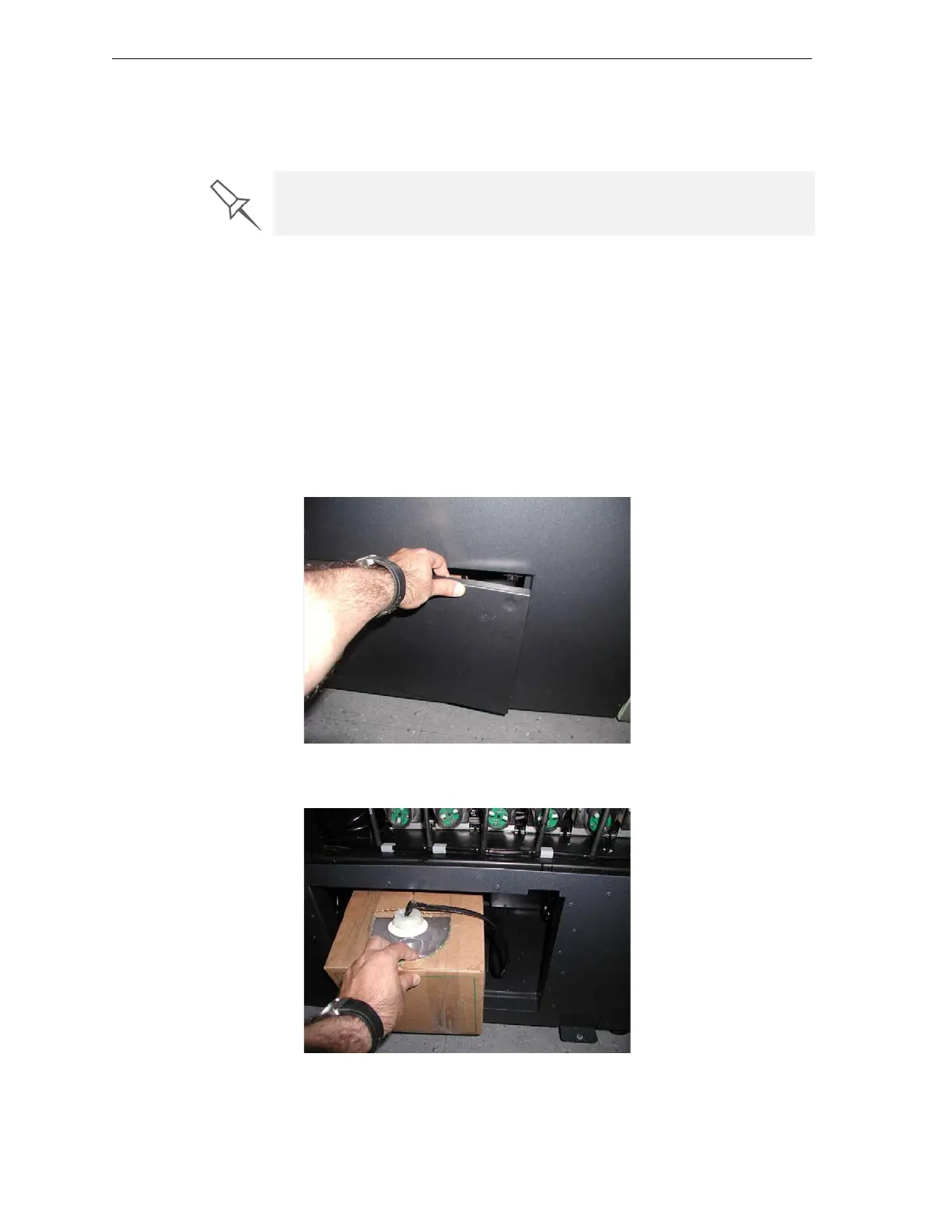
1. Locatethedooronthelower‐leftsideoftheEdenprinter.
2. Pushintheupper‐rightcornerofthedoortoreleasethelatchandopen
thedoor.
Figure 7-4: Accessing the waste container
3. Carefullyslideoutthewastecontainer,removingitfromtheprinter.
Figure 7-5: Removing the waste container
4. Placethenewwastecontainernexttothefullcontainer.
Replacement boxes, plastic containers, and sealing caps are supplied in the
Eden printer start-up and preventive-maintenance kits.



 To Next Page