DOC-00500 Rev. F 6–5
Eden500V/350V/350 User Guide
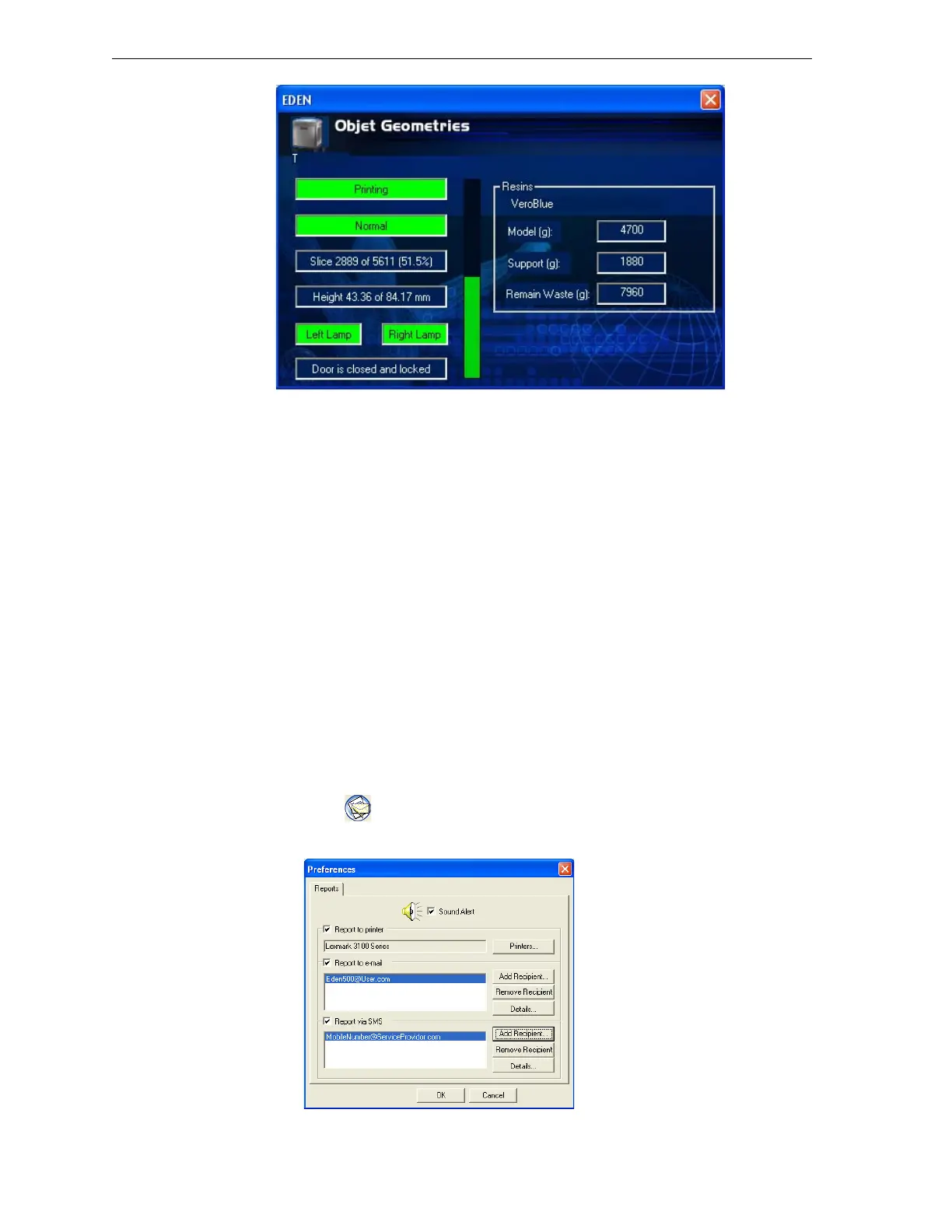
Figure 6-3: Printer status screen
Configuring
User Alerts
JobManagercanalertyouandotherstothestatusofthejobssenttothe
serverforprinting.Thefollowingeventscanbereported:
• Thelevelofmodelorsupportmaterialislow.
• Thejobwasinterrupted.
• Thejobwascompletedsuccessfully.
Tosendmessages,makesurethate‐mailsoftwaresupportingMAPIis
installedontheprinter’sservercomputer.TosendSMSmessages,the
e‐mailprogrammustconvertthemessagesandtransmitthem.Microsoft
Outlook,forexample,candothis;OutlookExpresscannot.Inaddition,the
cellularphoneservicemustsupportthetransmissionofe‐mailmessagesby
SMS.WithSMSalerts,onlythesubjectlineofthee‐mailmessageis
transmitted.
Note: In the e-mail program, make sure the security settings are set to
“low” and add the server Job Manager to the “trusted” list (select
Tools > Options, Security tab).
To configure Job Manager to send notifications and alerts for your jobs:
1. ClickorselectReportfromthe3‐DPrintermenu.
ThePreferences/Reportsdialogboxopens.
Figure 6-4: User alerts settings



 To Next Page