DOC-00500 Rev. F 5–25
Eden500V/350V/350 User Guide
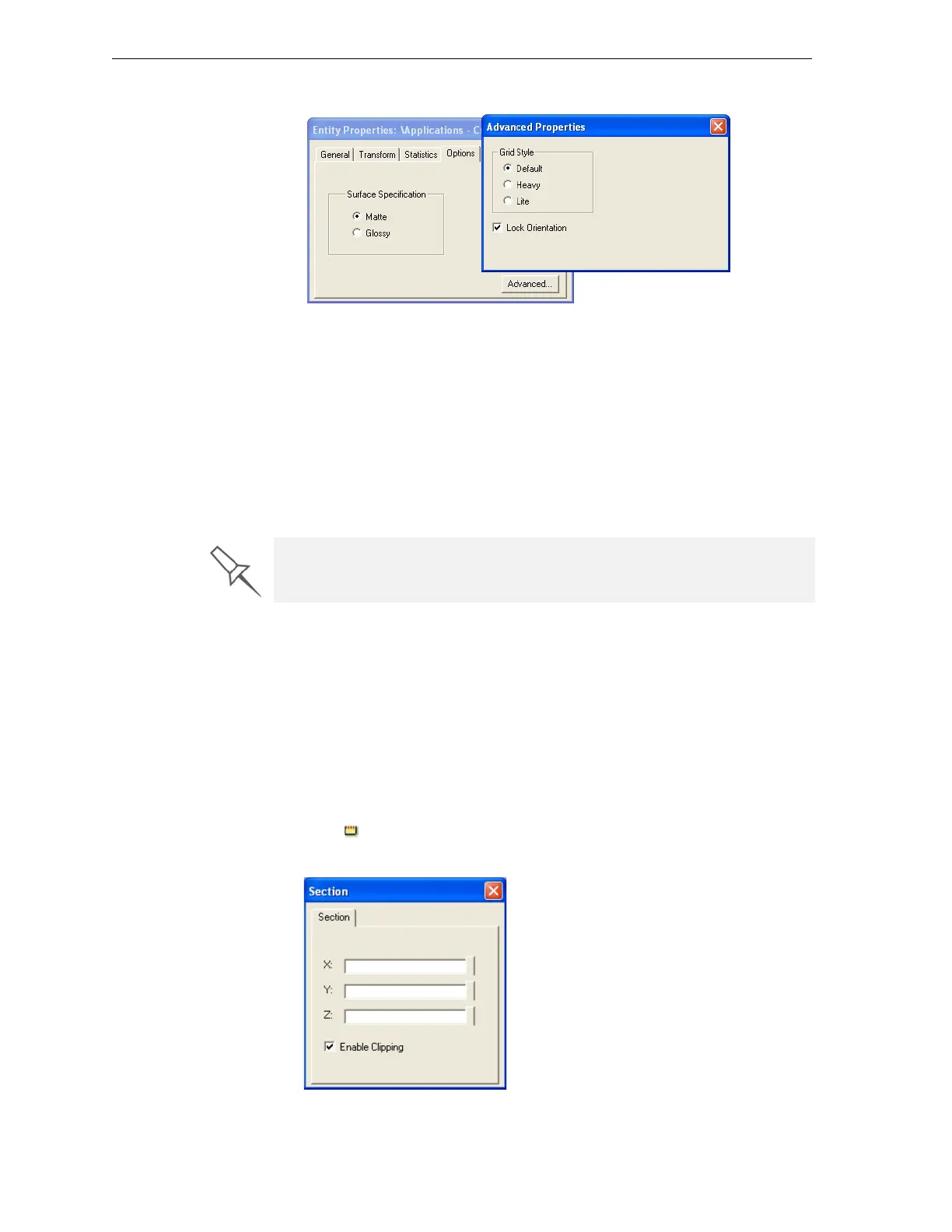
TheAdvancedPropertiesdialogboxopens.
Figure 5-31:Advanced Properties dialog box—Grid Style selection
3. IntheGridStylesection,choosethesupportstrengthsuitableforthe
selectedmodel:
• Heavy—forlargemodelsneedingmuchsupport.
• Lite—fordelicatemodelsneedinglittlesupport.
• Default—formodelsneedingaveragesupport(mostmodels).
Note: You can select a different support strength for each model on the
build tray.
4. ClosetheAdvancedPropertiesdialogbox.
Displaying the
Cross Section
of Objects
TheSectionfeatureenablesyoutoviewtheinteriorofanobjectby“slicing”
itonanyaxis.Youcanthenmanipulatetheobjecttoinspecttheinterior
fromdifferentangles.Thismaybeimportantfordecidingonthetypeof
supportnecessarywhenproducingthemodel(see“ChoosingtheSupport
Strength”onpage 24).Displayinganobject’scrosssection onlyaffectshow
thetrayisdisplayedonthescreen;itdoesnotchangetheobjectitself.
To display a cross section of the tray:
1. FromtheToolsmenu,selectSection.
or—
Clickonthetoolbar.
TheSectiondialogboxopens.
Figure 5-32:Section dialog box
The Lock Orientation option is not connected to the Grid Style selection.
This setting is described in “Freezing an Object’s Orientation” on page 16.



 To Next Page