Operating & Maintaining the Eden 3-D Printer
7–6
DOC-00500 Rev. F
Printing
Indicators
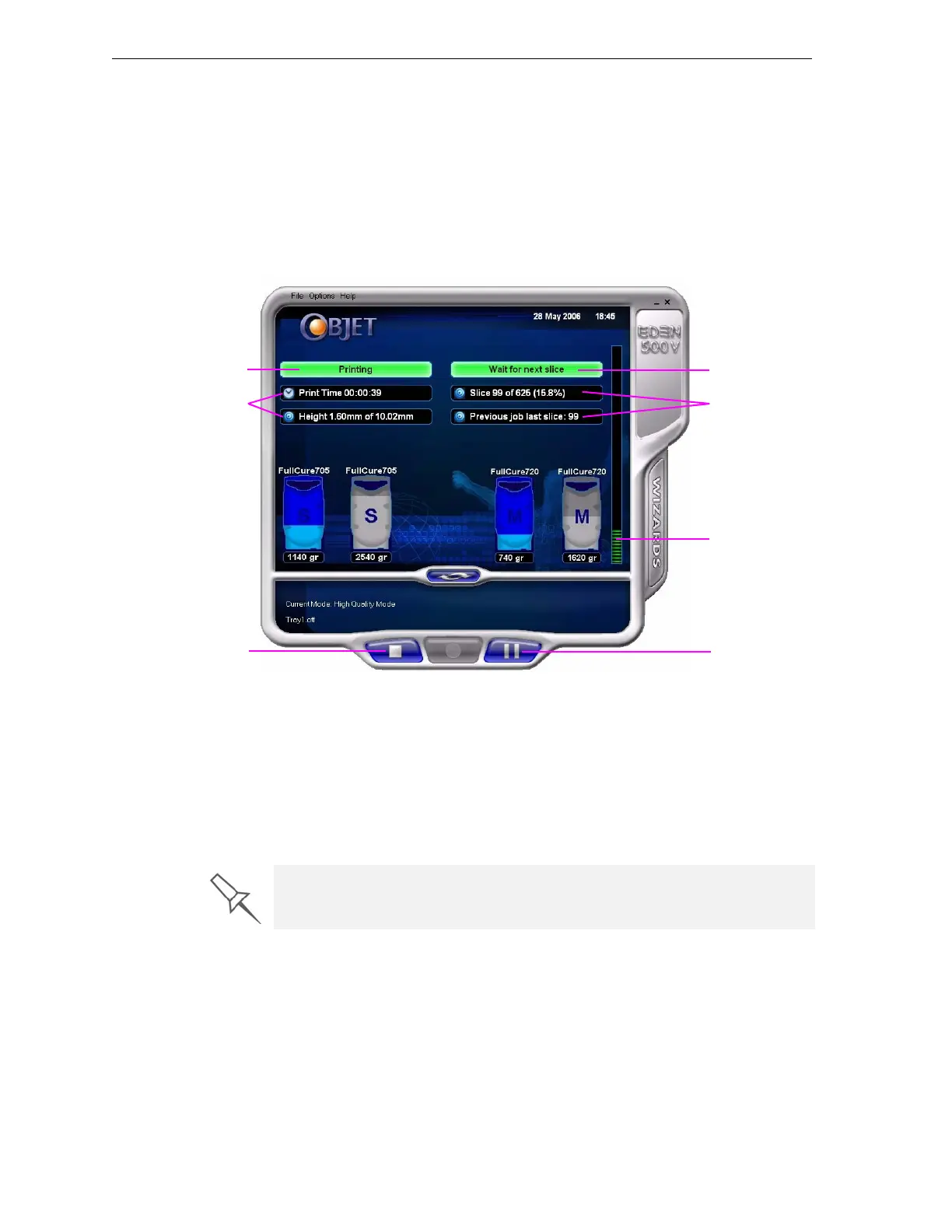
Whentheprinterisready,themaininterfacescreenchanges(see
figure 7‐5):
• ThemodechangesfromPre‐printtoPrinting.
• Thespecificactivitybeingperformedisshowninthe“currentactivity”
field.
• Currentjob‐printinginformationisdisplayed.
• Theprintingprogressbarisdisplayed.
• TheStopandPausebuttonsareenabled.
Figure 7-5: Eden printer interface during printing
Whenprintingbegins,JobManagersendssevenslicestotheEdenprinter.
ThisisthestandardbufferbetweentheJobManagerandtheprinter.As
eachsliceisprinted,theJobManagersendsanotherslicetotheprinter.
Dependingonthesizeofthemodel(s)tobeproduced,printingcantake
betweenseveralhourstoseveraldays.Aslongasthereisenoughmodel
andsupportmaterialinthesupplycartridges,printingproceeds
automaticallyuntilthejobisfinished.
Resuming Production After Printing has Stopped
Iftheprintingprocessisinterruptedforanyreason,JobManagerstops
sendingslicestotheEdenprinter.
To continue printing the model:
1. Switchtheprintertoonlinemodebyclickingtheredbuttonatthe
bottomoftheEdenprinterinterface(seefigure 7‐3onpage 3).
Thebuttonchangesfromredtogreen(seefigure 7‐4onpage 5).
Current Activity
Job information
Progress bar
Pause button
Stop button
Printer mode
Job information
During printing, the server computer must remain on and it must
communicate with the Eden printer. Do not log-off Windows until printing is
finished.



 To Next Page