DOC-00500 Rev. F 7–43
Eden500V/350V/350 User Guide
Built-in Tests
ThesoftwarethatrunsyourEden3‐Dprintercontainsasuiteoftestsfor
regularlycheckingthehardwareandsoftware,andfortroubleshooting.
Youcanconfigurebasiccommunicationsandenvironmentteststorun
automatically,whentheEdensoftwareopens.Inaddition,youcanruna
morecomprehensivesetoftests
beforeprocessingaprintjob,asasystem
check,toensureoptimumprintingresults.
Becauserunningthetestseffectstheoperationoftheprinter,youcanonly
opentheBuilt‐inTestsinterfacewhentheEdensystemisnotprinting.
Thetestsuitefeatures:
• Theorganizationofprinting‐relatedtasksincategories:
Communications
Datacards
Temperatures
Voltages
Encoderrepeatability
Print‐headheating
Print‐headfilling
• Acleardisplayoftestresultsandthesourceofanyfailures,enabling
youtodetermineifprintingispossibleorworthwhile.
• Theabilitytomonitortestresultsforspecificcomponents.
• Troubleshootingtips.
Runningthesetestscanhelpidentifyproblemsintheprinterhardwareand
software.Alargenumberofhardwaredefects(ornear‐defects)warnsyou
ofpossibleprintingproblems,eitherforcurrentorfuturejobs.
Accessing
Built-in Tests
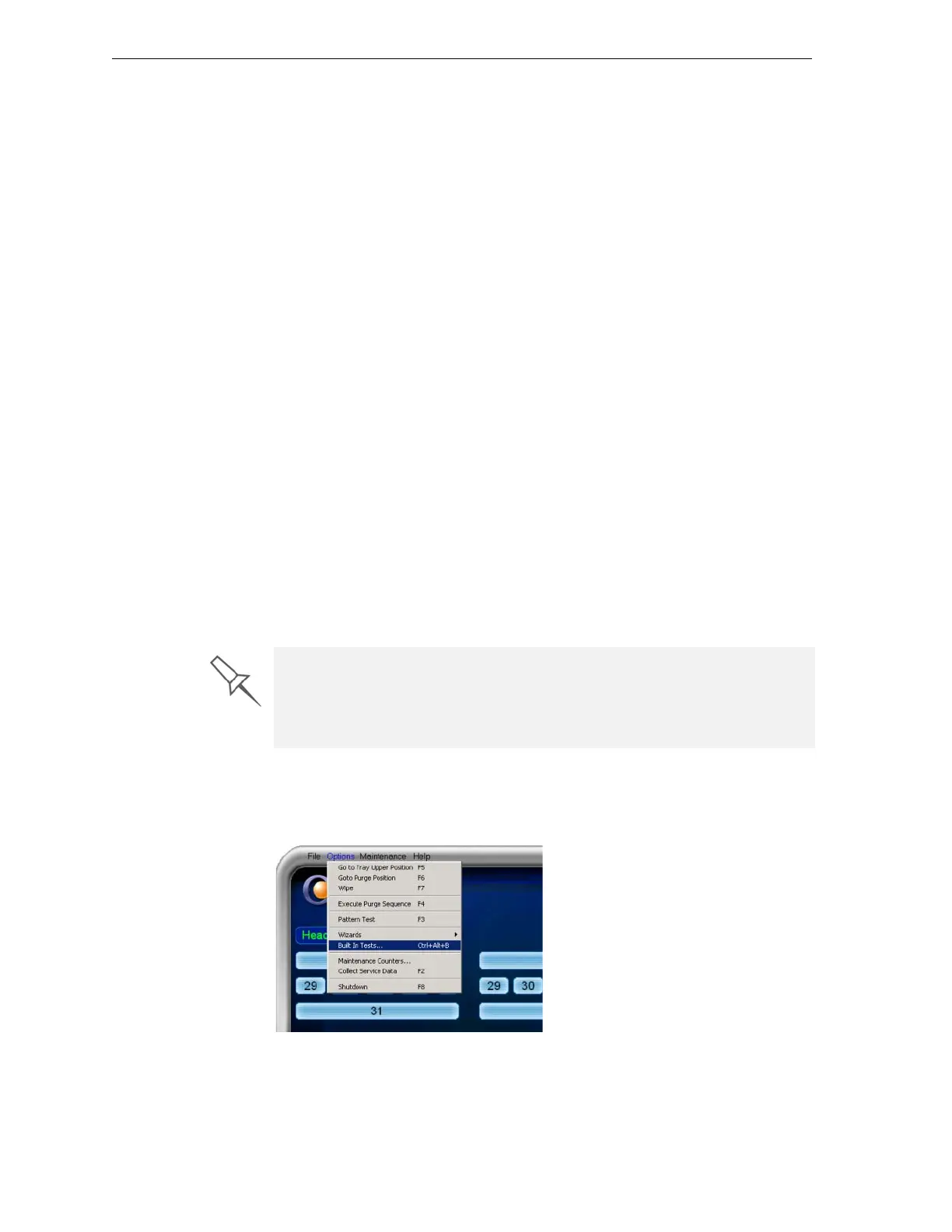
To open the Built-in Tests screen, do one of the following:
• FromtheOptionsmenu,selectBuilt-In Tests.
• PressCtrl+Alt+B.
Figure 7-1: Selecting Built-In Tests from the Options Menu
Objet recommends running the built-in tests in the following cases:
• As a routine test, once every two weeks
• As a system check, before major (long) jobs
• As needed, for troubleshooting.



 To Next Page